Best VPN for Polymarket in 2026

Polymarket is a cryptocurrency prediction platform that’s geo-blocked in certain regions. If you try to access it from the US, you’ll see a message saying it’s unavailable in your area. To get around this restriction, you’ll need a Polymarket VPN, which lets you change your virtual location and access the site.
However, not every VPN can bypass geo-restrictions and unblock Polymarket. Some are detected and blocked by the website, while others have slow speeds or lack the security features needed for safe access.
In this article, you’ll find the best VPNs for Polymarket, my insights on each provider, a step-by-step guide to unblocking the site, and other useful details about the platform.
How to unblock Polymarket with a VPN

- Choose a VPN that works with Polymarket. I recommend NordVPN, now 75% OFF
- Download and install the VPN app on your device
- Launch the VPN application and log in using your credentials
- Connect to any servers in the US
- Open Polymarket and browse with no restrictions
Top 3 Polymarket VPNs – overview
After testing multiple VPN providers, I can confirm that the ones listed below successfully unblock Polymarket. During my tests, I accessed the website without any errors and enjoyed a stable, fast connection. Each VPN has its own unique strengths, so I recommend choosing the one that best fits your needs:
- NordVPN – best Polymarket VPN overall
- Surfshark – top affordable VPN for Polymarket
- Proton VPN – privacy-focused Polymarket VPN
Countries where Polymarket is blocked
Polymarket is restricted or completely blocked in some countries. The table below shows the website’s availability in selected regions.
| Country | Polymarket status | Date and reason for blocking |
| United States | ❌ Blocked | Blocked since 2022, but may be reopened in 2025 |
| Belgium | ❌ Blocked | 2025, violation of the Gambling Act |
| Poland | ❌ Blocked | 2024, blacklisted/unlicensed gambling |
| France | ❌ Blocked | 2024, unlicensed gambling investigation by ANJ |
| Switzerland | ❌ Blocked | 2024, blacklisted/unlicensed gambling |
| Singapore | ❌ Blocked | 2025, declared illegal gambling by the Gambling Regulatory Authority |
| Thailand | ❌ Blocked | 2025, declared illegal gambling by authorities |
Best VPNs for Polymarket in 2026 – detailed list
Below is my list of the 6 best VPNs for Polymarket. I personally tested each one to ensure it works reliably with the platform. You can read my detailed findings below.
1. NordVPN – best VPN for Polymarket overall
| Rating: | |
| Servers/countries: | 9,200+ servers in 137 countries |
| Accepts crypto payments: | Yes |
| Price: | From $3.49/month |
| Current deal: | Get 75% OFF NordVPN + 3 months FREE |
When testing the best VPNs for Polymarket, NordVPN immediately stood out. It worked flawlessly, unblocked the site without any issues, and provided consistently fast connections.
Unblocking Polymarket was effortless. I simply connected to a server in Belgium, opened the website, and it worked right away. NordVPN delivered excellent speeds thanks to its proprietary NordLynx protocol. Its large global server network helps prevent overcrowding, ensuring stable and fast performance, which is crucial for tracking real-time updates on Polymarket.
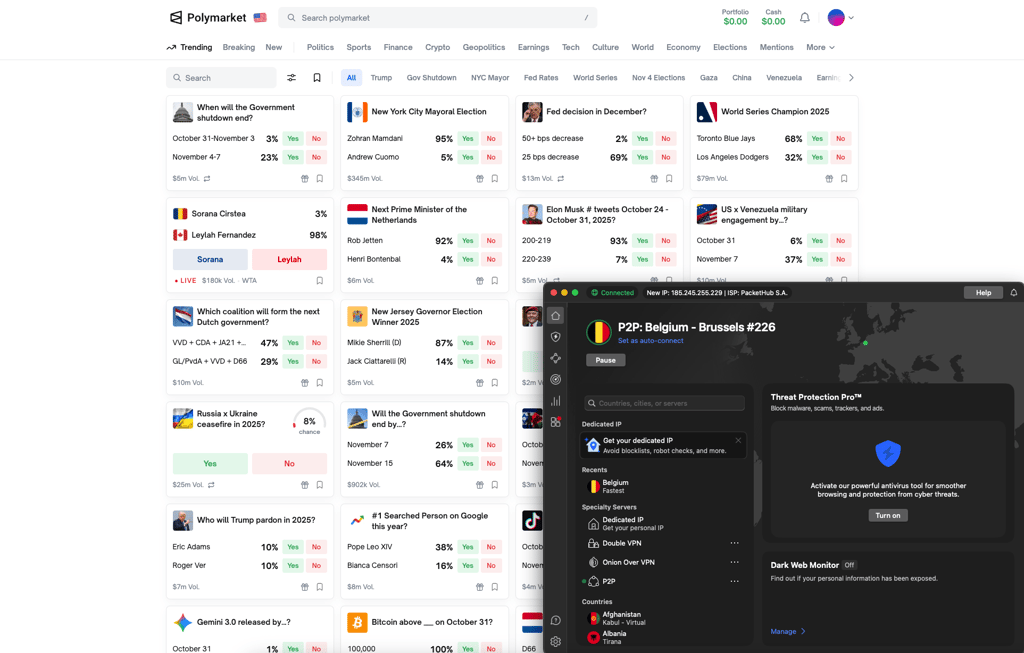
NordVPN also excels in security. It’s based in privacy-friendly Panama, which has no mandatory data retention laws. It has an audited no-logs policy and uses RAM-only servers, so no user data is ever stored. NordVPN also offers obfuscated servers that conceal VPN use, plus a kill switch and leak protection to keep your IP address hidden even if the connection drops. For encryption, NordVPN uses AES-256 and ChaCha20. Personally, I felt completely safe using NordVPN with Polymarket.
NordVPN plans start at $3.49/month. It comes with a 3-day free trial on Android and a 30-day money-back guarantee. You can also pay with cryptocurrency or gift cards if you prefer anonymous payment options. While it’s not the cheapest VPN available, I think it’s worth the price for its reliability, speed, and strong security.
Take a look at our NordVPN review to learn more about this provider.
2. Surfshark – budget-friendly VPN for Polymarket
| Rating: | |
| Servers/countries: | 4,500+ servers in 100 countries |
| Accepts crypto payments: | Yes |
| Price: | From $2.79/month |
| Current deal: | Get Surfshark, now 85% OFF + 3 months FREE |
Surfshark is one of the most affordable VPNs for Polymarket. Despite its budget-friendly price, it offers strong security features and works smoothly across different platforms.
When testing Surfshark, I was really impressed by the speeds. They were nearly identical to NordVPN’s, and I could barely notice any difference. I was able to track real-time Polymarket updates with no delays, which made the whole experience seamless. Unblocking the site was effortless, too. I just connected to a server, opened Polymarket, and was ready to place my predictions right away.
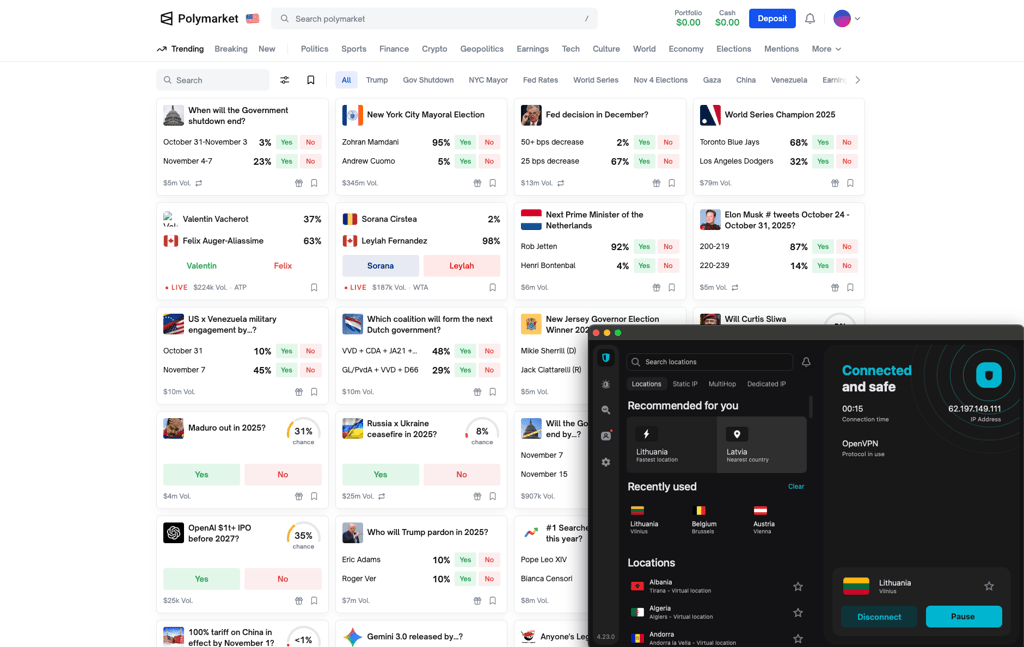
That said, Surfshark has a smaller server network than NordVPN, so there are fewer servers to choose from. Still, it offers plenty of options across many countries, and I never encountered issues with slow or overcrowded servers.
In terms of security, Surfshark is excellent. Like NordVPN, it has an audited no-logs policy, uses AES-256 and ChaCha20 encryption, and runs on RAM-only servers. It’s based in the Netherlands, which is part of the Fourteen Eyes intelligence alliance, but Surfshark complies with GDPR and other strict privacy regulations. It also offers obfuscation, a kill switch, and leak protection for extra peace of mind. On top of that, you get useful tools like Alternative ID, antivirus protection, and Surfshark Alert.
Surfshark is also one of the best-value VPNs out there. Plans start at just $2.79/month, and you can use it on unlimited devices, which is a huge plus. It comes with a 7-day free trial and a 30-day money-back guarantee, so you can test it risk-free. Like NordVPN, it supports crypto and gift card payments, making it a great choice for anyone who values privacy.
See our Surfshark review to learn more about it.
3. Proton VPN – security-focused Polymarket VPN
| Rating: | |
| Servers/countries: | 19,500+ servers in 145 countries |
| Accepts crypto payments: | Yes |
| Price: | From $2.99/month |
| Current deal: | Get up to 70% OFF ProtonVPN |
Proton VPN really stood out to me for its security. It has everything you need for maximum protection. If privacy is your top priority, this is definitely the VPN to go for.
When I tested Proton VPN with Polymarket, it worked perfectly. I installed the app on my Windows computer, logged in, connected to a US server, and was able to access Polymarket right away. I didn’t notice any lag or slowdowns, and the connection was stable throughout my testing. It didn’t drop even once.
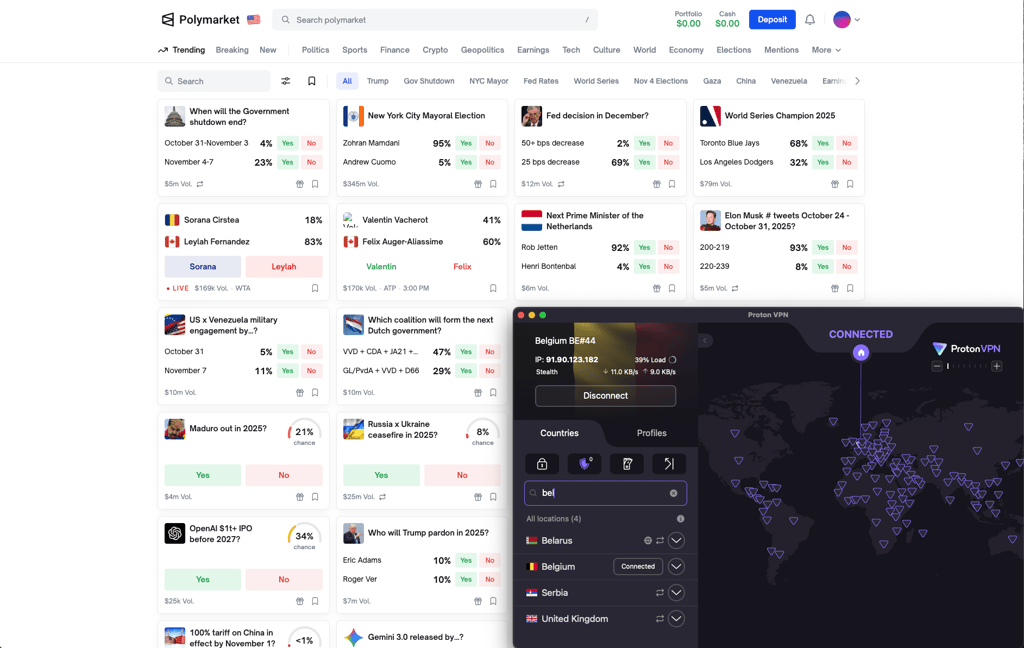
Proton VPN is built around privacy. It’s based in Switzerland, which has some of the world’s strongest privacy laws. For encryption, it uses AES-256 and ChaCha20. The VPN also has an audited no-logs policy, and all its apps are open-source, meaning anyone can review the code. That transparency really builds trust and shows how confident Proton VPN is in its security. On top of that, it includes Secure Core servers, which route your connection through multiple privacy-friendly countries for even stronger protection.
Proton VPN is a bit pricier, starting at $2.99/month. It also offers one of the best free plans I’ve seen. It gives you access to 5 servers with no data limits, so you can test it out completely free. Once you upgrade, there’s a 30-day money-back guarantee if you’re not fully satisfied. It also supports anonymous payments, including cryptocurrency and even cash.
Read our Proton VPN review for more details about the provider.
4. ExpressVPN – reliable VPN for Polymarket
| Rating: | |
| Servers/countries: | Servers in 105 countries |
| Accepts crypto payments: | Yes |
| Price: | From $2.49/month |
| Current deal: | Get ExpressVPN, now 80% OFF |
ExpressVPN is a premium VPN that provides reliable access to Polymarket. It works smoothly across all major platforms and delivers consistently stable speeds.
When I tested ExpressVPN, it unblocked Polymarket instantly. I didn’t run into any issues during setup or connection, which was a big plus. ExpressVPN is one of those VPNs that just works. The speeds were slightly slower compared to NordVPN and Surfshark, but honestly, I barely noticed a difference while using Polymarket. With servers in 105 countries, ExpressVPN offers impressive global coverage. However, it doesn’t disclose its total server count, which makes it hard to determine how large the network really is. I didn’t experience any overcrowded servers, but this lack of transparency is a bit of a downside for me personally.
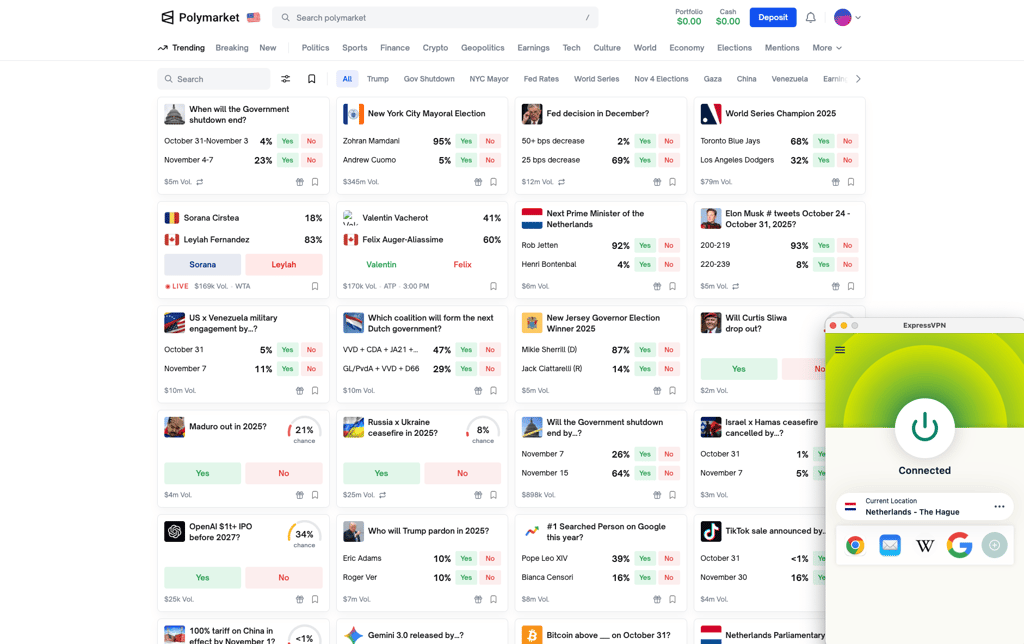
In terms of security, ExpressVPN is excellent. It uses AES-256 encryption, operates entirely on RAM-only servers, and is based in the British Virgin Islands – a region known for its privacy-friendly laws. It also includes a kill switch and leak protection to ensure your data stays secure at all times. On top of that, ExpressVPN has an audited no-logs policy and has undergone multiple independent security audits, so it’s definitely a VPN I trust.
ExpressVPN plans start at $2.49/month, with several subscription options available. You can also pay anonymously using cryptocurrency or gift cards, which is great if you value privacy. However, since it has no money-back guarantee, it's best to take time to explore the product before committing.
Check out our ExpressVPN review for more detailed insights.
5. IPVanish – Polymarket VPN for unlimited devices
| Rating: | |
| Servers/countries: | 3,200+ servers in 113 countries |
| Accepts crypto payments: | No |
| Price: | From $2.19/month |
| Current deal: | Get IPVanish 83% OFF |
IPVanish is a solid and affordable option for unblocking Polymarket. It’s simple to use, works well across different devices, and lets you connect an unlimited number of devices at once.
When I tested IPVanish, it did unblock Polymarket, but not right away. I had to switch servers before getting access. It wasn’t a big issue, as I fixed it in under a minute with just a few clicks. However, it was a slightly different experience compared to other VPNs I tested, which worked instantly. In terms of speed, IPVanish performed about the same as ExpressVPN. It has decent global coverage, though its overall server count is lower than some competitors.
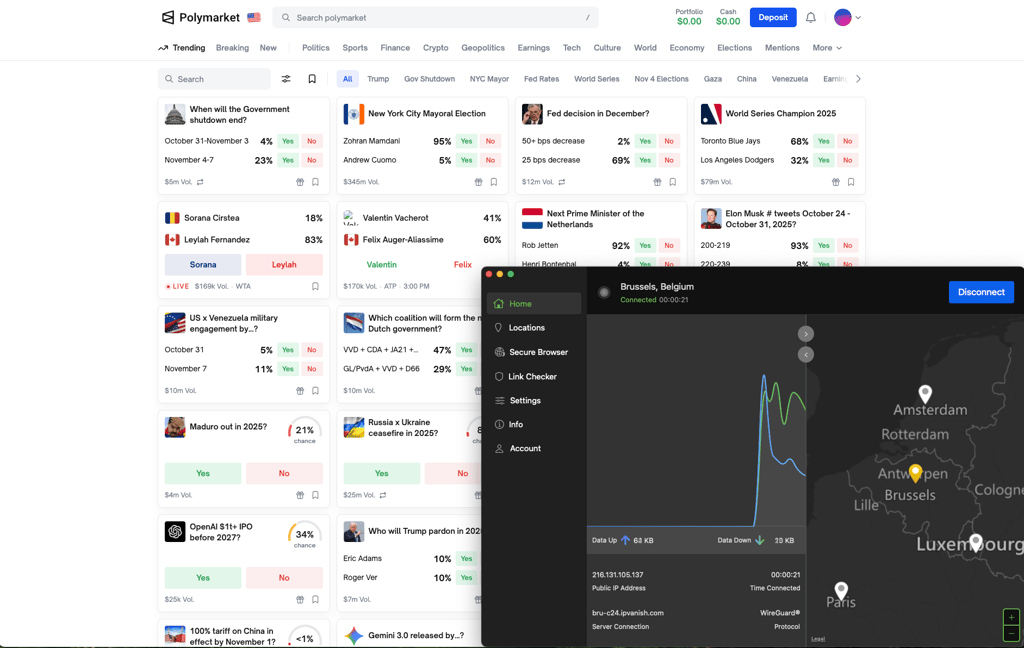
IPVanish covers all the key security essentials. It uses AES-256 and ChaCha20 encryption to protect your connection, along with a kill switch and leak protection to keep your data secure even if the VPN disconnects. The main drawback is that it’s based in the US, which is part of the Five Eyes intelligence alliance – not ideal for strict privacy. That said, IPVanish follows a verified no-logs policy that’s been independently audited, so it has proven it doesn’t store session data.
IPVanish is also very budget-friendly. Plans start at $2.19/month, and come with a 30-day money-back guarantee plus a 7-day free trial on mobile. You can use it on unlimited devices, which adds great value. The only downside is that IPVanish doesn’t support anonymous payment options like crypto or gift cards.
If you’re curious to find out more, read our detailed IPVanish review.
6. CyberGhost – straightforward Polymarket VPN
| Rating: | |
| Servers/countries: | Servers in 100 countries |
| Accepts crypto payments: | Yes |
| Price: | From $1.59/month |
| Current deal: | Get CyberGhost VPN, now 88% OFF + 2 months FREE! |
CyberGhost is a simple and reliable VPN that works well with Polymarket. It’s not as fast or feature-packed as NordVPN or Surfshark, but it’s still a good option if you want an easy-to-use VPN at a fair price.
When I tested CyberGhost, it successfully unblocked Polymarket, though I had to try a couple of different servers before finding one that worked. Once connected, everything ran smoothly – the website loaded quickly, and I didn’t experience any major slowdowns or connection drops.
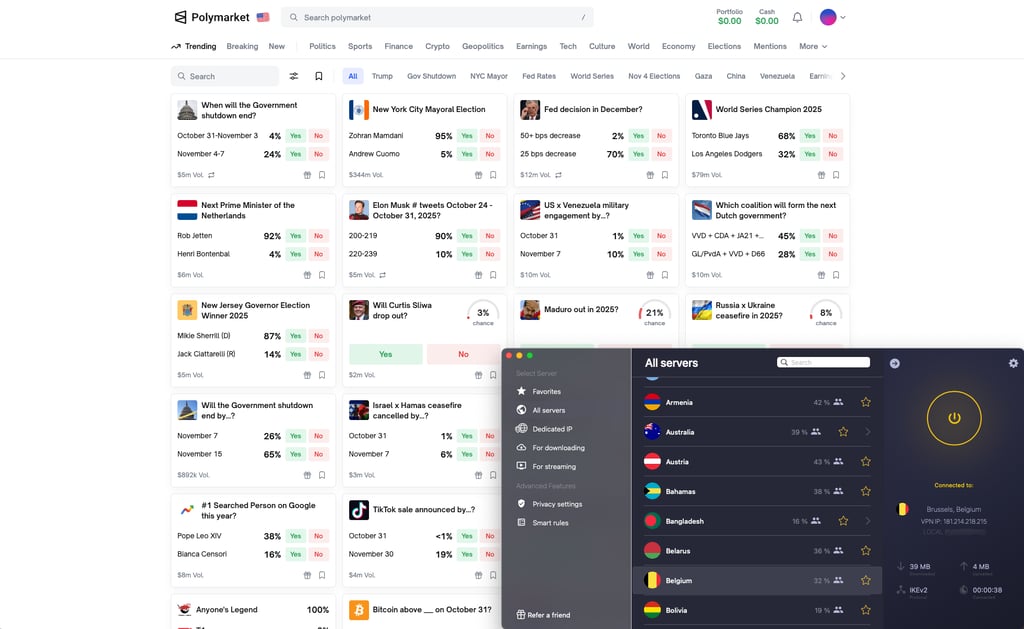
CyberGhost has strong security and privacy measures in place. It uses AES-256 encryption, offers a reliable kill switch, and includes leak protection to keep your data safe. It’s based in Romania, a country known for having privacy-friendly laws, and it follows a strict no-logs policy that’s been independently audited.
Pricing starts at $1.59/month, making CyberGhost an affordable choice. It also comes with a very generous 45-day money-back guarantee. Plus, it supports payments in cryptocurrencies and accepts gift cards, so you can pay anonymously.
Take a look at our CyberGhost VPN review to learn more about this provider.
Best Polymarket VPNs compared
To help you choose the best VPN for Polymarket, I’ve summarized the key details of each provider in a table, so you can easily compare them side by side.
| Polymarket VPN | Works with Polymarket? | Price | Anonymous payment options | Server coverage | Security features |
| NordVPN | ✅ Yes | From $3.49/month | Cryptocurrencies, gift cards | 9,200+ in 137 countries | Obfuscation, leak protection, kill switch, split tunneling, Double VPN, Threat Protection Pro |
| Surfshark | ✅ Yes | From $2.79/month | Cryptocurrencies, gift cards | 4,500+ in 100 countries | NoBorders, kill switch, split tunneling, leak protection, MultiHop |
| Proton VPN | ✅ Yes | From $2.99/month | Cryptocurrencies, gift cards | 19,500+ in 145 countries | NetShield, kill switch, split tunneling, Secure Core |
| ExpressVPN | ✅ Yes | From $2.49/month | Cryptocurrencies, gift cards | Undisclosed number of servers in 105 countries | Network Lock, split tunneling, Threat Manager |
| IPVanish | ✅ Yes | From $2.19/month | None | 3,200+ in 113 countries | Kill switch, split tunneling, Threat Protection, obfuscation |
| CyberGhost | ✅ Yes | From $1.59/month | Cryptocurrencies, gift cards | Undisclosed number of servers in 100 countries | Kill switch, split tunneling, NoSpy servers, Smart rules |

How I tested Polymarket VPNs
To create my list of the best Polymarket VPNs, I tested each option hands-on to ensure it performs well. I paid close attention to connection speeds, any issues I encountered, and rated each VPN based on the following criteria:
- Privacy (25%). I evaluated the security features offered by each provider, including encryption protocols, the VPN's jurisdiction, no-logs policies, independent audits, and RAM-only infrastructure.
- Server availability (25%). I assessed the size and quality of each provider’s server network, ensuring there are enough servers available worldwide. I also tested different servers to confirm they were not overcrowded or blacklisted.
- Security features (20%). I took note of additional security and privacy features offered, such as a kill switch, obfuscation, and leak protection.
- Connection speed and stability (20%). I performed speed tests while using each VPN and watched for any connection drops or slowdowns. Consistent speeds are crucial for tracking time-sensitive updates on Polymarket.
- Pricing and payment options (10%). I compared the pricing for each provider, looking at the availability of free trials and money-back guarantees. I also considered support for anonymous payment methods, such as cryptocurrencies or gift cards.
Is there a free Polymarket VPN?
While free VPNs for Polymarket do exist, I don’t recommend using them. Even free VPNs need to make money, and some do that by selling your data to advertisers, which creates major security concerns and puts your privacy at risk.
Most free VPNs are also heavily used by multiple users. As a result, their IP addresses are frequently overused and may be blacklisted by Polymarket. This makes accessing the platform difficult or unreliable.
Instead, I recommend using the free trial periods offered by premium VPNs. For example, NordVPN offers a 3-day free trial, while Surfshark has a 7-day free trial. You can also consider limited free versions from reputable providers, such as Proton VPN. These options are far more secure and reliable than typical free VPN services.
How to select the best VPN for Polymarket
Not every VPN works with Polymarket, so it’s important to do your research before choosing a service. Since you’ll be dealing with financial matters, don’t choose a VPN blindly. Consider the sensitive nature of these activities and select a provider that enhances both privacy and security while keeping your experience seamless. Here’s what I’d look for when choosing a Polymarket VPN:
- Robust security policies. When handling financial data, privacy is essential. Look for a strict, independently audited no-logs policy to ensure no browsing activity is recorded. Check the VPN’s jurisdiction and aim for providers based in privacy-friendly countries, such as the British Virgin Islands or Panama, or countries in the EU, which offer strong privacy protections.
- Privacy-focused infrastructure. Choose a VPN with RAM-only servers, which cannot store connection data long-term, further ensuring nothing is retained. Also, look for strong encryption standards like AES-256 or ChaCha20.
- Additional security features. Check if the VPN offers features like a kill switch, leak protection, and obfuscation. These help keep your connection secure at all times and ensure your true IP address is never exposed.
- Anonymous payment options. Look for providers that accept anonymous payment methods, such as cryptocurrencies or gift cards, making it impossible to be easily tracked.
- Server availability. Choose a VPN with a large server network. More servers mean more options, less overcrowding, and a lower chance of being blocked by Polymarket.
- Speeds and connection stability. Fast and stable speeds are crucial when checking market predictions in real time. Test the VPN’s performance to ensure it delivers both.
- Swift support. If you encounter issues while using your VPN with Polymarket, it’s important to have quick support options. Look for services offering 24/7 live chat support, phone support, and a comprehensive help center to resolve problems promptly.
- Compatibility across platforms. Since you may access Polymarket both on the go and on your computer, make sure the VPN supports all the operating systems you use. Also, check the number of simultaneous connections allowed to ensure you can secure multiple devices at once.
How to use Polymarket using a VPN
If you’re in the US or any other country where Polymarket isn’t available, you can easily bypass that by using a VPN. Below, I prepared a detailed guide on how to do it.
Step 1: choose a trustworthy VPN
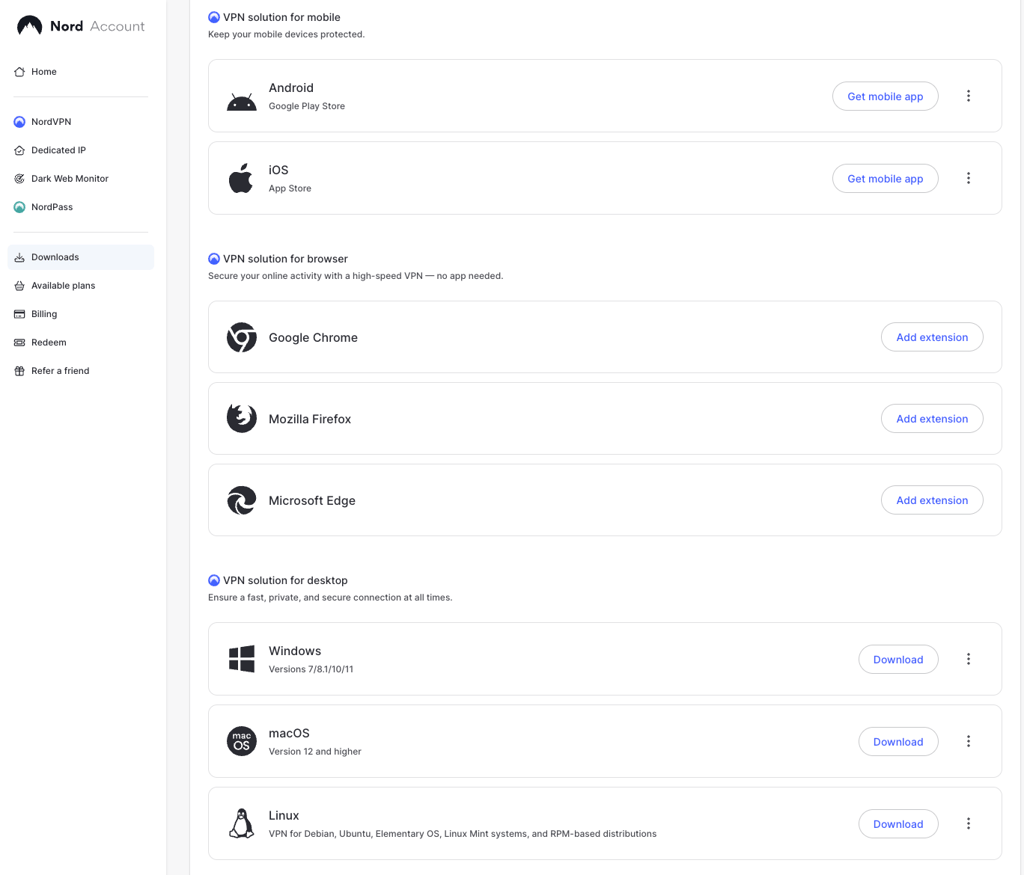
Start by selecting a reliable VPN. The options I recommend have all been tested and proven to work with Polymarket. When choosing, consider your budget, number of devices, available payment methods, and security needs. For this guide, I used NordVPN.
Step 2: download and install the VPN app
Most premium VPNs are straightforward to install. On mobile devices, you can usually download the app directly from the App Store or Google Play. On desktop, you can also use the Apple App Store, but I recommend downloading the app from the provider’s official website, as it often offers more features. For example, with NordVPN, the installation process took less than 5 minutes.
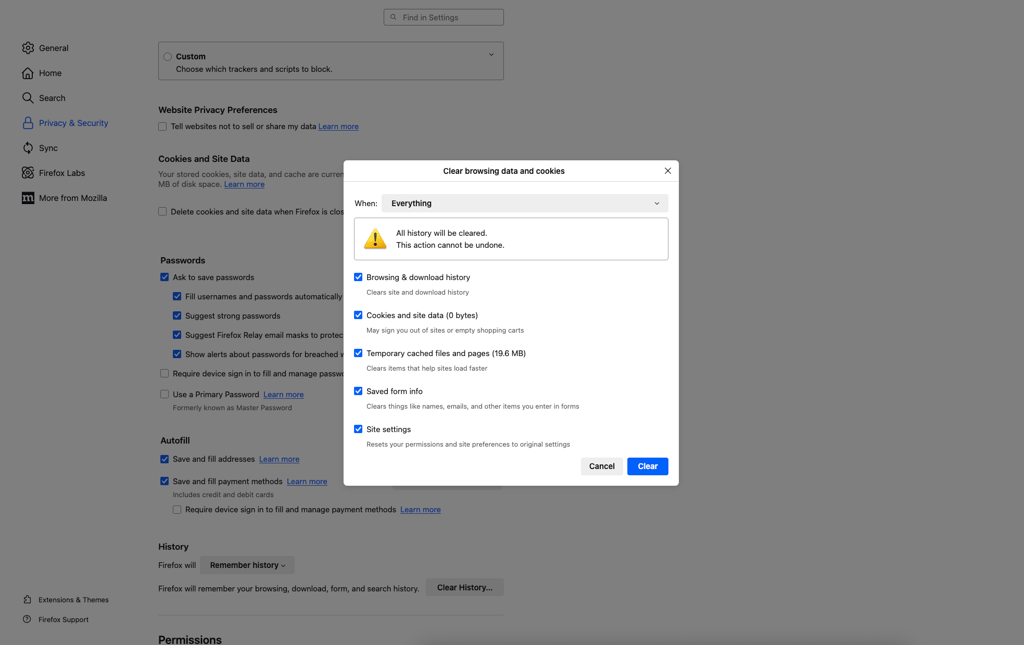
Step 3: clear your browser’s cache and cookies
Before visiting Polymarket, clear your browser’s cache and cookies. This removes any stored data from previous visits, including your IP address, which could prevent you from accessing the site. Clearing these ensures you appear as a new user with your new VPN-assigned location.
Step 4: log in to your Polymarket account
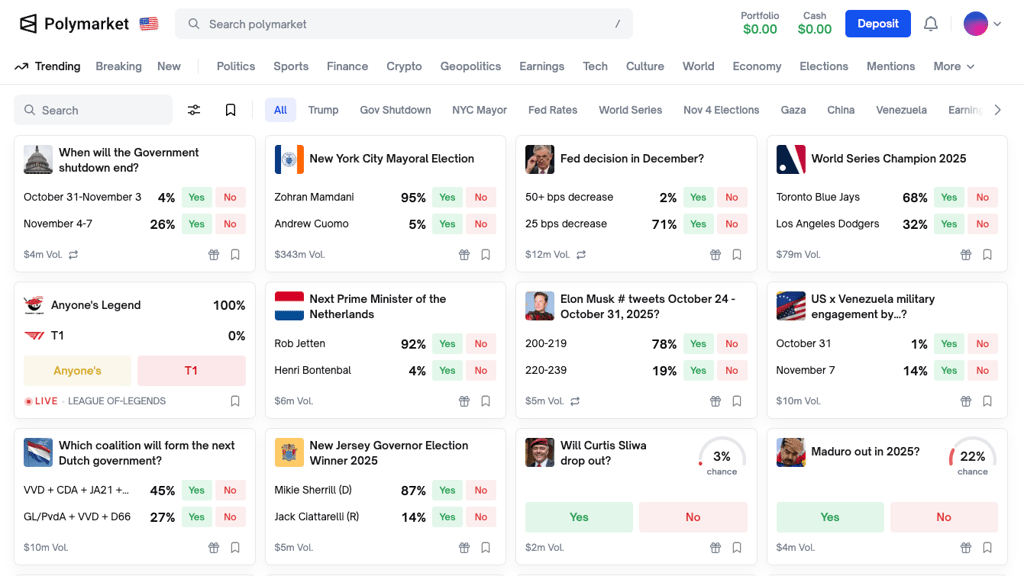
If you already have a Polymarket account, simply log in. If not, you can quickly create one using your email or Google account. Once signed in, you’ll see a big Deposit button, which means the website is working properly and Polymarket is unblocked.
Step 5: add funds
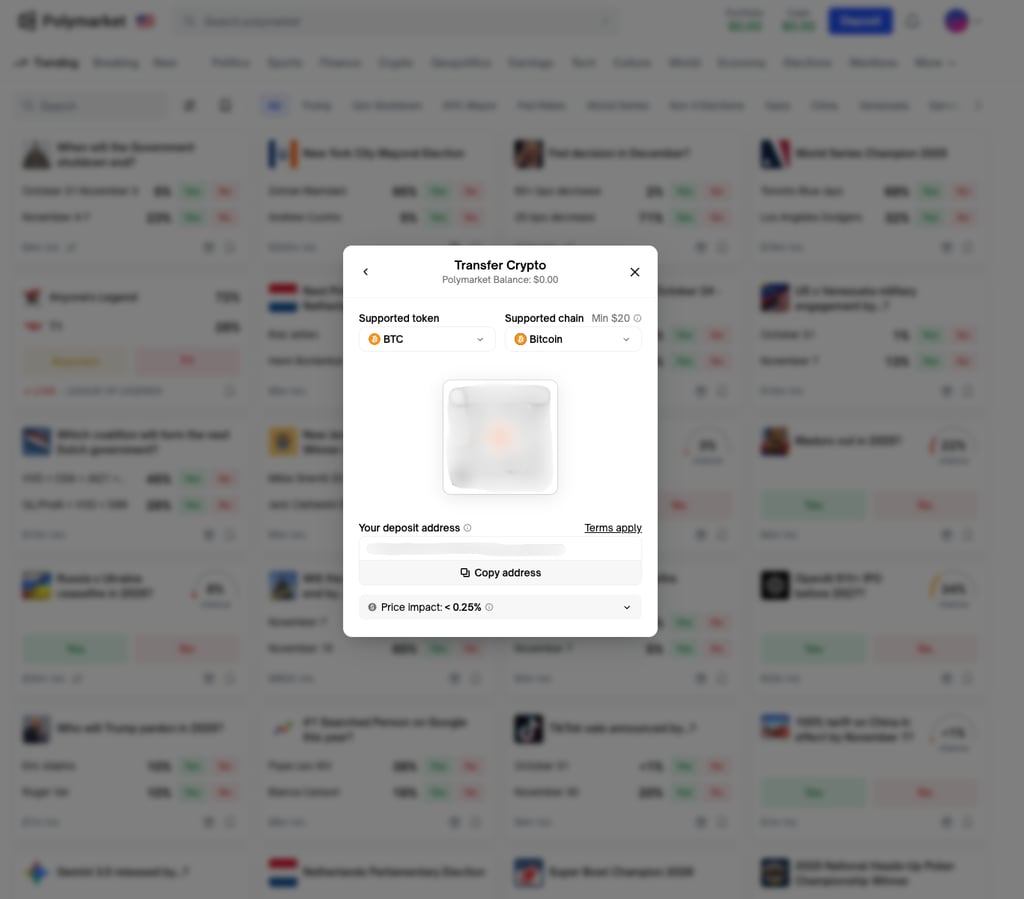
Now, deposit funds into your account. Polymarket accepts credit cards, Apple Pay, Google Pay, and cryptocurrencies. For added privacy and security, I recommend using cryptocurrency.
Step 6: place your bets
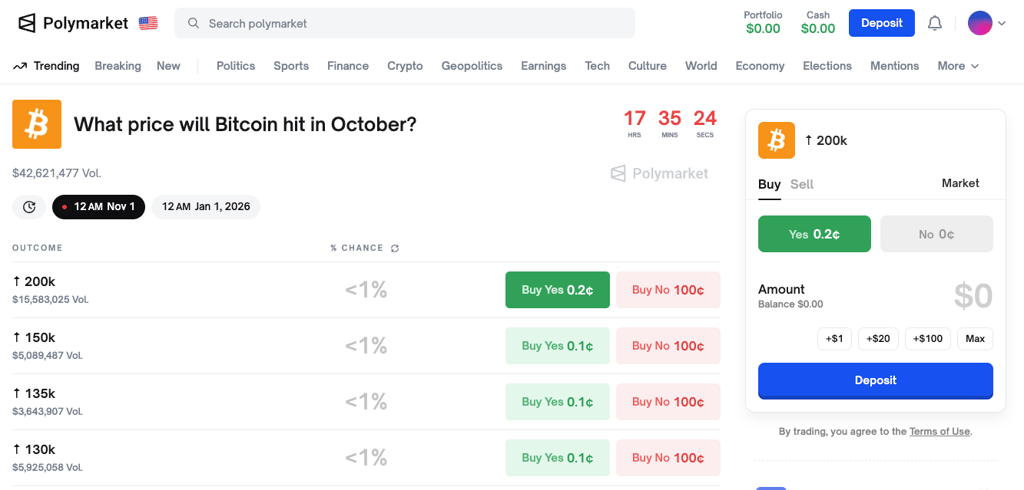
With your account funded, you can browse Polymarket and place bets on various market predictions. You’ll have the option to set limits or sell shares while the market is open.
Step 7: withdraw your earnings
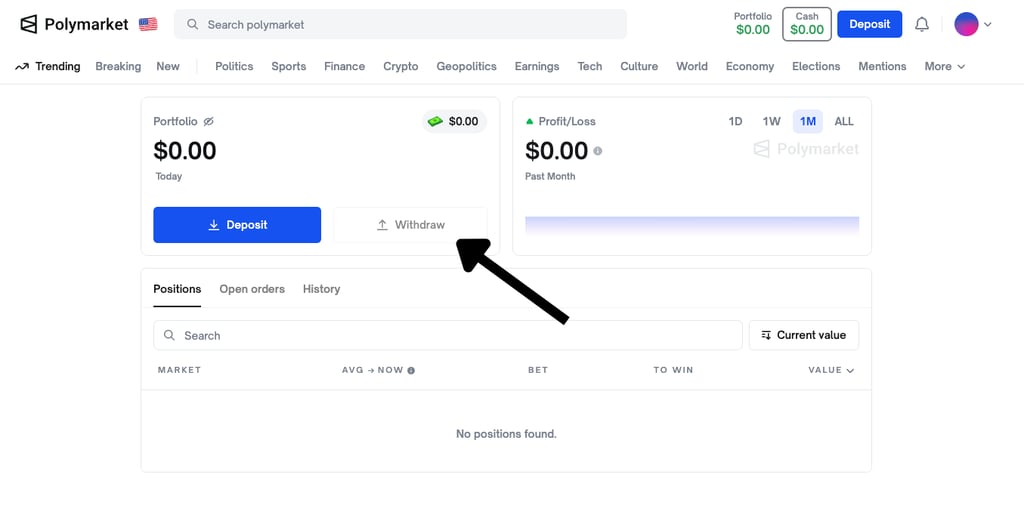
When you’re ready to withdraw your earnings, go to the Cash section and select Withdraw. Choose your preferred withdrawal method. I recommend using cryptocurrency and entering your wallet address for greater privacy.
Wrapping up
Polymarket is a prediction platform where you can place bets on various world events. However, due to local regulations, it’s unavailable in several countries, including the US. While the site hopes to reopen access in the US in the future, for now, you’ll need a VPN to access it.
Based on my experience, NordVPN is the best VPN for Polymarket overall. It offers excellent speeds, stable connections, and anonymous payment methods. Surfshark is a close second, with unlimited simultaneous connections, affordable pricing, and unique security features.
Get the best VPN deals:



FAQ
Why can’t US citizens use Polymarket?
Polymarket has been blocked in the US since 2022 because it was operating as an unregistered trading platform.
Is Polymarket legit?
Yes, Polymarket is a legitimate prediction market. It allows users to bet on a variety of world events using cryptocurrency.
Does Polymarket detect or block VPNs?
Yes, Polymarket uses strict VPN detection systems and blocks many VPN connections. That’s why using a strong VPN, such as NordVPN, is crucial for bypassing these geo-restrictions.
What country should I connect to for Polymarket access with a VPN?
To access Polymarket, connect to a VPN server in a country where the platform is not blocked, such as the UK, Canada, or the Netherlands.