
How to get NordVPN free trial in 2026

In today’s digital age, online privacy and security should top the list of any internet user’s priorities, and getting a NordVPN free trial is a great place to start.
NordVPN is one of the leading VPN services available, offering robust encryption, impressive speed, and a global network of servers. While the platform’s advanced features are well worth the money, it’s perfectly understandable to want to try NordVPN for free before committing to a paid plan.
The best news is that you can get a NordVPN trial in two ways. Keep reading to learn how to get NordVPN for free.
Claim NordVPN free 7-day trial for Android
The service’s 7-day test comes with a catch. A NordVPN 7-day trial is only available for Android users via the Google Play Store.
No problem! Here’s how to claim the NordVPN 7-day trial in a few steps:
- Visit the Google Play Store and download the NordVPN app.
- Sign up for a new account.
- Press the "How 7-day free trial works" option.
- Tap the "Start your free week" button.
After entering your payment information, you’ll get full access to NordVPN. To avoid getting charged, cancel the subscription before the seven days are up. You can do so by visiting the NordVPN website and opting out of automatic payments in your account settings.
Get NordVPN 30-day free trial
The NordVPN 30-day trial differs slightly from the service’s 7-day offering. Namely, this option uses the company’s 30-day money-back guarantee. This means you’ll have to pay for a subscription. Still, you’ll be able to get your money back, provided you cancel the subscription and ask for a refund before the 30-day period ends.
To get NordVPN 30-day free trial, do the following:
- Visit the NordVPN website.
- Tap the "Get NordVPN" button in the upper-right corner.
- Choose a monthly plan.
- Enter your email address to create a new account.
- Select your payment method and enter the necessary information.
- Click on "Continue".
Don’t forget to request a refund within 30 days of the initial purchase date to fully utilize NordVPN’s 30 day free trial.
Why NordVPN can be considered the best VPN
NordVPN is currently considered the best VPN service on the market, and for a good reason.
The service commands an impressive number of ultra-fast servers. Almost 5,500 across 60 countries, to be exact. Furthermore, all hardware runs on RAM-only technology and includes specialized categories for masking your traffic or facilitating P2P connections. Naturally, this extensive network allows you to unlock geo-blocked content on the most popular streaming platforms like Netflix, Hulu, and Prime Video.
NordVPN owes its exceptional speed to its proprietary NordLynx tunneling protocol. It ensures minimal speed loss no matter the country you connect to. MoreoverMorevoer, you can use one NordVPN account to secure up to six devices simultaneously. The VPN is available across all major platforms, so all your devices can make full use of its impressive feature arsenal.
Besides the essential VPN benefits, you’ll enjoy top-notch cybersecurity features, such as Threat Protection and Dark Web Monitor. The former grants antivirus capabilities at no extra cost, while the latter looks out for data leaks with your information.
Claim NordVPN free trials
If you’re impressed by the service’s range of features, you can grab a NordVPN free trial and experience them firsthand.
Get NordVPN 7-day trial: A detailed guide
To be eligible for the NordVPN 7-day trial, you must be a new user and own an Android device. If you check both boxes, here’s a step-by-step guide on how to get NordVPN for free:
-
Go to NordVPN’s page on the Google Play Store.

- Tap on the “Install” button.
-
Wait for the app to finish installing and press “Open.”

-
Go to the “Sign up” button at the bottom.

-
Enter your email address to create a NordVPN account.

- Press “Continue.”
-
A pop-up will prompt you to use the NordVPN 7-day trial. Tap the “How 7-day free trial works” button.

- Go to the “Start your free week” button at the bottom.

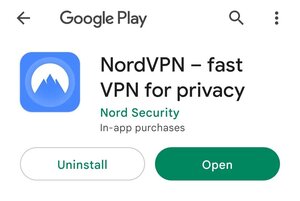


After entering your payment information, your NordVPN trial will start. Make sure to cancel the trial manually before the 7 days are over. Otherwise, NordVPN will charge you an annual subscription.
Get Nord VPN 30-day trial: a detailed guide
To take NordVPN for an extended test drive, you can get the NordVPN 30-day trial. Here’s how.
- Visit the NordVPN website.
-
Click on the “Get NordVPN” button in the top-right corner of the website.

-
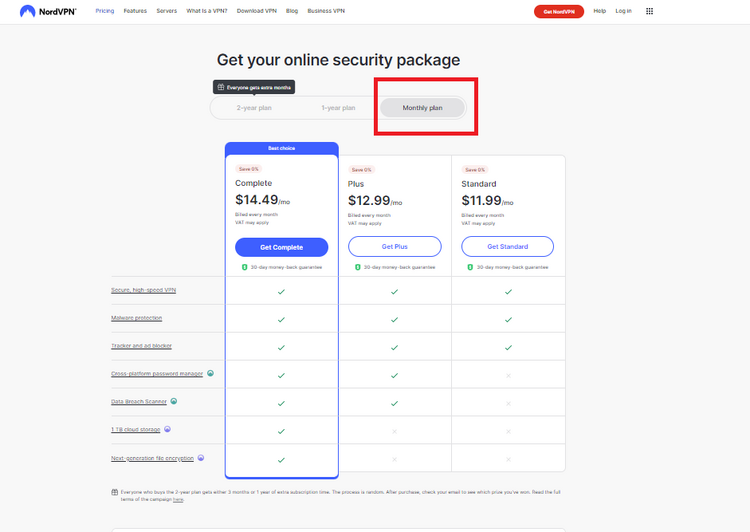
Select the “Monthly plan” option under the “Get your online security package” section.

-
Go to the Standard plan and click on “Get Standard.”

-
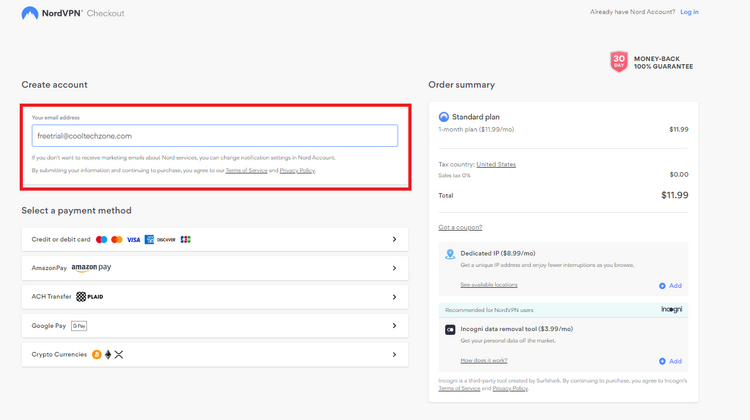
Enter your email address in the “Your email address” text field.

-
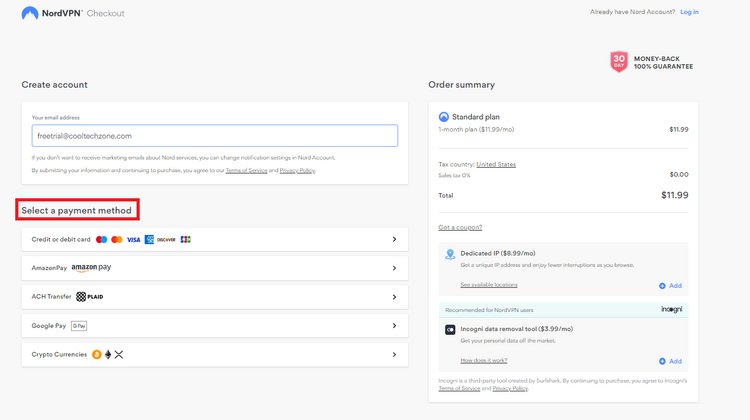
Scroll down to the “Select a payment method” section and choose your preferred method.
-
Click on “Continue” and enter the required payment information.

-
Wait a few seconds for your payment to process.



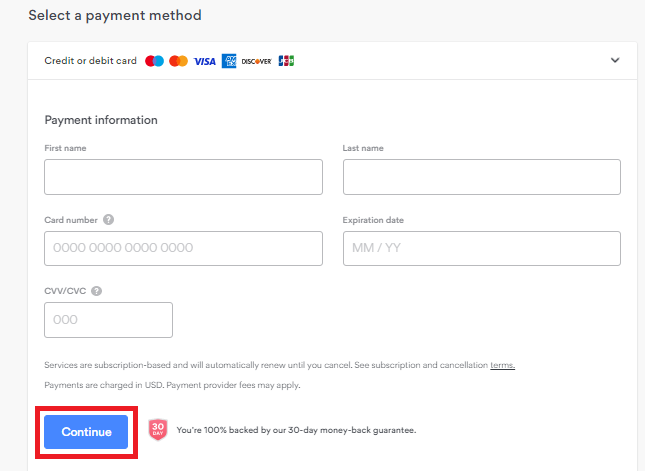
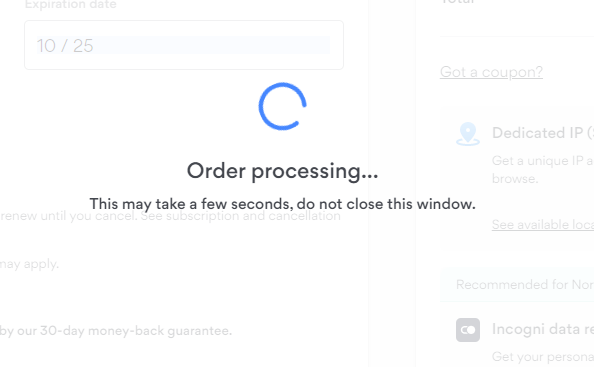
And voilà! You can use NordVPN for 30 days. Just make sure to cancel your subscription before the 30 days expire to get your money back and thus experience the month-long free trial.
Secure your online world for free
The NordVPN free trial allows you to reap the benefits of the top VPN on the market without spending any money. You can claim both trial versions in a few simple clicks and not worry about your online safety for 7 or 30 days. After seeing what NordVPN has to offer, it will be easy to decide whether to upgrade to a paid subscription.
FAQ
Does NordVPN offer a 3-year plan?
No, NordVPN doesn’t offer a 3-year plan. The lengthiest subscription currently available is the 2-year option. It’s worth noting that signing up for an extended period grants the most significant discounts, making it the most budget-friendly way of securing your online activities.
Is NordVPN free trial legit?
Yes, the NordVPN free trial is legit. The company offers a 7-day free trial for Android users via the Google Play Store. Furthermore, you can use the test account on other devices once you’ve claimed the trial. On the other hand, you can consider the 30-day money-back guarantee as an alternative method of testing NordVPN without commitment.
Does NordVPN have a free plan?
No, NordVPN doesn’t have a free plan. This VPN service provider only offers paid plans. Once the free trial is up, you can choose between the Standard, Plus, and Complete plans.
Does NordVPN offer a refund?
Yes, NordVPN offers a refund on all its plans. To claim the refund, you must cancel your subscription within the 30-day money-back guarantee period. After these 30 days pass and your subscription renews, you won’t be able to receive a refund unless applicable law provides otherwise.

Your email address will not be published. Required fields are marked