
Online Video Maker Explained: A Beginner’s Guide

Video making is not as simple as it looks. There might exist a great idea, but when you open a video editor, things get confusing fast. Beginners can get confused because of too many tools, unfamiliar timelines, and limited guidance.
The silver lining is that it does not need to be complex to begin. Online video maker tools have made it possible to create professional-looking videos right from your browser. You do not require any advanced skills or expensive software.
This article explains the functioning of an online video maker, features beginners should know, simple steps to start, and common pitfalls to avoid. By the end, video editing will feel far more approachable and may be enjoyable.
Importance of Online Video Tools
The biggest obstacle for beginners lies in the software. Traditional editors contain too many buttons and timelines all at once. Online video tools are the solution to that. They allow for passing on the heavy downloads and focus on storytelling.
An online video maker lets you not waste time with technicalities. All you have to do is drop your clips, insert some text, and watch things shape up. Flexibility is another advantageous element.
Most online tools are compatible with laptops, tablets, or even smartphones. This simply means that you can edit the video from anywhere. It might be a bit daunting at first, but learning these tools is, in fact, a shortcut to reaching more people more effectively.
Features Beginners Should Know
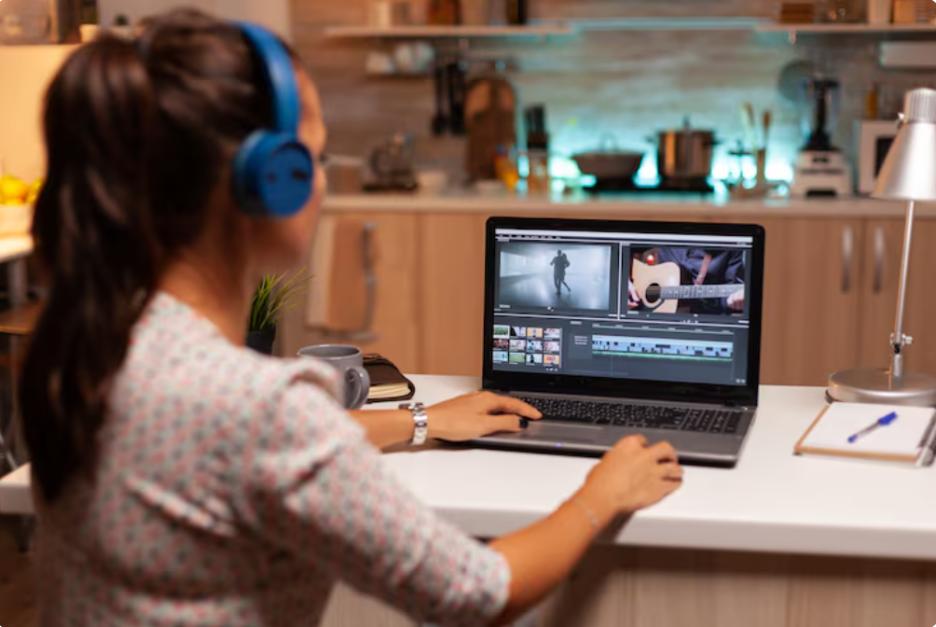
It is better to be aware of what you will be using before you leap in. Most online video makers also have drag-and-drop timelines, ready-made templates, text overlays, and integrated music libraries. These are the training wheels that are enough to support you from crashing, but flexible enough to experiment.
Automatic resizing for social media platforms is something that beginners tend to overlook. Spending hours working on a video and later finding that this size cannot be shared on Instagram or YouTube is the most frustrating experience. That headache is spared due to a mere resize feature.
Templates Simplify Video Creation
Templates are a lifesaver if you are staring at a blank screen. Online video maker tools provide you with an existing framework of marketing, social media, or storytelling. They also contain pre-built text placements, transition effects, and durations, so you can focus on content instead of worrying about the visuals.
Templates also educate you even without your knowing. By tweaking colors, fonts, and pacing, you gradually get a feel for what works visually. With time, you will not require templates, but you will be able to build layouts on your own, or at least, combine and rearrange them. Templates don’t just speed up editing; they also help maintain a consistent style across your videos.
Steps To Create First Video Project
The following is the practical approach to start without feeling overwhelmed:
Step One:
First is to decide on the goal. It includes answering questions like: Are you explaining something, promoting a product, or narrating a short story? The purpose of knowing the goal in advance is to help guide every decision that follows.
Step Two:
Select a template that suits your purpose and replace the text and visuals with your own. Upload clips, adjust timing, preview often, add music, and export. Minor adjustments are natural, and they make the video complete.

Keeping the process simple makes a big difference. When the goal is clear and the basic workflow is followed, video creation feels far more manageable. Your initial effort does not have to be flawless; it just needs to be completed. The next video becomes easier, faster, and more comfortable.
Mistakes Beginners Should Avoid
People stumble on hurdles even when using simple tools. One of the biggest mistakes is skipping planning. Jumping directly to editing without an outline or script often results in messy visuals and a confusing story. Even a bullet-point plan assists a lot.
Another trap is the overloading effect. It is tempting to include transition, animation, or filter, but excessive use of these elements can distract people. Clean visuals and readable text usually win.
Another piece that is overlooked is the audio. Background music should support the video, not drown out dialogue or narration. Paying attention to these small details makes a beginner video feel way more polished than you might expect.
Tips For Improvement

The fact is that you will not make nail videos on your first attempt. It is a skill that improves gradually with practice and not magic. Watch videos in your niche, notice what feels right, and take notes. But this does not mean copying. It is just a simple way to help see patterns that work.
Consistency also matters more than people think. Reusing fonts, colors, and transitions makes your videos look cohesive and professional. Show your drafts to friends, colleagues, or even online communities to get feedback.
Research even shows that interactive elements and emotional cues help sustain viewer attention longer, making videos more memorable and engaging. Simple touches like on-screen questions, relatable visuals, or storytelling moments can make a noticeable difference.
Gradually, these habits take beginner projects and make them look like they have been done by someone with way more experience than you have.
Conclusion
Online video makers are a shortcut to professional video creation. You don’t need to spend years learning complex software; you just need to know the core features, use templates wisely, follow a workflow, and avoid the obvious mistakes. With a bit of practice and attention to detail, anyone can make videos that grab attention.
The takeaway here is to start small, stick with it, and focus on clarity. Over time, video creation stops being scary and becomes a tool you actually enjoy using. Trust me, once you get past the first few projects, it starts feeling a lot less like work and more like fun.
Your email address will not be published. Required fields are marked