
What Can You Make With a Desktop CNC Machine?
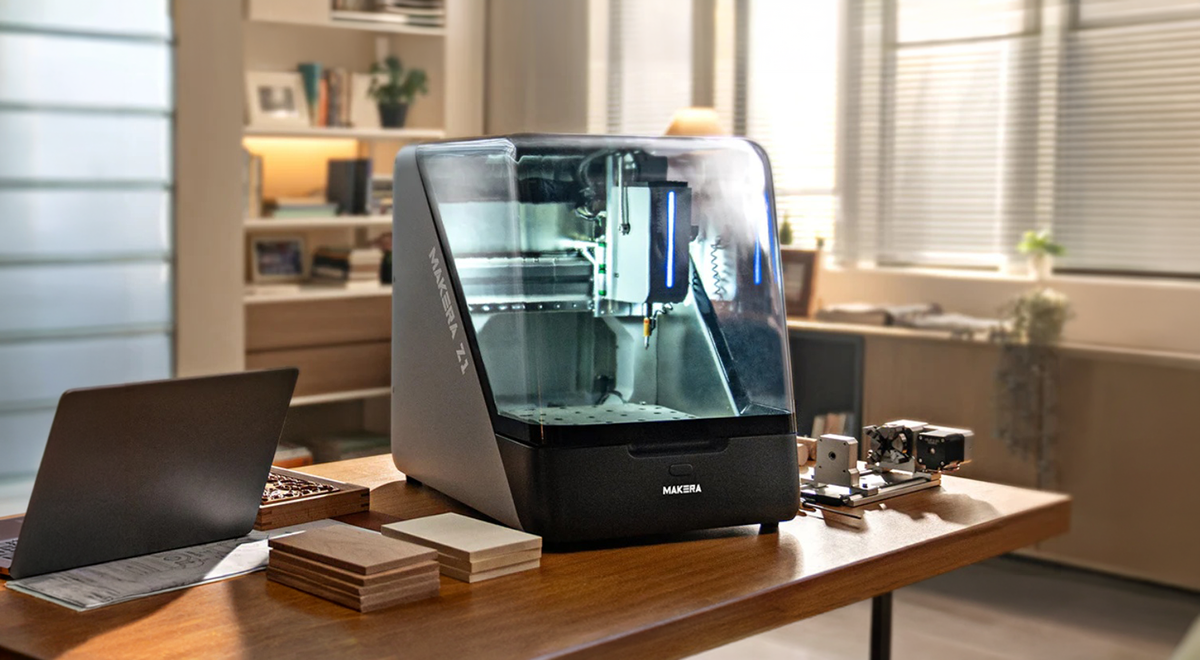
A desktop CNC machine can turn digital designs into objects you can display, give as gifts, or use in a working product. By removing material with rotating cutting tools, it creates shapes, pockets, holes, and surface details in compatible stock.
Three projects made with machines from Makera illustrate that range: wooden photo reliefs, brass commemorative coins, and aluminum panels for audio equipment.
Wooden Photo Reliefs and Personalized Gifts
A photograph can become a carved wooden keepsake, with raised and recessed details giving the image physical depth.
At Makera’s Open Sauce 2026 workshop, participants used Makerables’ AI Craft relief-generation feature to turn photos into digital models. Makera Studio prepared the machining toolpaths, and the Makera Z1 cut the designs into wood.
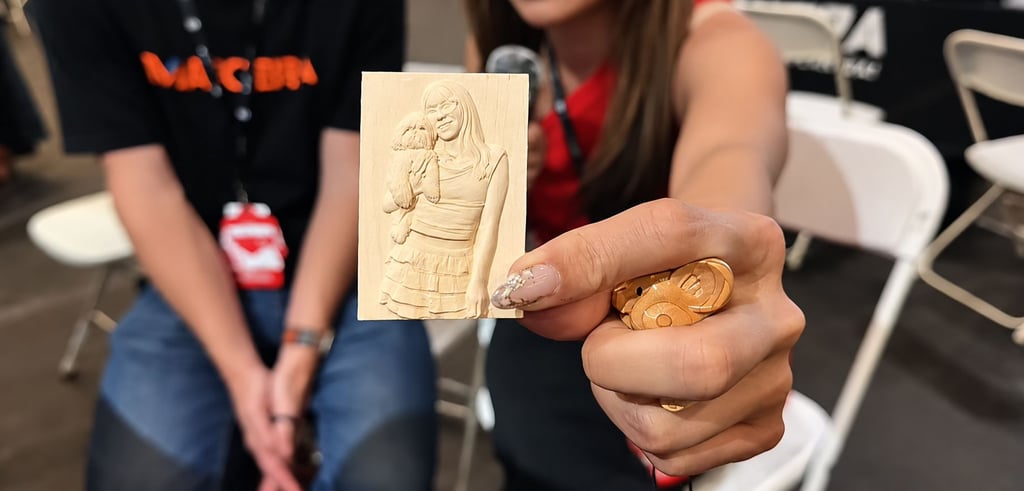
The project connects digital creativity with a tangible result. Similar relief-carving techniques can be applied to decorative plaques and personalized gifts. Wood selection, cutter size, and finishing all influence how clearly the details appear.
Brass Commemorative Coins and Decorative Pieces
Brass offers another creative direction. Makera has used the Z1 to machine commemorative coins, demonstrating how desktop CNC can produce detailed designs in metal.
A coin project can combine lettering, recessed backgrounds, and raised motifs within a small workpiece. The same general approach can support custom medallions and decorative inserts.
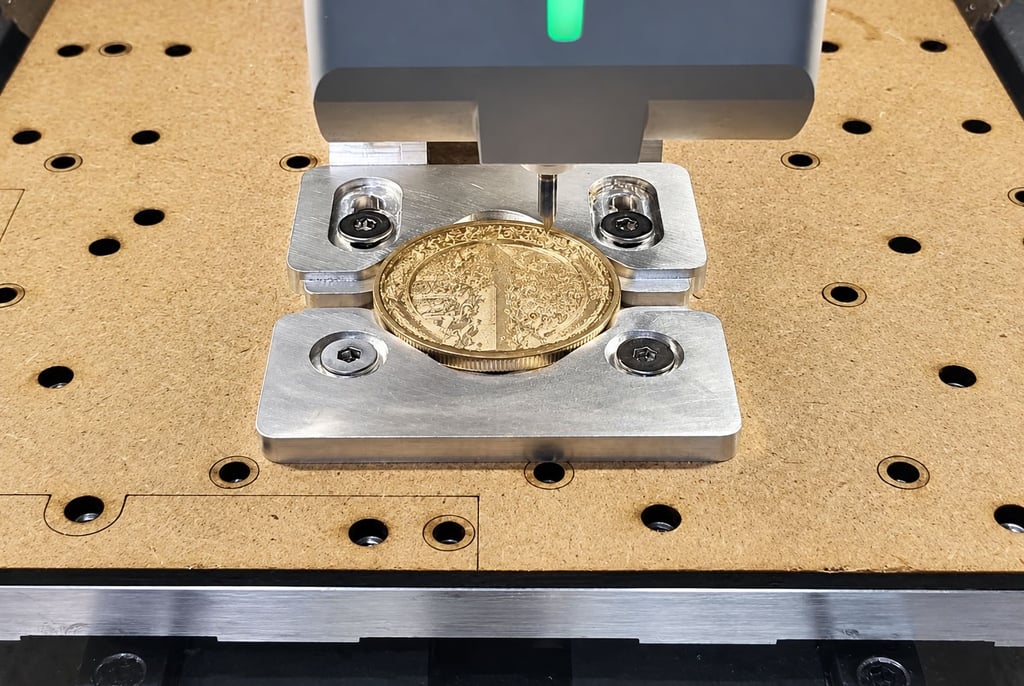
Successful results depend on more than the artwork. Secure workholding, suitable cutting tools, and appropriate machining parameters help preserve small features. Deburring and polishing can further refine the finished appearance.
Aluminum Panels for Electronic Equipment
Desktop CNC also supports functional parts. Leo, the maker behind Strange Science Instruments, uses a Carvera Air to machine aluminum front and back panels for audio hardware.
These panels need openings that align with the equipment’s controls, connectors, and internal components. Leo uses CAD and CAM software to prepare his designs and toolpaths, while custom 3D-printed fixtures help position and hold the panels during machining. The panel markings are added afterward in a separate laser process.
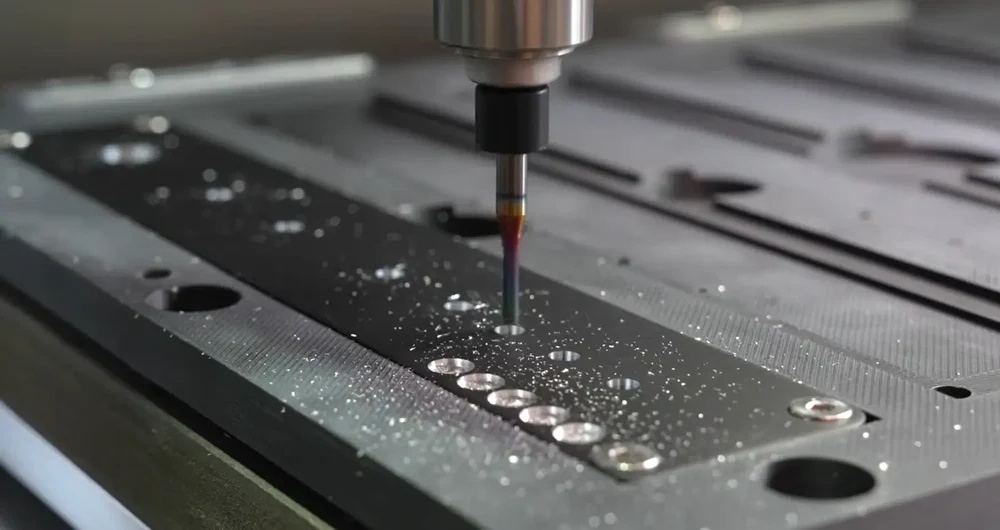
This application shows how desktop machining can support design revisions and small production runs within a compact studio.
Matching the Machine to the Project
When choosing a desktop cnc machine, start with the material, part dimensions, and features you need to produce. Then consider tooling, workholding, software, and chip or dust collection.
A photo relief, a brass coin, and an electronics panel require different setups, but each demonstrates a practical way to turn a digital design into a finished object.
About Makera
Makera develops desktop CNC machines and software for makers, educators, and small workshops. Its products support projects ranging from personalized gifts to prototypes and functional components.