
Best VPNs for Mac (2026)

While macOS is known for its sleek design and built-in security, it doesn’t provide complete online privacy on its own. A reliable VPN adds the missing layer of protection – encrypting your data, hiding your IP address, and letting you bypass geo-restrictions on popular streaming platforms like Netflix, Hulu, and BBC iPlayer.
However, not every VPN works seamlessly on macOS. Some providers offer limited apps, fewer features, or slower speeds compared to their Windows versions. That’s why our team tested dozens of services on Mac to find out which VPNs truly deliver in terms of speed, security, and ease of use.
In this guide, you’ll find our best VPNs for Mac – all proven to work smoothly on macOS. Whether you need advanced security protocols like WireGuard, fast servers for streaming, or a beginner-friendly app, we’ve got you covered.
Best Mac VPNs
- NordVPN – best overall VPN for Mac
- Surfshark – top budget-friendly Mac VPN
- Proton VPN – great free VPN for Mac
- CyberGhost – reliable Mac VPN for streaming
- IPVanish – Mac VPN for multiple device connections
Do Macs come with a built-in VPN?
No – Macs don’t have a built-in VPN. The closest thing is iCloud Private Relay, which hides your IP in Safari. However, it doesn’t work in other apps or browsers, and you can’t change your virtual location, so it won’t help with streaming.
While macOS has useful security settings, like limiting app downloads to trusted sources, these won’t protect you from phishing, malware, or data tracking. For full protection, you’ll need a third-party VPN app. With one, you can hide your IP across all apps, change your location for streaming, and even block malicious sites – something services like NordVPN and Surfshark already include.
Why Mac users benefit from a VPN?
It’s true that macOS is considered one of the more secure operating systems, but secure doesn’t mean invincible. While Apple has strong built-in defenses, your Mac is still exposed to online threats that go beyond malware – data harvesting, ISP tracking, targeted ads, and regional content restrictions. That’s where a VPN becomes an essential tool.
A VPN for Mac is more than just a gateway to Netflix libraries abroad or a way to dodge throttling from your internet provider. By encrypting your traffic and masking your IP, a VPN makes it far harder for advertisers, malicious hackers, or even your ISP to monitor your activity. This is especially important if you’re a frequent traveler or often connect to unsecured public Wi-Fi in cafes, hotels, or airports.
Modern VPNs for macOS go a step further. Many now integrate extra security features such as ad-blocking, anti-tracker tools, and even built-in malware scanners. For instance, Surfshark bundles VPN with antivirus and breach alerts, while NordVPN offers Threat Protection to block malicious sites before they even load. In practice, this means your VPN can act as a lightweight security suite, complementing Apple’s defenses without slowing your Mac down.
A VPN won’t make your Mac completely invincible. Still, it covers Apple’s weak spots by adding more privacy, protecting you from data tracking, and giving you safe access to the wider internet.
Best Mac VPNs comparison – short overview
After thorough research, the three standouts as the best VPN for Mac are NordVPN, Surfshark, and Proton VPN – each excelling in different areas. NordVPN offers the strongest all-around package, Surfshark delivers premium performance at a budget price, and Proton VPN is the best free option for Mac users. Here’s how our top recommended VPNs look in comparison:
| VPNs | Availability | Pricing | Money-back guarantee | Device connections | Average speed retention | Streaming services |
| NordVPN | Windows, macOS, Linux, Android, iOS | From $3.49/month | ✅ Yes (30-day) | 10 | 90% | Netflix, Hulu, BBC iPlayer, Disney+, and more |
| Surfshark | Windows, macOS, Linux, Android, iOS | From $2.79/month | ✅ Yes (30-day) | Unlimited | 86% | Netflix, Disney+, Amazon Prime Video, Hulu, and more |
| Proton VPN | Windows, macOS, Linux, Android, iOS | From $2.99/month or free | ✅ Yes (with paid version, 30-day) | 10 | 86% | Netflix, BBC iPlayer, YouTube, HBO Max, Disney+ |
| CyberGhost | Windows, macOS, Linux, Android, iOS | From $1.59/month | ✅ Yes (45-day) | 7 | 86% | Netflix, Hulu, BBC iPlayer, Disney+ |
| IPVanish | Windows, macOS, Android, iOS, Linux | From $2.19/month | ✅ Yes (30-day) | Unlimited | 80% | Netflix, BBC iPlayer, YouTube, Disney+, Hulu, and more |
Best VPNs for Mac based on our evaluation
Together with the research team, I examined different VPN services to see how well they work on macOS. Our main focus was on finding providers that offer a smooth, reliable Mac application.
1. NordVPN – best MacOS VPN overall
NordVPN is the best VPN for macOS in 2026. It combines excellent security tools with seamless streaming performance, making it one of the most well-rounded options for Mac users.
What stands out most is its dedication to privacy. During my research, I found multiple independent audits confirming NordVPN’s strict no-logs policy, which gave me extra confidence in its credibility. I also looked into its Threat Protection feature and tested it with my team – it successfully blocked malware, ads, and trackers. Just recently, NordVPN also earned AV-Comparatives certification for phishing protection.
Streaming is another strong side of this provider. Over the past three years, I’ve never had issues unblocking Netflix, and our tests show the same with Disney+, HBO Max, Hulu, and even niche services like FuboTV. Speed isn’t a concern either – our latest OOKLA results showed over 90% speed retention, so browsing, streaming, and downloads feel just as smooth as without a VPN.
The Mac app mirrors the Windows version, with a clean interface and dark mode option. Setup still requires hopping between the website and the app, but once installed, it’s easy to navigate. Pricing starts at $3.49/month, though advanced security extras are locked to higher tiers. Fortunately, long-term plans, seasonal deals, and a 30-day money-back guarantee make it easier to save.
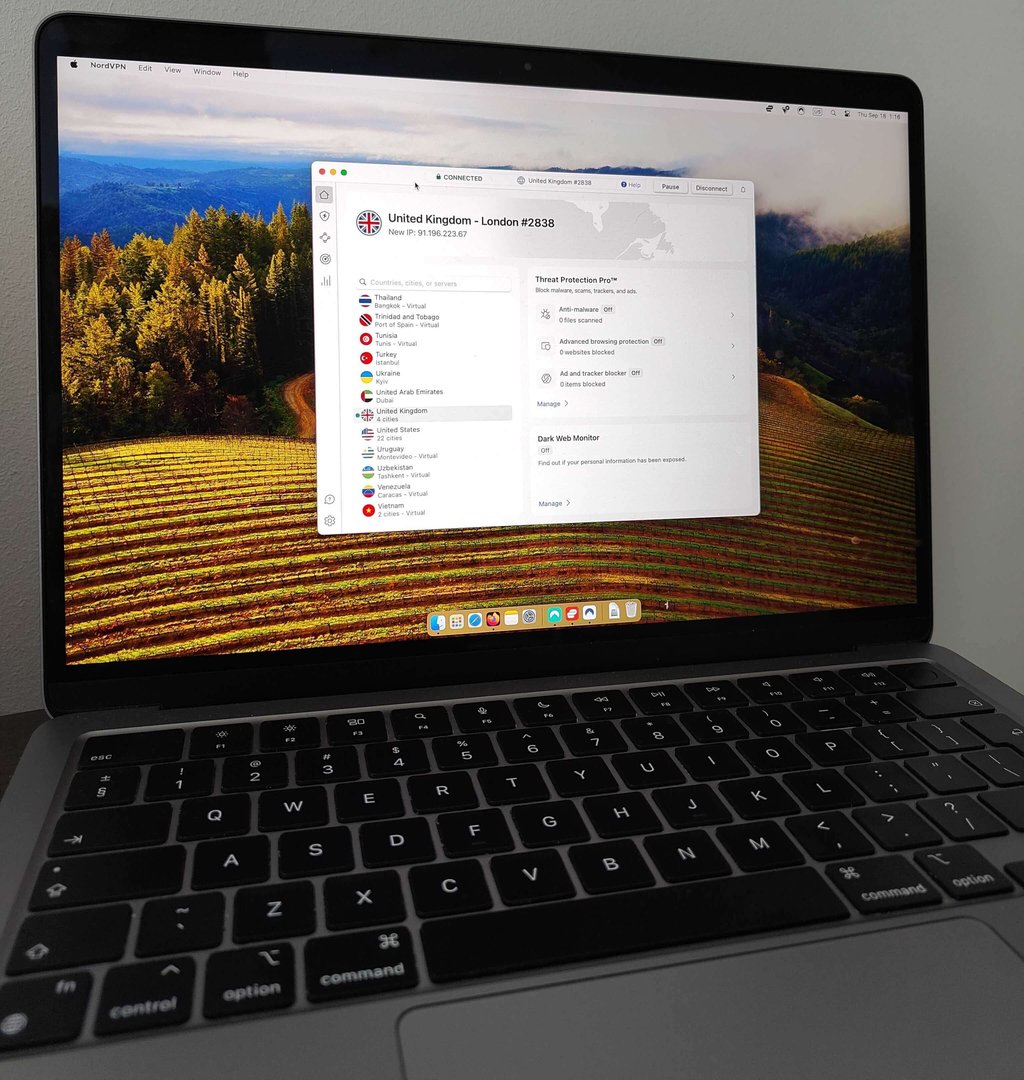
All in all, NordVPN is the top pick for Mac users who want both strong privacy and unrestricted streaming access. It’s not the cheapest service, but considering the features and reliability, the value more than justifies the cost.
Read our full NordVPN review.
2. Surfshark – top cheap and fast VPN for Mac
Surfshark is a great budget-friendly VPN for Mac, combining excellent speeds with one of the lowest prices on the market (you can save even more with the Surfshark coupon code: OFFCN).
Surfshark’s One and One+ plans include antivirus protection, proven effective in my research and certified by AV-TEST. Even the basic plan offers Surfshark Alert, which scans for data breaches and warns you if your personal info is leaked – especially useful for online shoppers or password re-users.
When it comes to streaming on Mac, Surfshark has been a pleasant surprise. In my weeks of testing, it consistently unblocked Netflix, Hulu, Disney+, HBO Max, Prime Video, and BBC iPlayer without random drops or buffering. While NordVPN has been my go-to for years, I didn’t feel like I was compromising when using Surfshark on my MacBook for streaming evenings – everything just worked smoothly.
The performance results back this up. In the latest OOKLA speed tests, Surfshark hit about 86% speed retention, which explains why I never had issues with lagging during HD streaming or Zoom calls.
Surfshark’s Mac app is simple and intuitive, with handy features like favoriting servers for quick access. It lacks split tunneling on Mac, but that won’t matter to most users. Priced from just $2.79/month, it’s cheaper than NordVPN, and higher-tier plans add antivirus and breach alerts. With a 7-day iOS trial and a 30-day money-back guarantee, testing it is risk-free.
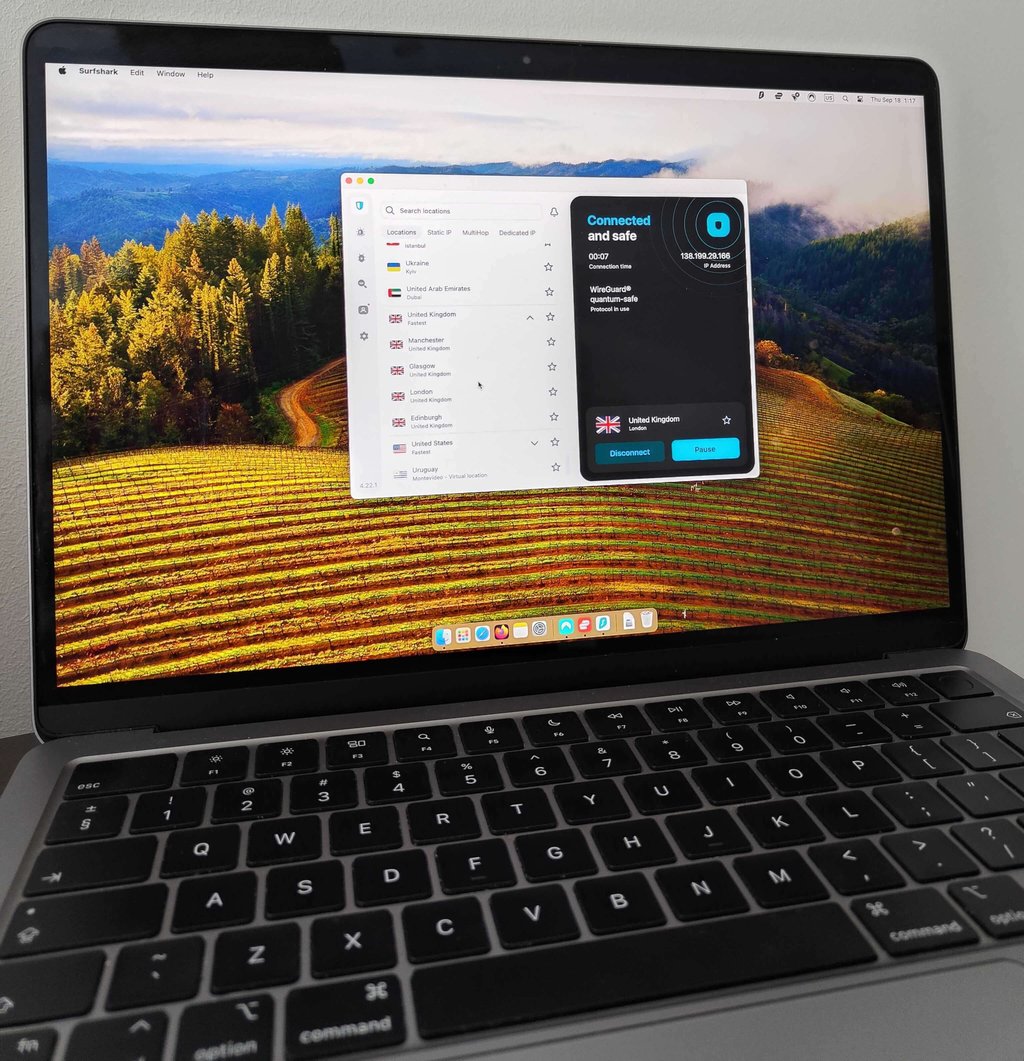
Overall, Surfshark delivers fast speeds, strong security, and reliable streaming – making it the best budget-friendly VPN for Mac.
Read our full Surfshark VPN review.
3. Proton VPN – reliable free VPN for Macs
Proton VPN is my top pick for Mac users who want a free VPN. The setup is quick, the security features are reliable, and unlike most free services, Proton can actually unblock streaming platforms.
I’ve tested a lot of free VPNs, and honestly, most of them are either painfully slow or shady when it comes to data privacy. Some even make money by selling your information to advertisers.
Proton feels different. It’s completely ad-free, follows a strict no-logs policy (backed by independent audits), and doesn’t ask for much more than your email to sign up. When I created my free account, Proton even generated a random password for me, which made the whole process feel fast and secure – I was connected in under five minutes.
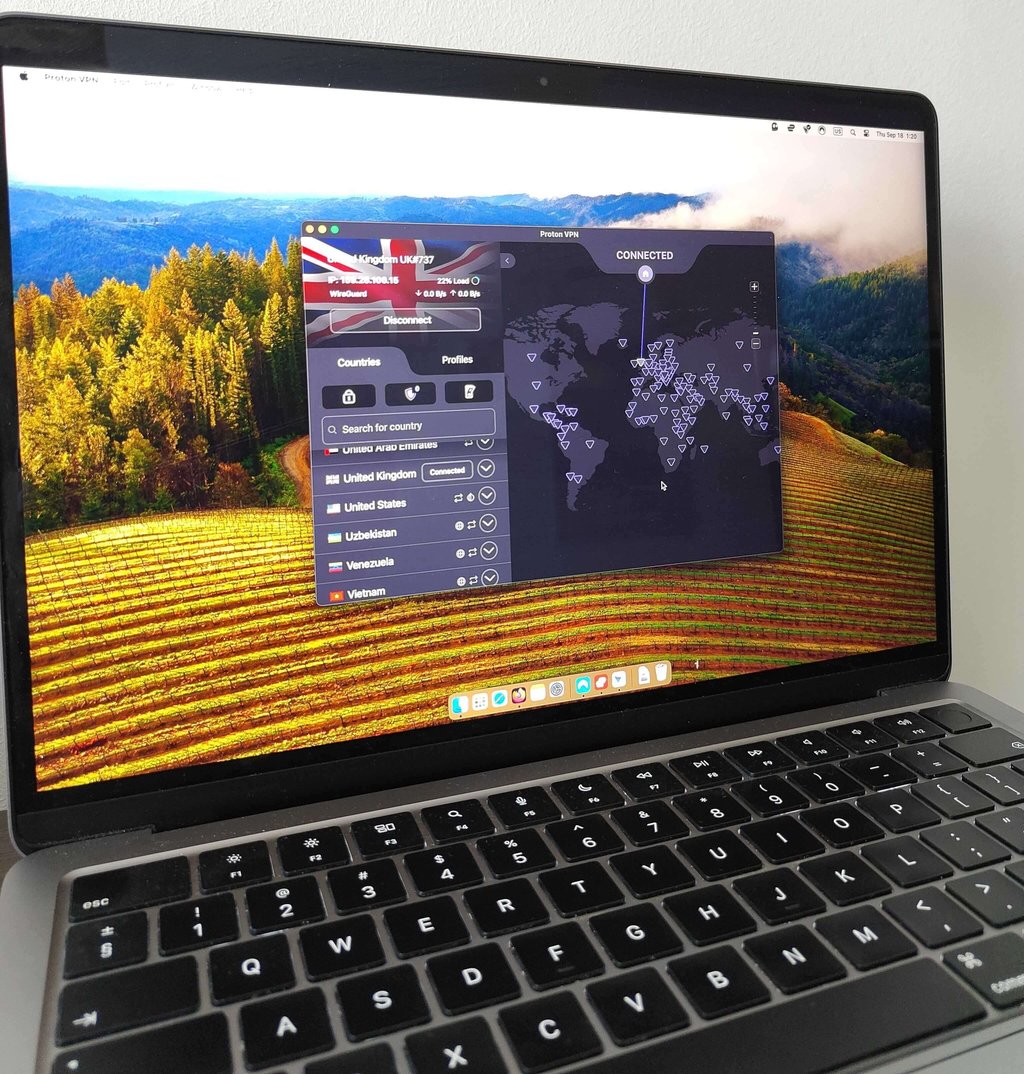
Performance on streaming surprised me the most. During my tests, Proton’s free plan unblocked Netflix, Disney+, and HBO Max without major issues. On average, it retained 86% of my initial internet speed while testing. The only drawback was the occasional dip in video quality, but it was inconsistent and didn’t ruin the experience. The real limitation is server choice – on the free plan, Proton automatically assigns your location. You can see all the available servers, but if you try to pick one, you’ll get a prompt to upgrade.
Still, Proton’s Mac app is clean, user-friendly, and works smoothly, even without advanced customization.
If you ever feel like you need more, Proton Plus starts at $2.99/month and adds faster servers, more locations, and a 30-day money-back guarantee. Personally, I think the free plan is best if you just need a reliable, no-cost way to protect your Mac on public Wi-Fi or stream occasionally. If you want more flexibility, upgrading makes sense – but the fact that Proton gives so much away for free already sets it apart.
Read our full Proton VPN review.
4. CyberGhost – reliable VPN for streaming with Mac
CyberGhost is one of the most affordable VPNs for Mac, with plans starting at just $1.59/month.
Although it doesn’t pack quite as many extras as NordVPN or Surfshark, CyberGhost is still secure. It offers AES-256 encryption, a reliable kill switch, and an optional ad and tracker blocker. Its no-logs policy has been independently audited, and I liked that the Mac app even lets you block malicious DNS domains for extra peace of mind.
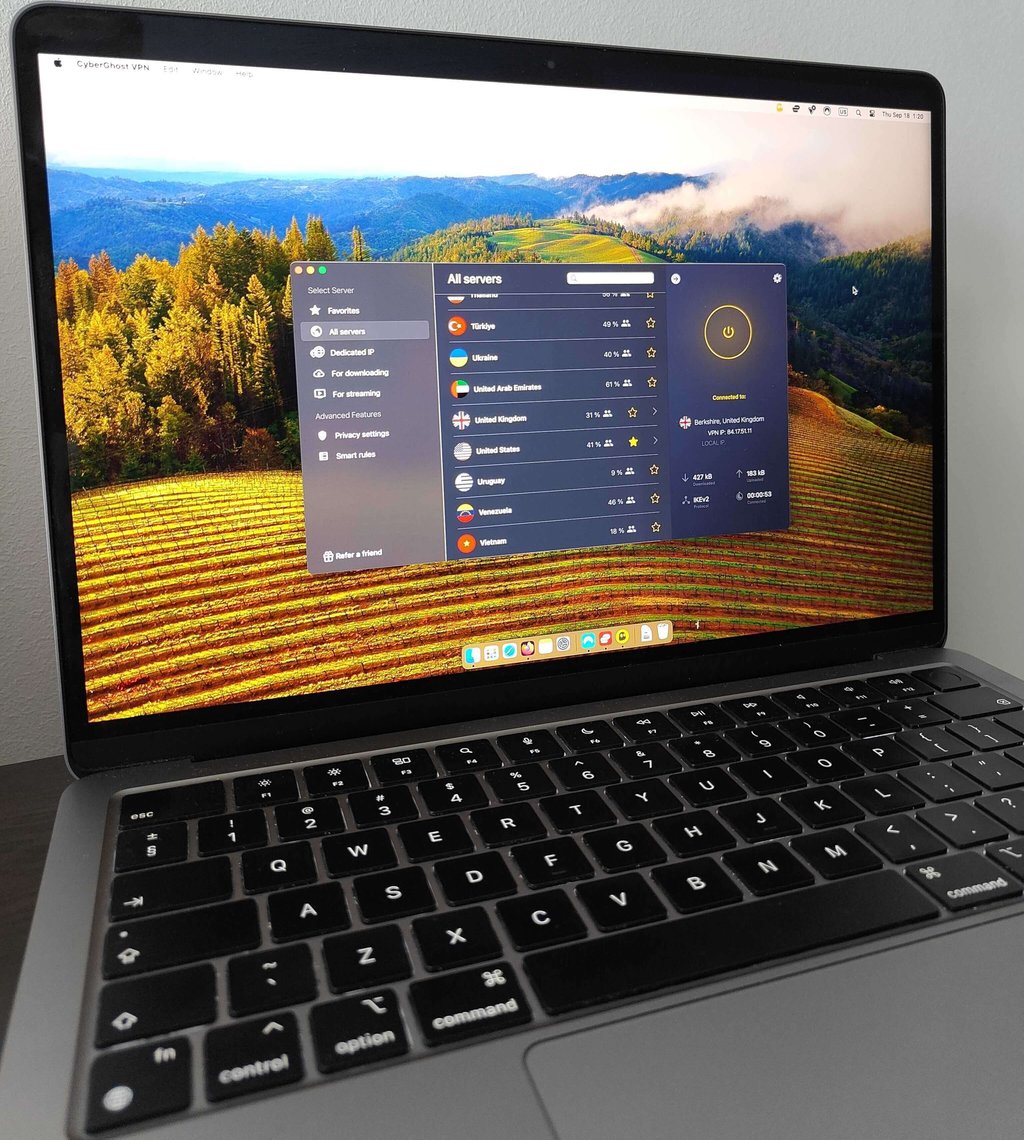
Streaming is where CyberGhost shines. It has dedicated servers optimized for streaming, and in my tests, it unblocked Netflix, Disney+, and BBC iPlayer without a hitch. Like IPVanish, it shows server load percentages, making it easy to pick the fastest, least crowded option.
Performance was solid, too. With WireGuard enabled, CyberGhost, similarly to Proton VPN and Surfshark, retained about 86% of baseline speed. Not the fastest, but stable enough for HD streaming or video calls. On a few occasions, video quality dipped briefly, but it corrected itself within seconds.
The Mac app setup was one of the smoothest I tested – I was up and running in under five minutes. It also stood out for how quickly it connects to servers, making it one of the most convenient VPNs to use day-to-day. While it doesn’t offer as many advanced settings as NordVPN, its interface feels just as polished as Surfshark or IPVanish.
Overall, CyberGhost is an excellent choice for budget-conscious Mac users. It may not have every premium extra, but with reliable privacy, streaming-focused servers, and strong value for money, it’s a VPN that gets the essentials right.
Read our full CyberGhost VPN review.
5. IPVanish – VPN for Mac with unlimited simultaneous connections
IPVanish stands out with its highly customizable Mac app and unlimited device connections. You can switch between different VPN protocols depending on your location or activity, and the app even displays real-time server loads – a handy feature if you want to pick the least crowded option for gaming or streaming.
The Mac app also includes a threat protection tool, similar to NordVPN’s. In my tests, it blocked most trackers and flagged suspicious sites right away. Ad blocking was less consistent, stopping about 40% of ads, while more complex banners still slipped through – good as an extra layer, but not a full replacement for a dedicated ad blocker.
When it came to unblocking streaming services, IPVanish performed well overall. I had no trouble with Netflix and Disney+, but Prime Video and Hulu required a few tries before I could connect. Once unblocked, the quality stayed smooth with no noticeable buffering, which made the experience perfectly watchable.
Part of this reliability comes from IPVanish’s protocol options. You can choose between four, but WireGuard proved the fastest and most stable for streaming, just like with Surfshark. In speed tests, IPVanish retained about 80% of baseline speeds, which is solid for everyday use.
Getting started was easy – purchase, download, log in, and you’re set. Just keep in mind that Safari doesn’t support proxy extensions, so you’ll still need the full app running on your device. One small drawback I noticed was slower loading times compared to NordVPN or Surfshark, especially when opening the map view, which sometimes took a few seconds.
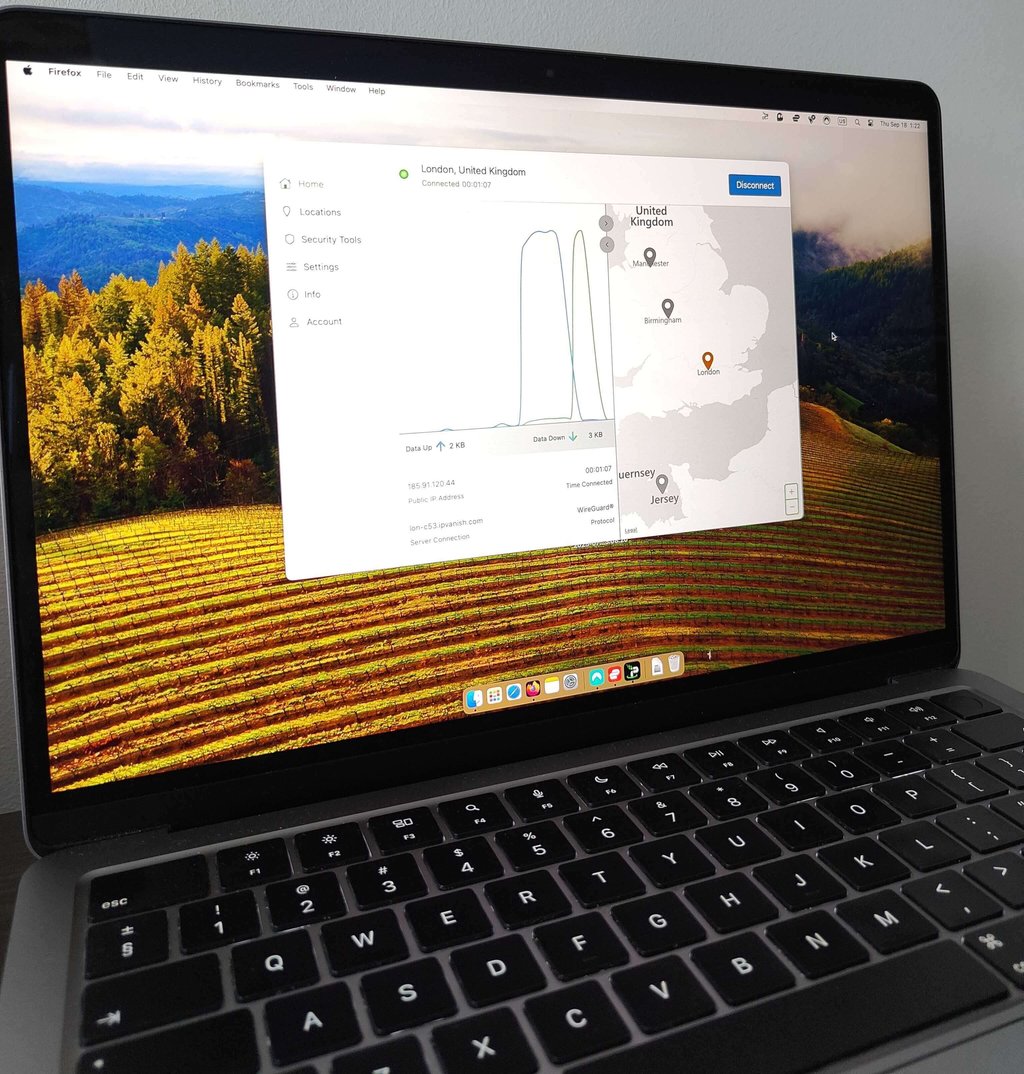
At $2.19/month with a 30-day money-back guarantee, IPVanish is also very affordable. Mobile users on iOS or Android can claim a 7-day free trial as well.
Overall, I’d recommend IPVanish to users who like hands-on control over their VPN. While it has a few minor quirks, it remains a secure, affordable, and streaming-friendly choice for Mac.
Read our full IPVanish review.
How we tested Mac VPNs
To create this list, I tested VPNs directly on a MacBook Air M2. The main goal was to see which providers truly deliver the best experience for Mac users.
Each VPN was evaluated against these criteria:
- Privacy and security (30%). Verified no-logs policies, strong encryption, and leak protection using tools like ipleak.net.
- Performance and speed (25%). OOKLA speed tests measured how much each VPN slowed down browsing, streaming, and downloads.
- Ease of use (15%). Checked Mac compatibility, App Store ratings, and overall usability of the apps.
- Server network (15%). Reviewed server numbers, global coverage, and performance consistency across locations.
- Streaming (10%). Tested Netflix, Disney+, BBC iPlayer, and more to confirm reliable unblocking.
- Pricing (5%). Compared subscription costs to the features provided.
In short, the best Mac VPNs are not just about speed – they need to balance privacy, usability, and streaming access. Top providers like NordVPN and Surfshark even include extras like malware blocking and threat protection, making them more than just privacy tools.
How to install a VPN on Mac
Setting up a VPN on your Mac is quick and straightforward. The exact steps may vary by provider, but the process is nearly always the same:
- Download the app from the App Store
- Create or log in to your account
- Connect once your plan is active
In most cases, you’ll be up and running in just a few minutes.
If you’re using a free VPN like Proton VPN, it’s even simpler – no payment, and sometimes no account is required. Just install the app, hit connect, and you’re protected. It’s about as easy as downloading any other app on your Mac.
Final thoughts
Even though Macs are known for strong security, they aren’t immune to online risks like data tracking, geo-blocks, or unsafe public Wi-Fi. That’s why a reliable VPN can make all the difference.
If I had to choose just one VPN for Mac, it would be NordVPN. It offers the best balance of speed, security, and ease of use on macOS. With a strict no-logs policy confirmed by independent audits, advanced features like Threat Protection and Meshnet, and excellent performance for streaming services such as Netflix and Disney+, NordVPN stands out as the most reliable choice. While it isn’t the cheapest option, its feature set and consistent results make it the best VPN for Mac users overall.
More CoolTechZone guides
FAQ
Can I use a VPN on my MacBook Air or MacBook Pro?
Yes, you can use a VPN on both MacBook Air and MacBook Pro – just download a VPN app compatible with macOS and connect.
Is NordVPN good for Mac?
Yes, NordVPN works great on Mac. It offers strong privacy, an audited no-logs policy, Threat Protection against ads and malware, and holds a 4.7/5 rating on the App Store.
What is the best free VPN for Mac?
Proton VPN is the best free VPN for Mac because it offers unlimited data, strong security, and a strict no-logs policy. It’s ad-free, open-source, and even its free plan works reliably for privacy and streaming.




Comments
Your email address will not be published. Required fields are marked