Best Sling TV VPNs: stream from anywhere
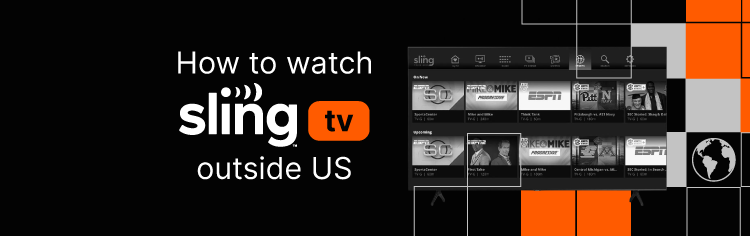
Sling TV gives you access to live channels and on-demand content in one place, including major networks like ESPN, FOX, NBC, and CNN. For many viewers, it’s the perfect replacement for traditional cable. However, Sling TV is only available in the US, and live sports are often affected by blackout rules. Leagues like the NFL, MLB, and NHL restrict certain broadcasts based on local TV rights, making certain games inaccessible.
Fortunately, a good Sling TV VPN can remove these restrictions. By connecting to a US server, your traffic is routed through an American IP address, allowing you to stream as if you were physically in the US. This also helps bypass regional sports blackouts. Below, you’ll find my list of the best VPNs for Sling TV, which offer fast speeds, stable connections, and buffer-free streaming.
How to bypass Sling TV blackouts using a VPN

Many games on Sling TV are subject to regional blackouts. Luckily, by using a Sling TV VPN, you can bypass this and stream freely. Here’s how you do it:
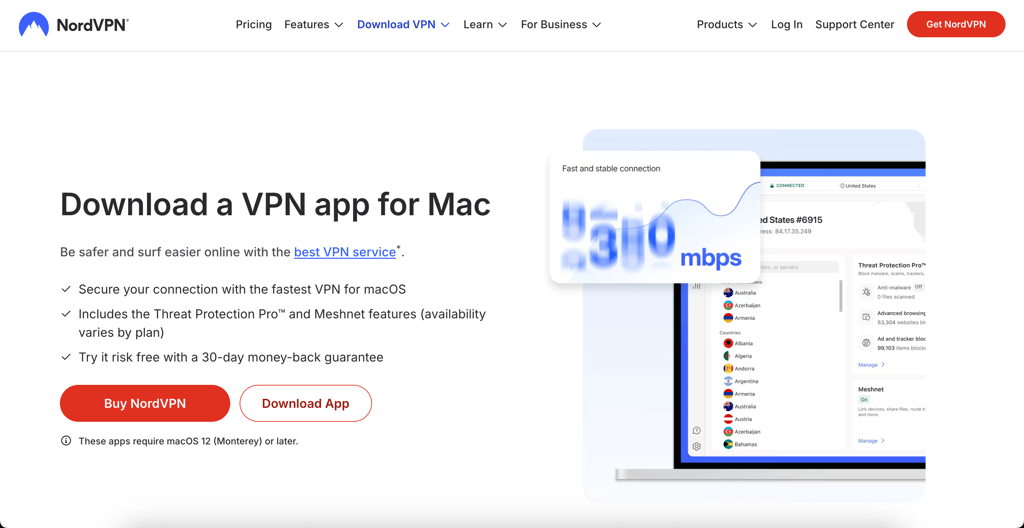
- Choose a VPN that offers servers in the US. I recommend NordVPN, now 75% OFF
- Download and install the VPN on your device
- Launch the app and connect to a US server
- Open Sling TV and watch games with no restrictions
Best VPNs for Sling TV: a shortlist
There are multiple VPNs on the market, but not all work with Sling TV. Based on my hands-on testing, I found that these VPNs work best for bypassing geo-restrictions on Sling TV.
- NordVPN – best Sling TV VPN overall
- Surfshark – budget-friendly VPN for Sling TV
- Proton VPN – free Sling TV VPN
- ExpressVPN – user-friendly VPN for Sling TV
- IPVanish – Sling TV VPN for unlimited devices
Why is Sling TV blacked out?
When Sling TV displays a blackout notice, it’s not a technical error. It’s the result of how sports broadcasting is tightly controlled across the US. Most professional leagues divide streaming rights into two separate layers, which directly impacts what you’re allowed to watch.
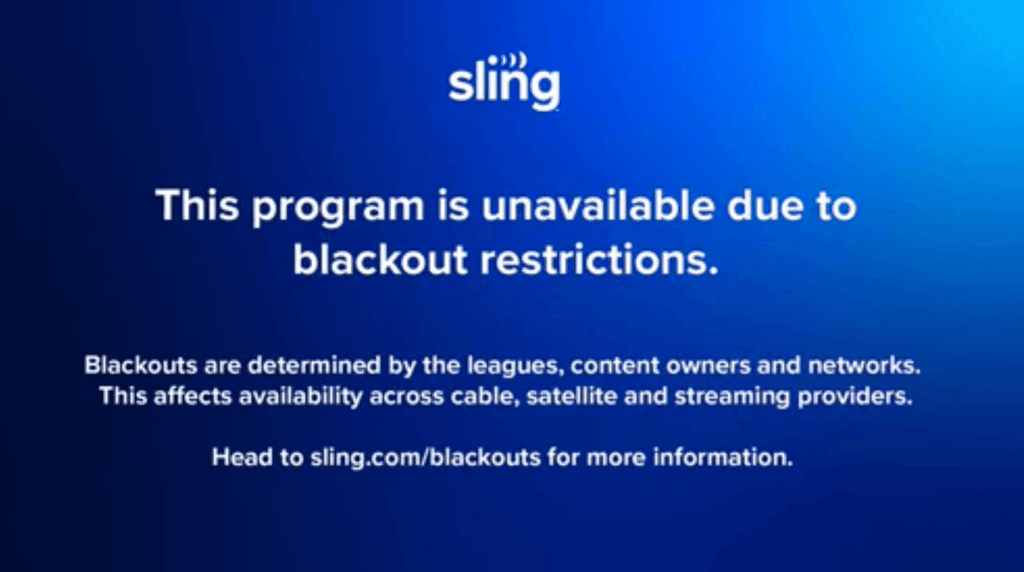
First, there are regional broadcast rights. These are sold to local sports networks, which get exclusive control over games in their home territory. If you’re physically located in that area, Sling TV is required to block the stream and push viewers toward the local broadcaster instead.
Second, there are nationwide broadcast rights. These belong to major networks like ESPN, FOX, and NBC. They allow games to be streamed across the country, but only outside the local regions already claimed by regional networks. If your location falls inside one of those protected zones, the national stream is automatically restricted.
This system exists to preserve the value of local TV contracts and live ticket sales. As a result, you may be blocked from a game, even though Sling subscribers in other states are able to watch it without any issues.
A Sling TV VPN helps to get around these restrictions by changing how your location appears online. Once you connect to a VPN server in another region, Sling TV reads that location instead of your real one. If that area isn’t affected by the blackout, the stream becomes available again.
Since Sling TV doesn’t enforce strict VPN detection compared to many other platforms, this workaround is usually dependable. With a VPN that has a wide range of US server locations, it’s often easy to find one where the blackout doesn’t apply.
Best Sling TV VPNs to bypass blackouts: detailed list
To find the best VPNs for bypassing restrictions on Sling TV, I personally tested several leading providers. Each one was evaluated based on US server coverage, ability to bypass restrictions, connection speeds, and device compatibility. Below, you’ll find detailed results for the top options.
1. NordVPN – top VPN for Sling TV

| Rating: | |
| US servers: | 3020+ in US locations |
| Streaming services: | Netflix, Hulu, BBC iPlayer, Disney+, and more |
| Coupons: | NordVPN coupon 75% OFF |
NordVPN is the overall best Sling TV VPN thanks to its fast speeds, large US server network, strong privacy tools, and reliable unblocking performance.
Servers and speed. NordVPN has over 8600 servers in 129 countries, with more than 3020 in the US. This provides massive coverage, ensuring you can easily find a server to unblock any game on Sling TV. As for speeds, NordVPN employs the NordLynx protocol, which maintains, on average, 82% of the initial speeds in the US. During my testing, I experienced no interruptions during streaming, which made my experience very positive.
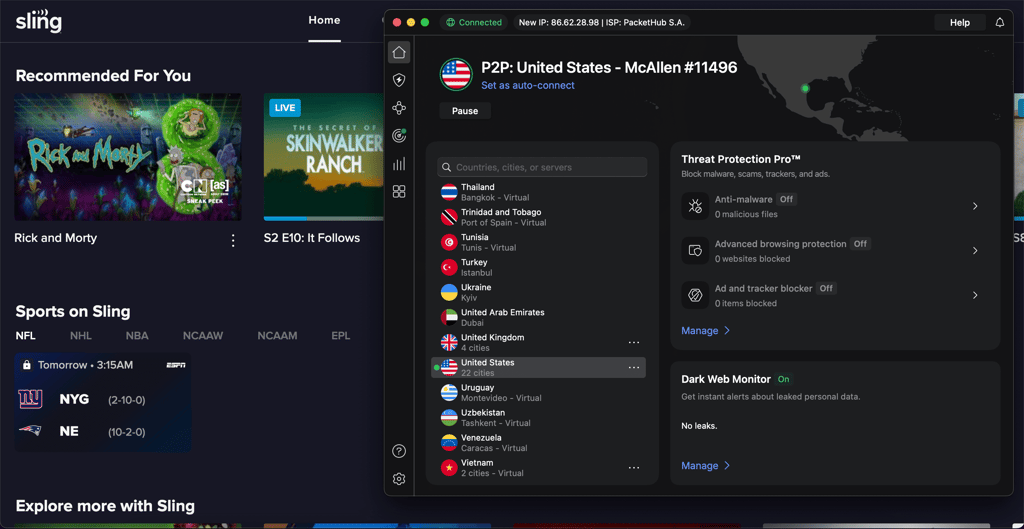
Security. NordVPN uses industry-standard encryption protocols, has an audited no-logs policy, and operates from a privacy-friendly jurisdiction. All of this ensures that your connections are private and secure. Additionally, NordVPN offers add-ons such as Threat Protection Pro, which blocks malicious domains, intrusive ads, and trackers, further enhancing your online security.
Features and compatibility. NordVPN has excellent features, such as split tunneling, which allows you to customize which apps use the VPN. For example, I selected to route Sling TV through the VPN while keeping other apps on my regular connection. It also works on all major platforms, supports streaming devices and routers, and includes a Smart DNS feature for devices that don’t support VPN apps.
Pricing. Plans start at $3.49/month and allow up to 10 simultaneous connections. You also get a 3-day free trial on Android and a 30-day money-back guarantee.
For a deeper breakdown of features and performance, read our NordVPN review.
2. Surfshark – affordable Sling TV VPN
| Rating: | |
| US servers: | 600+ in 24 US locations |
| Streaming services: | Netflix, Disney+, Amazon Prime Video, Hulu, and more |
| Coupons: | Surfshark VPN coupon 85% OFF + 3 months FREE |
Surfshark is the perfect VPN for Sling TV if you’re on a budget. Despite its low cost, it effortlessly bypasses all geo-blocks.
Servers and speed. Surfshark has a smaller server network compared to NordVPN, with around 4,500 servers in 100 countries and about 600 in the US. Even so, the servers didn’t feel overcrowded during my testing, and I didn’t experience any issues with blocked IPs. Connection speeds held at roughly 83% of my original speed on US servers, which was more than enough for consistent 4K streaming.
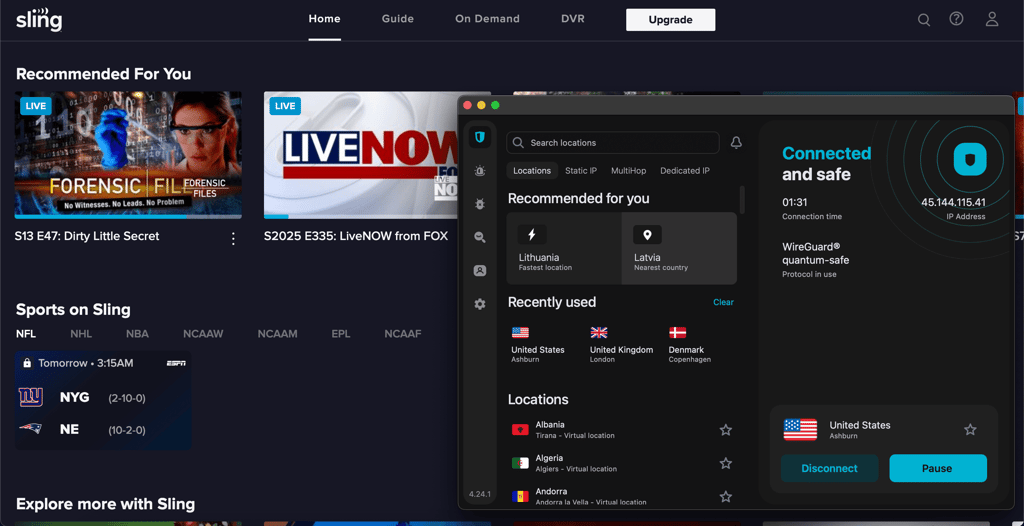
Security. Surfshark offers strong security, with AES-256 encryption and an audited no-logs policy. It also includes several extra tools, such as Alternative ID, Search, Alert, and built-in antivirus protection. These features make it easy to tailor your security setup to your needs.
Features and compatibility. Surfshark offers a wide range of features, but GPS spoofing on Android stood out to me the most. It matches your GPS location with your VPN location, which makes bypassing location restrictions much easier. The VPN works on all major platforms, supports routers, and also includes Smart DNS.
Pricing. Plans start at just $2.79/month, with a 7-day free trial on mobile and a 30-day money-back guarantee. What makes it an even better deal is that you can connect as many devices as you want.
You can find all the details, pros, and cons in our Surfshark review.
3. Proton VPN – Sling TV VPN with a free version
| Rating: | |
| US servers: | 5000+ in 19 US locations |
| Streaming services: | Netflix, BBC iPlayer, YouTube, HBO Max, Disney+ |
| Coupons: | ProtonVPN with 70% OFF |
Proton VPN is a security-focused Sling TV VPN that also stands out with its generous free plan. It’s a great option if strong privacy is your top priority.
Servers and speed. Proton VPN has an absolutely massive server network – including over 15800 servers across 127 countries and more than 5000 servers in the US. The free version gives access to five server locations with unlimited bandwidth, which is impressive for a free plan. In my testing, Proton VPN kept around 84% of my original connection speed on US servers, which was more than enough for smooth Sling TV streaming.
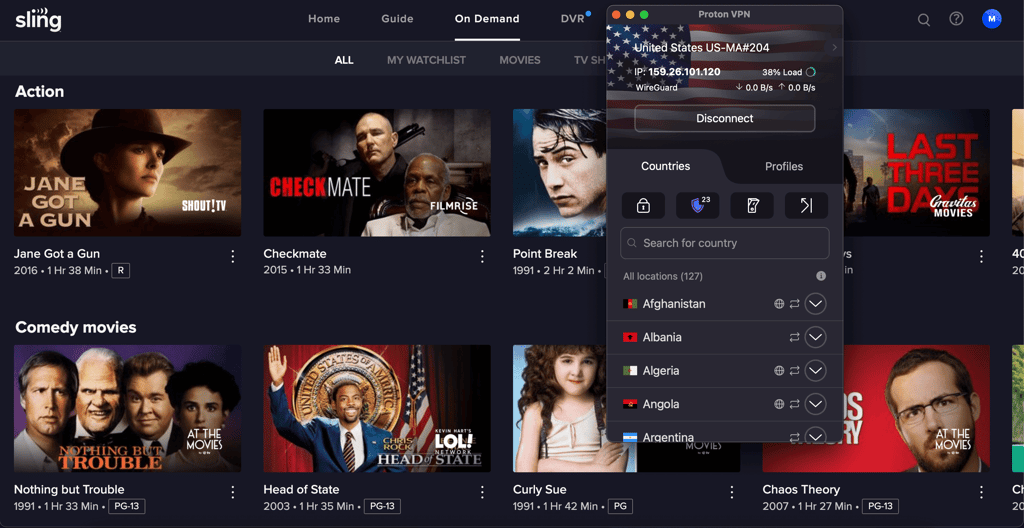
Security. Proton VPN’s security is rock-solid. It’s based in a privacy-friendly country, uses top encryption algorithms, has an audited no-logs policy, and all its apps are open source. On top of that, Secure Core servers add an extra privacy layer by routing traffic through high-security data centers.
Features and compatibility. Proton VPN features a Netshield, which blocks intrusive ads and trackers, making streaming seamless. There’s also a kill switch for protection in case the connection drops, along with split tunneling for more control over how your traffic is routed.
Pricing. Paid plans start at $2.49/month, making it a slightly more expensive option. That said, besides the free plan, you also get a 30-day money-back guarantee and support for up to 10 devices at the same time, which adds strong overall value.
We cover everything from pricing to speeds in our Proton VPN review.
4. ExpressVPN – Sling TV VPN for beginners
| Rating: | |
| US servers: | Undisclosed number in 60 US locations |
| Streaming services: | Netflix, Hulu, BBC iPlayer, Disney+, and more |
| Coupons: | ExpressVPN coupon 80% OFF |
ExpressVPN is a great choice if you want a simple, easy-to-use Sling TV VPN. The app is very minimal and intuitive, so everything works exactly as you expect without any learning curve.
Servers and speed. ExpressVPN doesn’t disclose its exact server count, but it does offer servers in all 50 US states, which is a big advantage. That means you can unblock Sling TV content tied to specific state locations without any issues. In my testing, ExpressVPN kept around 68% of my original connection speed. It’s slower than some competitors, but I was still able to stream in HD without buffering.
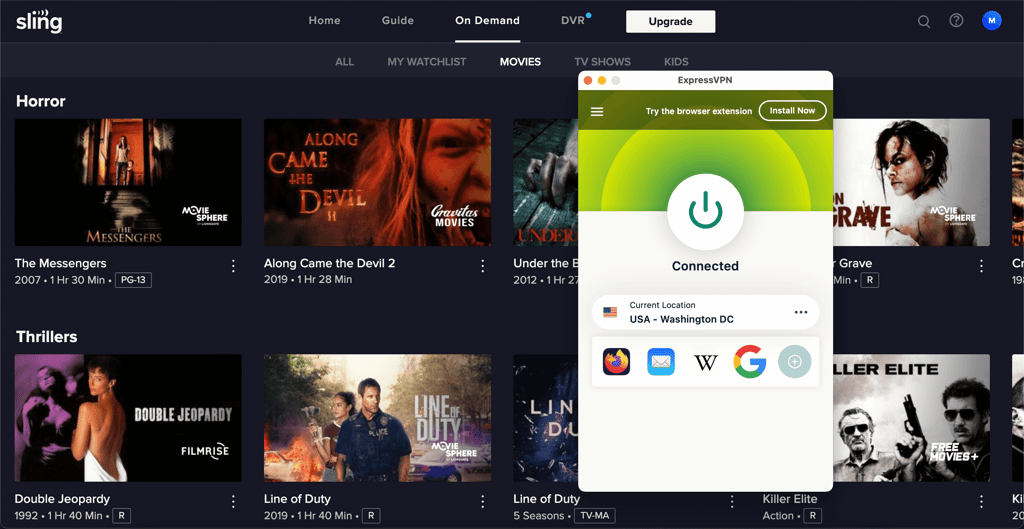
Security. When it comes to security, ExpressVPN uses AES-256 and ChaCha20 encryption, is based in a privacy-friendly country, and runs on RAM-only servers for better data protection. It also includes a kill switch that blocks all traffic if the VPN connection drops, which adds an extra layer of privacy.
Features and compatibility. ExpressVPN includes a Threat Manager that blocks trackers and malicious ads, along with a built-in password manager. I found both very useful for everyday streaming and browsing. It works on all major platforms and even offers a dedicated router app, which makes network VPN setups much easier.
Pricing. ExpressVPN is one of the more expensive options, starting at $2.49/month. You also get a 7-day free trial, a 30-day money-back guarantee, and support for up to 14 devices depending on the plan.
To see how it really performs in daily use, check our ExpressVPN review.
5. IPVanish – Sling TV VPN with unlimited simultaneous connections
| Rating: | |
| US servers: | 1020+ in 22 US locations |
| Streaming services: | Netflix, BBC iPlayer, YouTube, Disney+, Hulu, and more |
| Coupons: | IPVanish coupon 83% OFF |
IPVanish is a fantastic option for Sling TV thanks to its unlimited device connections and solid US server coverage. It’s especially appealing if you want to protect multiple devices at once.
Servers and speed. IPVanish’s global server network isn’t the largest, with just over 3,200 servers across 113 countries. However, nearly a third of those servers are located in the US, which makes it a great option for unblocking Sling TV. Speed-wise, it performed very well in my testing. I maintained around 83% of my original connection speed on US servers, which was more than enough for smooth streaming.
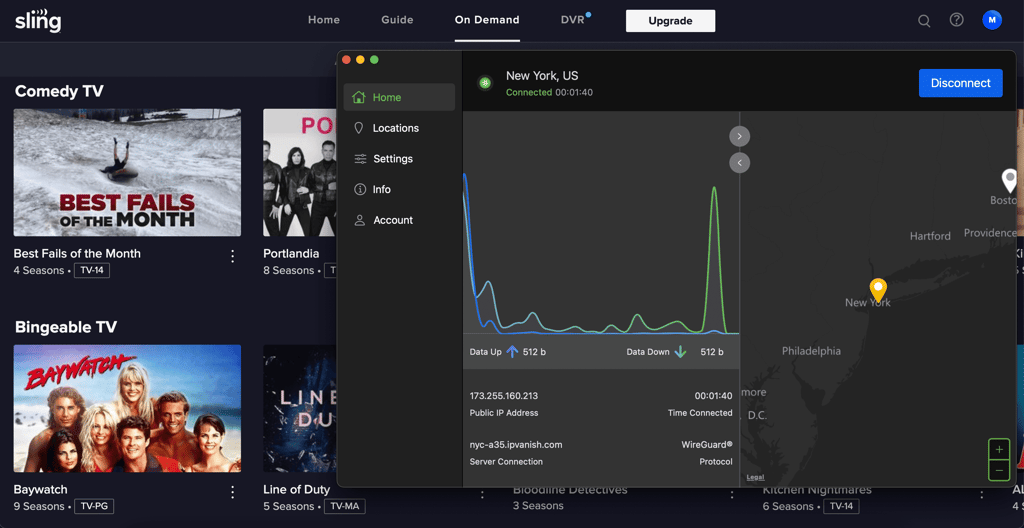
Security. IPVanish is based in the US, which isn’t ideal from a privacy standpoint. That said, it follows a strict no-logs policy, uses AES-256 and ChaCha20 encryption, and runs on RAM-only servers. It also includes a kill switch, which adds an extra layer of protection if the VPN connection drops.
Features and compatibility. IPVanish doesn’t offer many standout features, but it covers the essentials. You get an ad blocker and split tunneling to customize your VPN connections. It works on all major operating systems and can also be set up on a router. One downside is that it doesn’t include a Smart DNS feature.
Pricing. IPVanish is very affordable, with plans starting at just $2.19/month. It includes a 7-day free trial and a standard 30-day money-back guarantee. Like Surfshark, it supports unlimited device connections, which makes the overall value even better.
For real-world testing results and insights, head to our IPVanish review.
Best VPNs for Sling TV: comparison
To make it easier for you to choose the best Sling TV VPN, I put key information into a comparison table. Below, you can see the top providers compared side by side.
| Sling TV VPN | Price | Unblocks Sling TV | Servers | Free trial |
| NordVPN | From $3.49/month | ✅ Yes | 8600+ in 129 countries | ✅ Yes, 3-day |
| Surfshark | From $2.79/month | ✅ Yes | 4,500+ in 100 countries | ✅ Yes, 7-day |
| Proton VPN | From $2.49/month | ✅ Yes | 16800+ in 127 countries | ❌ No, but unlimited free version |
| ExpressVPN | From $2.49/month | ✅ Yes | Undisclosed number in 105 countries | ✅ Yes, 7-day |
| IPVanish | From $2.19/month | ✅ Yes | 3,200+ in 113 countries | ✅ Yes, 7-day |

How to get around Sling TV live blackouts
If Sling TV is blocking your stream due to your location or a local sports blackout, a VPN can unlock access in just a few minutes. I tested this method from start to finish to make sure it actually works. Here’s the exact process:
-
Pick a good VPN. A high-quality provider is essential for stable streaming. In my testing, NordVPN delivered the best results thanks to its fast US servers and strong security tools.
-
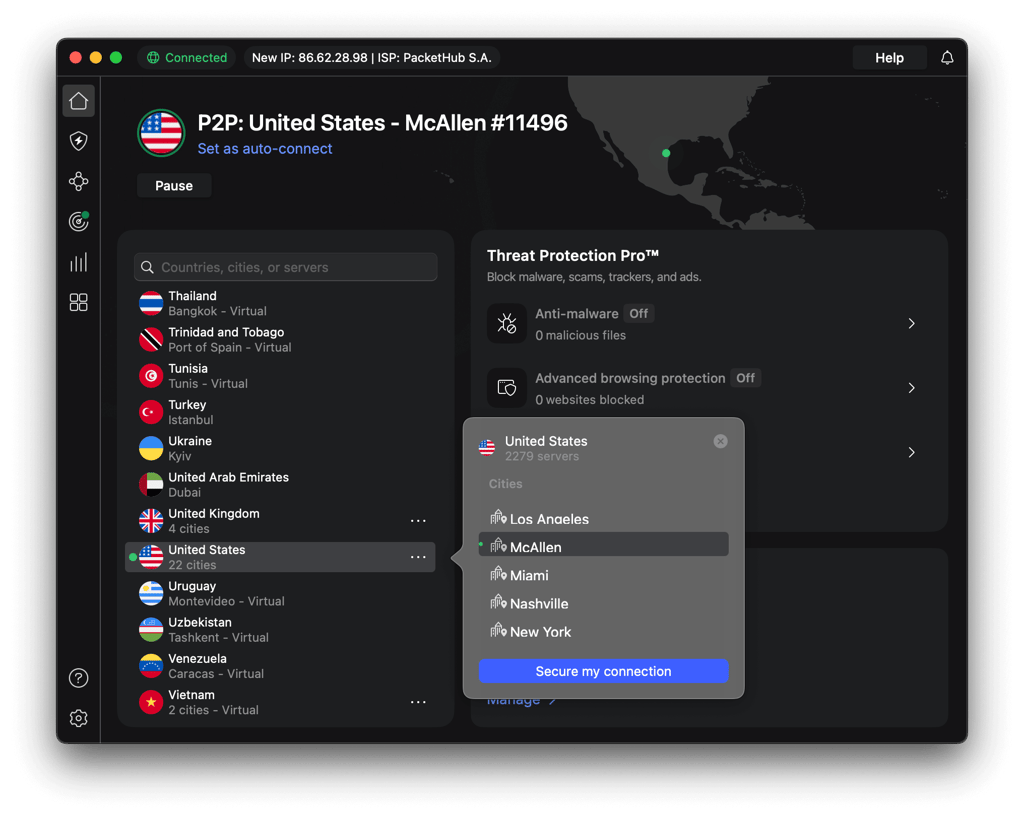
Install the VPN app on your device. Download the app directly from the provider’s website and follow the setup instructions. The whole process usually takes only a few minutes.

-
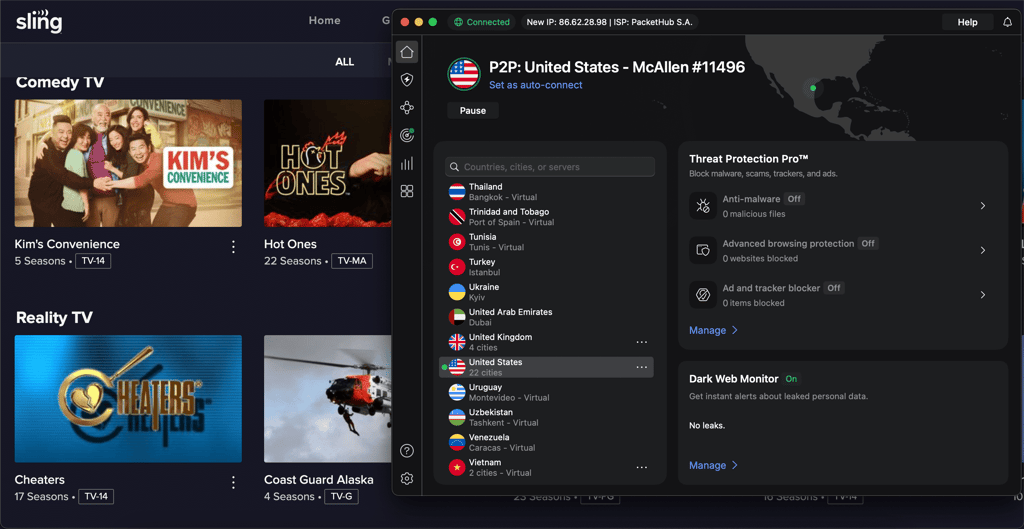
Connect to a US server. Depending on the blackout you’re trying to bypass, choose a server in a specific state. If one city feels crowded or still triggers a blackout, switching to another US location usually helps.

-
Confirm your new IP location. Before opening Sling TV, use a quick IP check tool like whatismyip.com to make sure your connection now shows a US location. If it doesn’t, check whether your VPN connection is stable and if there are any interfering apps.
-
Launch Sling TV and start streaming. Open Sling TV in your browser and select the live sports or channels you want to watch.

-
Keep the VPN active for the entire session. To avoid sudden disconnects, enable the kill switch feature. If the VPN drops, your internet will pause instead of exposing your real location to Sling.
Sling TV not working with a VPN?
A VPN should give you access to Sling TV, but you might sometimes face issues. If Sling still refuses to load, the problem usually comes down to detection, outdated software, or hidden data leaks. In many cases, Sling blocks VPN traffic because the IP address has been overused, the app is not up to date, or your real location is still slipping through via DNS requests, cookies, or browser cache. On top of that, Sling regularly updates its VPN detection system, which can instantly block weaker providers.
Before giving up on your VPN, it’s worth running through a few quick checks first:
- Make sure your internet connection is stable
- Clear cache and cookies to remove stored location data
- Check that your DNS requests are not leaking
- Confirm you are connected to a US server
- Switch to a different US server
- Update your DNS settings to match your VPN provider
- Contact your VPN’s customer support for assistance
If none of this works and Sling keeps blocking your connection, the issue is most likely the VPN itself. At that point, upgrading to a stronger provider is often the fastest and least frustrating solution.


What can you watch on Sling TV?
Sling TV delivers a wide mix of live TV and on-demand content, covering everything from breaking news to must-watch sports and family-friendly entertainment. Even without a paid plan, the free tier gives you access to more than 600 channels, which is a solid starting point on its own.
Most of the biggest names, however, sit behind paid packages. This includes popular networks like CNN, BBC, Fox News, MSNBC, ESPN, TNT, TBS, NFL Network, TLC, NBC, Disney Channel, Nick Jr., and AMC.
Sports fans get plenty of value as well. With the right setup, you can stream major events like NFL games and NHL matchups through Sling TV’s dedicated sports channels.
If sports aren't your thing, there is still plenty to explore. Sling TV also offers movies, live news, and a strong lineup of kids’ programming. You can check the full channel list here.
How to watch the NFL on Sling TV
Sling TV can be a solid option for NFL fans, but not every plan gives you access to live games. To unlock most NFL coverage, you need either the Blue plan or the Orange & Blue bundle. These plans include major broadcasters like NFL Network, NBC, FOX, and ABC, which are responsible for airing the majority of NFL matchups throughout the season.
One important thing to keep in mind is that local channels come with geo-restrictions. You only receive the NBC, FOX, and ABC content available in your state. If a game is restricted in your area, it may be unavailable due to blackout rules. A VPN can help here by letting you switch your location to a state where the game is airing, giving you access to the broadcast.
For fans who want even deeper coverage, the Orange & Blue + Sports Extra add-on is another option. It includes NFL RedZone along with additional sports networks. Just be aware that this upgraded bundle sits at the higher end of Sling TV’s pricing.
How VPN bypasses ESPN blackouts on Sling TV
If you have ever tried to watch an ESPN game on Sling TV and been met with a blackout message, your location is usually the reason. Sling TV checks your IP address to determine where you are. If a local broadcaster owns the rights to a specific game, Sling TV will block access in that region. The same restriction applies when you try to stream from outside the US.
A VPN changes the Sling TV location by routing your connection through a server in another state. This allows you to sidestep both international blocks and local sports blackouts. Switching between different US servers can also help you avoid regional restrictions tied to specific cities or states.
Although using a VPN goes against Sling TV’s terms, my testing showed that streaming through US servers worked without issues. With a high-quality VPN, you can watch ESPN games securely from anywhere and avoid blackouts without sacrificing speed or stability.
How I tested the best Sling TV VPNs
When selecting and ranking the best VPNs for Sling TV, I focused on the key factors that matter most for reliable streaming. Each VPN was tested using the same criteria to ensure fair and accurate comparisons:
- Unblocking abilities (30%). Not every VPN can bypass geo-blocks, even with a large server network. I tested each VPN directly with Sling TV to confirm it works consistently. I also checked performance with other major platforms like Netflix, Disney+, and Amazon Prime Video to see how versatile each service is.
- Servers (20%). A wide server network helps avoid overcrowding and blocked IPs. I focused most closely on US server coverage since Sling TV is US-based, but I also considered global availability.
- Speeds (20%). I tested each VPN on US servers to see if it could handle streaming without buffering, lag, or quality drops.
- Security and features (10%). Strong security is crucial when using a VPN. I checked for core protections like a kill switch, DNS leak protection, and a solid security infrastructure. I also considered extras like ad and tracker blockers.
- Pricing (10%). A VPN shouldn’t cost an arm and a leg, especially if you’re already paying for a Sling TV subscription. I compared long-term pricing, plan value, and refund policies.
- Compatibility (10%). I tested support for major platforms, including Windows, macOS, Linux, Android, and iOS. I also prioritized those that can be set up on routers and offer Smart DNS.
Final thoughts
Sling TV is a great option for streaming local channels and watching NFL games without signing up for cable. However, it does come with location-based restrictions. The service is only available in the US, and some games may be blocked due to blackout rules.
The good news is that a VPN can help you get around these limits. By changing your IP address to a US location where the game is available, a VPN makes it possible to access Sling TV from anywhere and avoid blackouts. Based on testing, NordVPN stands out as the best choice for Sling TV thanks to its reliable access, fast speeds, and strong security while streaming.
Get the best VPN deals:



FAQ
Do VPNs work on Sling TV?
Yes, VPNs can work with Sling TV, but results vary by provider. Many VPNs struggle to bypass Sling’s location blocks, so you need one with strong unblocking capabilities. NordVPN is a reliable option that consistently works with Sling TV.
Which VPN works with Sling TV?
NordVPN, Surfshark, and Proton VPN are among the VPNs that reliably work with Sling TV. They can bypass geo-restrictions and give you access to Sling’s full channel lineup and on-demand content.
How to watch Sling TV outside the US?
To watch Sling TV from outside the US, connect to a VPN server located in the US. Once connected, open Sling TV as usual and start streaming.
How to get around blackouts on Sling?
To avoid blackouts on Sling TV, you need a VPN. Simply connect your VPN to a US server in a state where the game is available. After reconnecting, reload Sling TV, and you should be able to watch without restrictions.
How to fix the Sling VPN issue?
If your VPN isn’t working with Sling TV, try switching to another US server, clearing your browser cache, or using a private browsing window. If the issue continues, you may need to switch to a VPN that is known to work well with Sling TV, such as NordVPN.