Best VPN for gaming 2025

I always recommend using a good VPN for gaming. It hides your real IP address, defends against attacks, and helps you access servers or content from other regions. The right VPN keeps the ping increases minimal and can sometimes even stabilize tricky connections. You can play protected, unlock games before local release, or join friends overseas – all with one tool.
In September 2025, together with the research team, I put dozens of VPNs to the test. Only a few delivered the fast speeds, rock-solid privacy, and reliability gamers need for every session. Here’s my rundown of the top six best VPNs tailor-made for gamers looking for a competitive edge.
Top VPN providers for gaming – shortlist
- NordVPN – fastest speeds and strong security
- Surfshark – budget-friendly VPN with unlimited device support
- CyberGhost – gaming-optimized VPN servers with easy setup
- Proton VPN – gaming VPN with strongest privacy
- ExpressVPN – gaming VPN with premium features
- IPVanish – beginner-friendly gaming VPN
Why use a VPN for gaming?
A VPN can be a game-changer for online play, offering both protection and new gaming opportunities. Whether aiming for smoother matches or securing personal data, adding a VPN is often a smart move. Here’s why I – and many dedicated gamers – recommend using one:
- Boost privacy and security. Hide your real IP address and encrypt your internet traffic. This shields you from DDoS attacks, malicious hackers, and prying eyes during competitive matches.
- Reducing ping and lag. If your ISP throttles your gaming traffic or takes poor routing, a quality VPN can reroute your connection, minimizing delays and ensuring more stable gameplay.
- Connect to global servers. Play on international servers, join friends on other continents, or find less crowded lobbies for better matchmaking and performance.
- Unlock region-locked content. Access games and in-game rewards unavailable in your country. Change your location for exclusive events, bot lobbies, or to keep playing while traveling abroad.
Keep in mind, these advantages mostly help with online multiplayer games, and not every game allows VPN use for gaining an edge. Sometimes, VPNs can slow connections, so choosing a fast provider and a nearby server is key for the best results.
Best VPNs for gaming – full list
Finding the top VPN for gaming means looking past flashy ads and focusing on real results. CoolTechZone’s research team and I went hands-on with dozens of services to see which ones truly deliver for competitive and casual gamers alike. Below, I break down each of the top six picks – with a close look at their strongest features, performance in real games, and what sets each apart for smoother, safer play.
1. NordVPN – best gaming VPN overall
NordVPN is my top recommendation for gamers worldwide, especially those wanting the best blend of speed, security, and versatility. It stands out with impressive performance on its NordLynx protocol, a massive server network, Meshnet for easy LAN setups, and advanced anti-DDoS features. Whether for casual play or competitive matches, NordVPN keeps lag at bay and privacy intact.
Speed
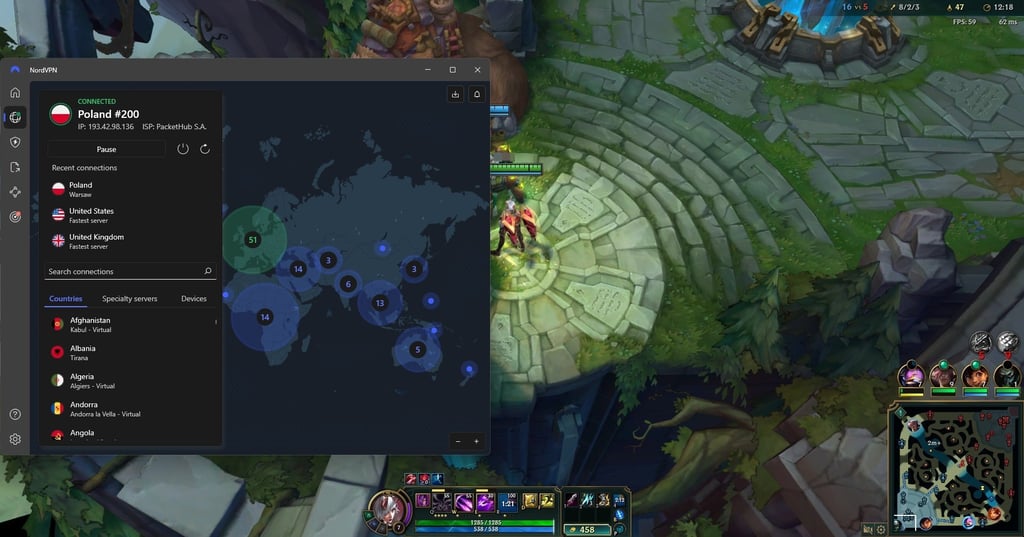
NordVPN consistently provides impressive speed, crucial for responsive gaming experiences. During my tests, NordVPN provided consistently high speeds, with download speeds averaging near 779.9Mbps, with almost 83% speed retention even when connected via VPN. Latency remains low on nearby servers – sometimes as low as 11 milliseconds in Sweden – which is ideal for fast-paced games like League of Legends and Call of Duty.
While VPNs generally add some ping, NordVPN’s advanced routing and lightweight protocols keep delays minimal and gameplay smooth. This means that in practice, I experienced very little lag or interruptions, whether connected to local or far-flung servers. Such reliability is key to maintaining a competitive edge, especially in PvP and esports environments. NordVPN’s speed consistency across locations makes it a top pick for gamers worldwide.
Privacy and security
NordVPN prioritizes protecting user data with a strict no-logs policy verified by independent audits. Based in Panama, it benefits from strong privacy laws and operates with transparency. The VPN includes multiple security layers such as two kill switches – one to block all internet if the connection drops, and a second to protect specific apps. I also like how intuitive the Split tunneling feature is. It allows gamers to route critical traffic efficiently without compromising security.
Another feature that stood out to me was Meshnet, which supports encrypted LAN connections, enabling secure local multiplayer sessions with no noticeable lag. These features help prevent DDoS attacks and keep IP addresses hidden from threats. Users can trust NordVPN to safeguard personal information and gaming traffic alike, enhancing privacy without sacrificing performance.
Compatibility with gaming platforms
I found NordVPN to be compatible with nearly every gaming setup, including Windows, macOS, Linux, iOS, and Android devices. While gaming consoles don’t natively support VPN apps, NordVPN works efficiently on routers, enabling full network coverage. For consoles, Smart DNS is available, though it lacks encryption benefits. NordVPN allows up to 10 simultaneous devices per account, sufficient for most households but less than competitors that offer unlimited connections.
Setup guides and dedicated apps simplify installation and switching servers, making it accessible for casual and expert users. The broad platform support ensures the VPN integrates well regardless of preferred gaming hardware or operating system.
Pricing
NordVPN starts at $3.49/month on long-term plans. Each subscription includes all essential gaming features and is backed by a 30-day money-back guarantee. Higher tiers add non-gaming extras, such as password managers or ad blocking, though I’d say most players are well-served with the entry plan.
For more information, check out our full NordVPN review.
2. Surfshark – cheapest gaming VPN with unlimited devices
Surfshark delivers excellent value for gamers, prioritizing cost and flexibility. It offers unlimited connections, making it perfect for households with many devices or users. Surfshark’s use of the WireGuard protocol ensures high speeds suitable for smooth online gaming, and it provides robust privacy features like a kill switch and DNS leak protection.
Speed
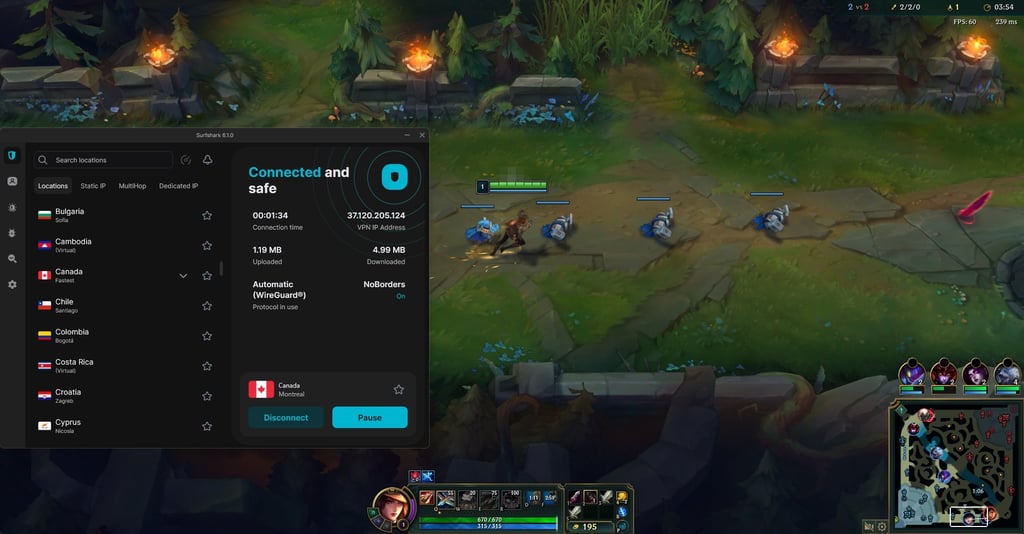
I found that Surfshark performs admirably in speed tests, consistently delivering fast download speeds around 466.6Mbps backed by the WireGuard protocol. In my own gameplay sessions, that translated to smooth performance with low latency and almost no noticeable lag on nearby servers. While I did notice that upload speeds came in a little lower compared to what I’ve seen with NordVPN, they were still more than enough for my typical gaming needs.
I also appreciated the wide server network, which made it easy to connect to fast, less crowded servers. On long-distance connections, I did experience some speed drops, but they were mild – and the performance still held up well enough for both gaming and streaming. One of the features I relied on often was Surfshark’s built-in speed test, which made it simple to find the fastest server available at the given moment.
Privacy and security
Surshark provides comprehensive privacy with its no-logs policy, independently audited to ensure user anonymity. Operating out of the Netherlands, it provides AES-256 encryption and features a kill switch to prevent data exposure if the VPN disconnects. Leak protection safeguards IP addresses and DNS queries during gaming sessions.
Although it misses premium extras like NordVPN’s Meshnet, Surfshark offers split tunneling and Camouflage Mode to mask VPN use in restrictive environments. It is beneficial to gamers in censored regions or using public networks.
Compatibility with gaming platforms
Surfshark supports all popular gaming platforms, including Windows, macOS, Linux, Android, and iOS. For consoles that don’t support VPN apps, it can be configured via router or used with Smart DNS for location unlocking, though DNS won’t encrypt traffic. Unlimited simultaneous devices per account make it ideal for multi-device households.
From my personal experience, Surfshark’s user interface feels refreshingly simple and straightforward. I like how it strips away any unnecessary clutter and focuses on what really matters – quickly connecting to a server or adjusting key settings without any hassle.
Pricing
Surfshark’s pricing starts at $2.79/month on long-term plans, making it one of the most affordable options for gamers on a budget. This includes all core VPN features and is covered by a 30-day money-back guarantee.
Despite its lower price, Surfshark does not compromise on essential security or speed, ensuring excellent value. For gamers seeking a low-cost VPN with reliable performance and unlimited device support, Surfshark is a smart choice.
Explore all the details in our hands‑on Surfshark review.
3. CyberGhost – VPN solution with gaming-optimized servers
CyberGhost is a great option for gamers who want optimized performance without overspending. What stood out to me right away was its network of servers spread across 100 countries. I especially appreciated the dedicated gaming servers, which really helped keep ping low and connections stable during longer sessions. On top of that, its NoSpy servers in Romania gave me extra confidence knowing that they operate independently in a privacy-friendly location.
Speed
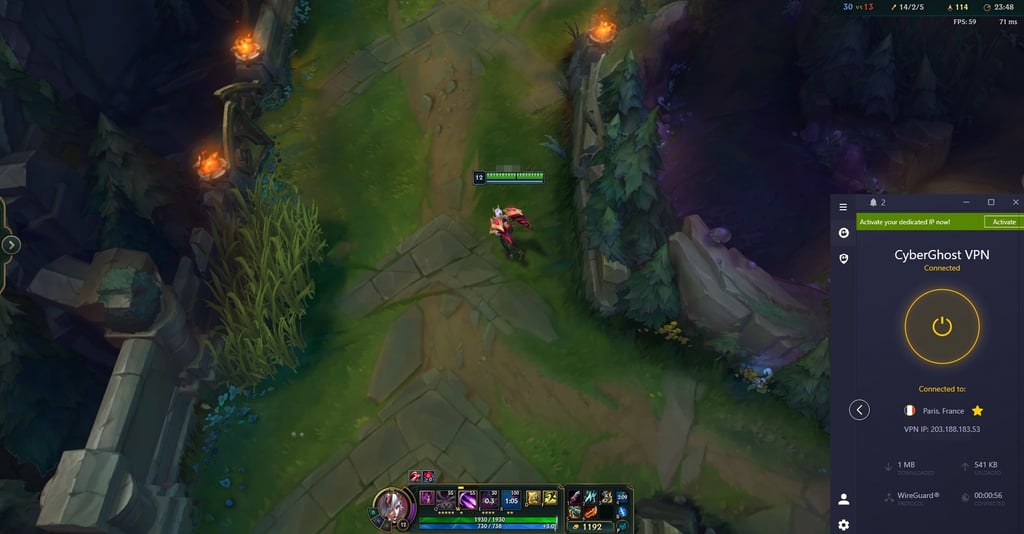
When I tested CyberGhost, I saw consistently solid speeds. On nearby servers, my ping and latency stayed low enough for smooth, lag-free gameplay. In fact, in my speed checks, I averaged around 512.5Mbps downloads, which was more than enough for both gaming and streaming. On longer-distance connections, though, I did notice bigger slowdowns – sometimes speed drops pushed past 40%, which could be a problem for cloud gaming or other high-bandwidth tasks.
One minor thing I picked up on was that server switching sometimes took a bit longer compared to other providers I’ve tested. Still, once connected, performance stayed stable, making CyberGhost a reliable choice for casual gamers and even those with moderately demanding needs.
Privacy and security
CyberGhost emphasizes privacy with a strict no-logs policy and strong encryption standards. Its NoSpy servers, located in Romania and fully controlled by CyberGhost, offer an additional layer of security, shielding gamers from mass surveillance. Protection from DDoS attacks is included across all servers, ensuring gamers stay online during crucial matches.
The VPN supports essential security features like automatic kill switches and DNS leak protection, which keep user data secure even if the VPN connection drops. These privacy measures work together to keep gamers safe without sacrificing performance.
Compatibility with gaming platforms
CyberGhost supports all the main gaming devices and operating systems, including Windows, macOS, iOS, Android, PlayStation, and Xbox. It also supports router installations, allowing gamers to protect consoles and devices that don't natively support VPN apps. For routers or other devices unable to run the VPN app directly, Smart DNS offers an alternative way to access geo-restricted content, though without encryption.
One downside is the subscription's limit of 7 simultaneous connections, which is lower than some competitors' but usually ample for average users. Setup is straightforward, making CyberGhost accessible to both VPN novices and experienced gamers.
Pricing
CyberGhost offers competitive pricing starting at $1.59/month with extended plans that include gaming-optimized servers and fast WireGuard protocol support. It comes with a generous 45-day money-back guarantee – one of the longest in the industry – allowing gamers ample time to test the service risk-free. Shorter plans are available as well, with decent features but less value.
For more insights, browse our extensive CyberGhost review.
4. Proton VPN – best VPN for secure gaming
Proton VPN is ideal for gamers who value privacy as much as decent performance. It combines robust security features like Secure Core servers routed through privacy-friendly countries with open-source, audited apps that ensure transparency. Its free plan with unlimited bandwidth also offers a unique advantage for budget-conscious users.
Speed
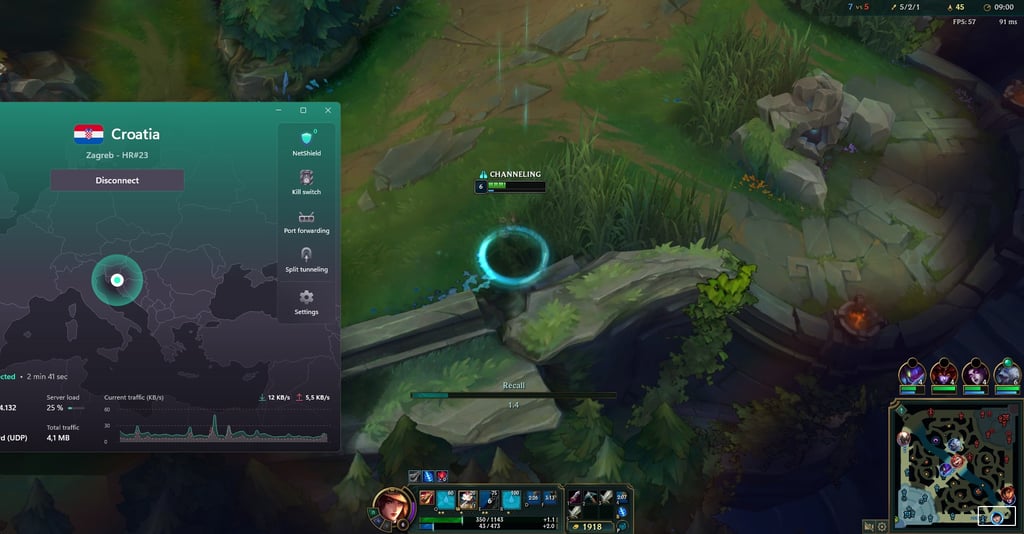
When I tested Proton VPN, I found its speeds more than reliable enough for smooth gaming and streaming, especially when I connected to nearby servers. In some locations, I even saw download speeds hitting close to 700Mbps, with around 82% speed retention on local connections, which is impressive compared to many other services I’ve tried.
Upload speeds were solid too, though I did notice they weren’t quite as high as the very top performers. On certain servers – like those in South Africa – I ran into a few limitations, but overall, the performance held up well.
One feature I especially appreciated was Proton VPN’s Accelerator, which tweaks routing and protocols behind the scenes. In practice, it really did help me squeeze out better speeds and smoother connections, especially on servers that would normally be slower. While I occasionally noticed a moderate increase in latency, it wasn’t disruptive. For casual gaming – and even some competitive matches – response times felt stable enough, provided I chose optimal servers close to my location.
Privacy and security
Privacy lies at the heart of Proton VPN’s design, with Secure Core servers routing traffic through multiple privacy-focused jurisdictions, such as Switzerland, Sweden, and Iceland. The VPN employs strong AES-256 encryption, a strict, independently audited no-logs policy, and open-source applications to guarantee user trust. Kill switches and leak protections ensure data safety even if the VPN connection drops during gaming sessions.
While it offers Double VPN for extra security, those servers tend to have higher latency, making them less ideal for gaming.
Compatibility with gaming platforms
Proton VPN supports all major desktop and mobile platforms, including Windows, macOS, Linux, Android, and iOS. While it lacks dedicated apps for gaming consoles, it can still be configured on routers to protect consoles and other devices that don’t support VPN software directly. The provider also supports split tunneling to route only gaming traffic through the VPN if desired, optimizing network performance.
Switching servers and managing settings is straightforward with Proton VPN’s user-friendly interface, and its VPN Accelerator enhances usability for real-time applications such as gaming.
Pricing
Proton VPN’s pricing is higher than some competitors but reflects its premium privacy offerings. Its best value plan costs $2.99/month on a 24-month subscription, including access to all servers and up to 10 simultaneous connections. There’s also a free tier with unlimited bandwidth, but there’s limited server access, which isn’t ideal for gamers.
Paid subscriptions come with a 30-day money-back guarantee, though refunds are prorated based on unused service time.
Read our full Proton VPN review for a detailed breakdown of the provider’s performance and features.
5. ExpressVPN – best VPN for premium gaming
ExpressVPN is a premium choice for gamers seeking a reliable, fast, and secure VPN. It provides consistently low ping and minimal latency increases thanks to its proprietary Lightway protocol and vast server network. ExpressVPN offers strong privacy controls, including a powerful kill switch and DNS leak protection, ensuring system-wide security even on public networks.
Speed
When I tried out ExpressVPN for gaming, I was impressed with how stable and fast the connections were. Its Lightway protocol really stood out to me – it reconnected almost instantly whenever I switched networks and kept my speeds consistent. On average, I saw download retention rates above 74.5%, with speeds reaching close to 700Mbps, which was more than enough for both gaming and streaming.
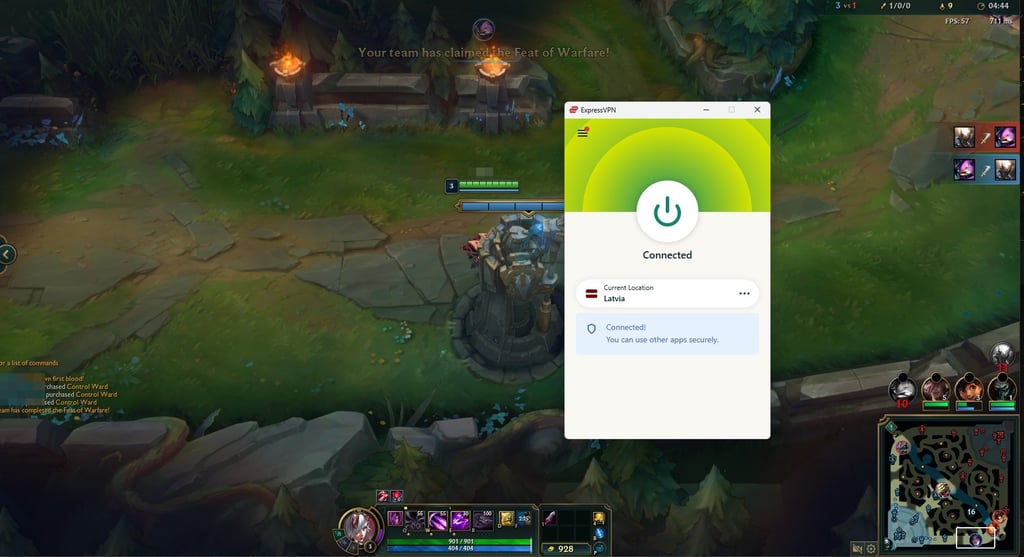
In my tests, average ping times landed around 110ms across different locations. For me, that was low enough to enjoy smooth gameplay, even in faster-paced titles, like League of Legends, on which I used to test these VPNs. The same applies to competitive shooters, where lag usually makes or breaks the experience. While ExpressVPN doesn’t offer dedicated gaming servers, I never really felt limited because of its massive network spread across 105 countries. It gave me plenty of freedom to connect to servers located near my favorite game servers.
I also made good use of the Smart Location feature and ran a few of my own speed checks, which helped me quickly pinpoint the fastest options. With that setup, I could keep lag at a minimum and maintain fluid gameplay without interruptions.
Privacy and security
Security is a major selling point for ExpressVPN. Its AES-256 encryption standard protects data against eavesdropping, while the Network Lock kill switch cuts all internet traffic if the VPN connection drops, preventing data leaks. ExpressVPN also includes DNS leak protection and a Threat Manager that blocks trackers, malware, and ads, giving an extra layer of security during gaming sessions.
Privacy-conscious gamers benefit from ExpressVPN’s no-logs policy and TrustedServer technology, which wipes user data on every server reboot. Based in the British Virgin Islands – a privacy-friendly jurisdiction – ExpressVPN undergoes regular independent audits to validate its privacy claims, offering peace of mind for users concerned about anonymity.
Compatibility with gaming platforms
ExpressVPN supports a vast range of devices, including Windows, macOS, Linux, Android, and iOS. For gaming consoles like PlayStation 5, Xbox Series X/S, and Nintendo Switch, users can install the VPN on routers for full-network protection. It also supports Smart DNS through MediaStreamer – a helpful option for consoles unable to run VPN apps directly, although without data encryption.
The VPN allows up to 14 simultaneous device connections per subscription, which suits most households but is fewer than some competitors. Setup is straightforward, and the user-friendly apps provide easy server switching and feature access.
Pricing
ExpressVPN is among the more expensive options, starting at $2.49/month on its basic plan, with higher tiers offering additional features like ad blocking, password management, and more simultaneous connections.
For an expert deep dive, visit our ExpressVPN review.
6. IPVanish – reliable gaming VPN for beginners
IPVanish is a solid choice for gamers who want unlimited device connections and fast speeds without breaking the bank. It uses the WireGuard protocol to maintain quick and stable connections and also includes built-in threat protection and leak prevention tools. Although its privacy record faced scrutiny in the past, IPVanish operates under a strict no-logs policy and has improved transparency in recent years.
Speed
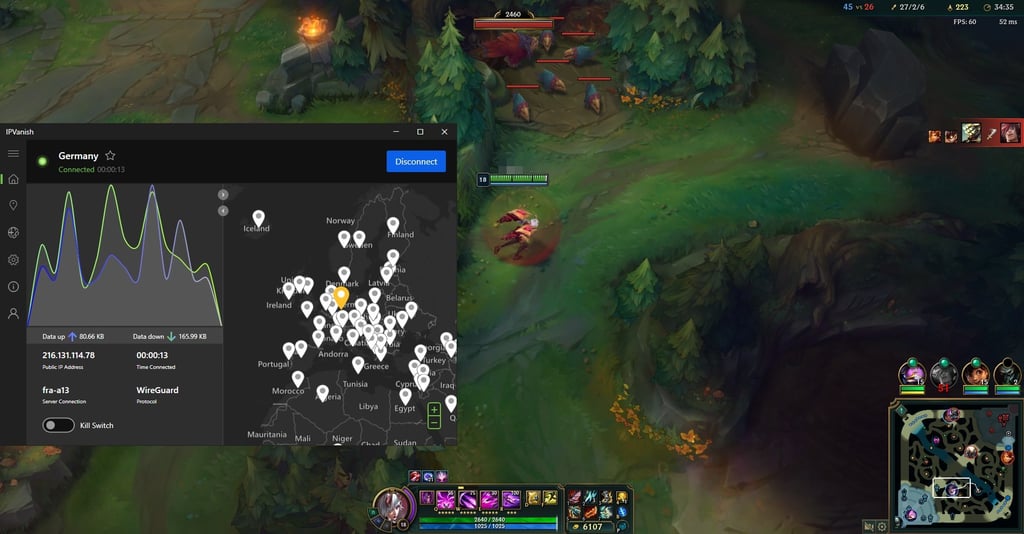
When I tested IPVanish, I was pleasantly surprised by the speeds it delivered – especially on nearby servers. On average, I saw download rates hovering around 705Mbps, and during one of my tests connected to a server in Sweden, I even hit a peak of about 887Mbps. That kind of performance made 4K streaming and lag-free gaming sessions feel effortless.
That said, I did notice some variation depending on the location. For instance, when I connected to servers in Japan, my speeds dropped to around 457Mbps. While that’s quite a bit lower, it was still fast enough for smooth gaming and other everyday activities.
I also found that enabling the WireGuard protocol gave IPVanish a significant boost compared to older protocols – it really helped keep connections fast and stable. The only downside I encountered was the occasional latency spike when playing on long-distance servers. It wasn’t a constant issue, but it was enough that I’d recommend sticking to nearby servers whenever possible for the best experience.
Privacy and security
IPVanish provides essential security features, including AES-256 encryption, DNS and IPv6 leak protection, and a kill switch to prevent data exposure if the VPN unexpectedly disconnects. The service also includes threat protection to block trackers and ads during gaming sessions.
Despite these strengths, IPVanish experienced controversy in 2016 for handing user logs to authorities, which has affected its reputation. While the company now maintains a strict no-logs policy and has undergone independent audits, it also went one more step further and now allows users access to audits from their account’s Security Reports page.
Compatibility with gaming platforms
IPVanish supports all main operating systems, including Windows, macOS, Android, iOS, and Linux, along with easy router integration for protecting consoles such as PlayStation and Xbox. The VPN’s ability to connect unlimited devices simultaneously makes it excellent for gaming households with multiple gadgets needing protection.
The apps are straightforward and stable, offering an experience suitable for both new and experienced VPN users. However, Linux users will have to use the terminal, as IPVanish currently lacks a GUI app for the platform.
Pricing
IPVanish offers competitive pricing with plans starting at $2.19/month on long-term subscriptions, placing it among the more affordable gaming VPNs with unlimited device support. All plans come with a 30-day money-back guarantee, allowing gamers to test performance risk-free.
Head over to our IPVanish review for a comprehensive provider overview.
Comparison of the best VPNs for gaming
In this comparison table, I’ve highlighted key features such as server networks, connection speeds, security protocols, device compatibility, and pricing to help you choose the best VPN for gaming in 2026.
| Best gaming VPN | Rating | Server network | Simultaneous connections | Speed retention rate | Protocols | Compatibility |
| 1. NordVPN | 9,200+ servers in 137 countries | 10 | 83% | OpenVPN, WireGuard (NordLynx), NordWhisper | Windows, macOS, Linux, Android, iOS | |
| 2. Surfshark | 4,500+ servers in 100 countries | Unlimited | 81.2% | WireGuard, OpenVPN, IKEv2 | Windows, macOS, Linux, Android, iOS | |
| 3. CyberGhost | 11,500 servers in 100 countries | 7 | 54.7% | WireGuard, IKEv2, OpenVPN (TCP/UDP) | Windows, macOS, Linux, Android, iOS | |
| 4. Proton VPN | 19,500 servers in 145 countries | 10 | 81.9% | WireGuard, OpenVPN, and IKEv2/IPsec | Windows, macOS, Linux, Android, iOS | |
| 5. ExpressVPN | 3,000 servers in 105 countries | 14 | 74.5% | Lightway, OpenVPN, IKEv2 | Windows, macOS, Linux, Android, iOS | |
| 6. IPVanish | 3,200 servers in 113 countries | Unlimited | 74.9% | WireGuard, OpenVPN, IKEv2 | Windows, macOS, Android, iOS, Linux |
Things to consider when choosing a reliable VPN for gaming
Choosing the right VPN for gaming can greatly impact your experience. Keep these essentials in mind to help find the best fit:
- Deliver low latency for smooth, responsive gameplay without lag.
- Provide extensive server choices worldwide to connect closer to game servers and reduce delays.
- Implement strong encryption protocols like OpenVPN or WireGuard to safeguard your data during gaming sessions.
- Ensure reliable, uninterrupted connections to prevent disconnections that disrupt gameplay.
- Support all major gaming devices, including PlayStation, Xbox, Nintendo Switch, and PC, for seamless integration.
- Maintain a strict no-logs policy to keep your gaming activity private and secure.
- Offer fast, helpful customer support to quickly resolve any technical issues during play.
Focus on these key points to choose a VPN that enhances both your security and gaming performance.
Is gaming with a VPN legal?
Using a VPN for gaming is legal in most cases, but the rules can vary depending on your country, the game you’re playing, and its terms of service. It’s important to avoid using VPNs in countries where they are banned, as this could lead to legal trouble with authorities regardless of your intentions.
Certain games may ban or restrict accounts if a VPN is used to gain unfair advantages, such as accessing region-specific features or avoiding IP address bans. For example, games like Pokémon GO can suspend accounts if detected using VPNs to spoof locations, as this goes against their game policies. Some games might also flag sudden location changes as signs of account hacking, potentially leading to temporary suspensions. To avoid this, it’s wise to use VPN servers near your home location.
There is no universal answer for every circumstance, so using common sense and checking with your gaming community is recommended. If your goal is to improve security and privacy without exploiting the system, a gaming VPN is generally safe to use. Personally, I keep a VPN running during my gaming sessions and haven’t experienced any issues with the games I play.
What is the fastest VPN protocol for gaming?
Based on the most recent in-house tests, the fastest VPN protocol for gaming is WireGuard. This modern protocol is designed for speed and efficiency, offering faster connection times and minimal impact on your internet speed. In comparison, older protocols like OpenVPN and IKEv2 carry more overhead and legacy inefficiencies.
Since WireGuard is open-source, there are also enhanced variants that build upon its initial design to deliver even better gaming performance. NordLynx, NordVPN’s proprietary modification of WireGuard, adds privacy improvements while maintaining its exceptional speed.
ExpressVPN’s Lightway protocol is another standout. Built from the ground up rather than based on existing protocols, Lightway focuses on stability, rapid reconnection, and low resource use. This makes it ideal for mobile and console gamers who frequently switch networks. Like WireGuard, Lightway is open-source and independently audited, offering secure and fast connections that rival WireGuard’s performance.
What is the best VPN for local multiplayer games?
For local multiplayer games, using a VPN is generally unnecessary if all players are on the same physical network. However, if you want to play a multiplayer campaign over long distances, a VPN can be a valuable tool. Among the best VPNs for local multiplayer are NordVPN and Surfshark.
NordVPN excels with its unique Meshnet feature, which allows you to create a secure, remote LAN network for specific games, combining privacy with high-speed connections for smooth play. Additionally, both NordVPN and Surfshark support router installations, enabling you to secure everyone’s connection during a LAN party. This is especially handy if players rely on Wi-Fi instead of ethernet cables.
What VPN do most gamers use? Insights from Reddit
I used Reddit, as it’s a well-known platform for gamers to share honest experiences. However, many large gaming subreddits restrict explicit mentions of VPN providers to avoid covert promotion and spam. Occasionally, genuine user recommendations appear without links to respect these rules.
The community values transparency, with users often warning about misleading advertising and urging newcomers to conduct thorough research before choosing a VPN. Since moderation quality varies across forums, it’s best to participate in active, well-moderated subreddits related to your favorite games for the most reliable advice.
Here’s a quick summary of VPNs most frequently recommended and praised by Reddit users for gaming in 2026:
- NordVPN. Widely praised for its speed, reliability, and robust privacy features, NordVPN is a favorite for gamers who need stable, low-latency connections. Its specialized protocols and vast server network offer a smooth and secure experience, and Reddit users appreciate its unblocking abilities and responsive apps.
- Surfshark. Known for affordability and allowing unlimited simultaneous devices, Surfshark is popular among multi-device households. Redditors highlight its good speeds, Dynamic MultiHop for added security, and stealth features that work well even in restrictive regions.
- CyberGhost. Often noted for its user-friendly apps, large server network, and gaming-optimized servers, CyberGhost is popular among gamers who want reliable, hassle-free protection.
Overall, Reddit remains a valuable resource for general guidance on VPN use in gaming, though specific recommendations require careful scrutiny due to potential biases and promotional content.
What VPN server should I use for gaming?
When choosing the best VPN server for gaming, the key is to select a server located as close as possible to the game server. This proximity helps minimize latency, resulting in smoother gameplay and reduced lag.
Beyond geography, I recommend picking servers in countries known for stable and fast internet infrastructure, which can further enhance performance. Spain and the Netherlands are popular for their speed, while privacy-conscious players may prefer locations like Switzerland or Panama with strong data protection laws and no mandatory data retention. It’s also wise to choose servers with lower user loads to avoid congestion, and to check the ping times of different VPN servers to identify the best option for your game.
Here is a list of VPN server locations commonly recommended by gamers to optimize performance for specific titles:
| Game | Best server locations (country list) |
| Warzone (COD) | US servers, Egypt, Singapore |
| Modern Warfare 3 (COD) | Turkey, Egypt, Israel, Kenya, Nigeria, Cambodia |
| Apex Legends | Australia, UK, US, Japan, Germany, Belgium |
| Among Us | US (Texas and California), Japan (Tokyo), Germany |
| Elden Ring | US, Brazil, Portugal |
| Minecraft | UK, US, France |
| Valorant | Brazil, US, Japan, South Korea, Canada |
How can using a VPN help me find bot lobbies?
Some gamers use a VPN to change their virtual location, aiming to join bot lobbies – game sessions populated mostly by less skilled players or AI-like opponents. This tactic works in games with skill-based matchmaking (SBMM), where players are grouped by skill level, such as Call of Duty Warzone.
By connecting through a VPN to a region with fewer active players, you increase the chances of entering a lobby with lower-skilled opponents, making gameplay easier and less stressful. Countries with smaller gaming populations or off-peak times can be ideal targets.
Any reputable gaming VPN with a wide network of servers can be used for this purpose, but NordVPN stands out due to its extensive global server coverage, offering a broad selection of locations to choose from. However, while this strategy can provide an edge, it's not guaranteed – game developers continually update matchmaking algorithms to detect and mitigate such tactics.
Best VPN for gaming: my final verdict
For me, using a VPN has been a real game-changer. It opens up access to region-locked games, different lobbies, and even special in-game rewards. Still, the biggest win is the extra layer of security – it keeps you safe from DDoS attacks and doxxing and basically helps you stay private while gaming.
When I set out to find the best VPN for gaming, I evaluated a bunch of providers myself. I looked at how fast they were, whether they had security features that actually matter for gamers, and how easy they were to use on different devices (including routers). I also wanted something that didn’t turn setup into a grind before I could actually play.
After all the testing, NordVPN stood out as the best option for gaming. I found its speeds super reliable and the security top-notch, which meant I didn’t have to worry about lag spikes or random slowdowns. Plus, the massive server network gave me tons of choices for unlocking regional content or even hopping into different lobbies – just make sure whatever you’re doing doesn’t break the game’s terms of service.
More CoolTechZone guides
FAQ
What VPN do most gamers use?
It’s hard to pin down the most popular VPN, since places like Reddit and gaming forums don’t allow blatant VPN endorsements. That said, the ones that pop up the most in community discussions (and in my own testing) are NordVPN, Surfshark, and CyberGhost – all strong options depending on what you’re after.
Does a VPN slow down games?
It depends. Usually, a VPN will shave off a tiny bit of your speed since your traffic is being routed through an extra server. That said, if your ISP is throttling you or sending your connection down some weird, inefficient route, a VPN can actually improve things and lower your ping.
Which VPNs work best on PS5 or Xbox Series X?
Since consoles don’t let you install VPN apps directly, you’ll need a VPN that works with routers to have full coverage. That way, every device on your home network – including your console – gets the benefits of the VPN. Another way is using Smart DNS to switch your location on PS5 or Xbox, but keep in mind that it doesn’t add encryption, so no extra privacy perks there.
Do VPNs actually reduce ping in online games?
Sometimes, yes. If your ISP is throttling your speed or sending your traffic on a bad route to the game server, a VPN can reroute you through a faster, more direct path. But if your connection is already solid, don’t expect a miracle – the main benefit is avoiding ISP restrictions.
Do VPNs slow down game updates and patches?
Yes, sometimes downloads can be a bit slower when you’re running a VPN. However, you still get the patch as soon as it drops in whatever region your VPN server is connected to – you’re not falling behind other players.
Can a VPN get me banned?
It’s possible, but pretty rare. Most games don’t care if you’re on a VPN for privacy or security. The big issue is if you’re using it to cheese the system – like farming easier lobbies or unlocking region-exclusive stuff against the rules. That’s where bans usually come into play.