Best iPhone VPN apps for 2026
iPhones are one of the most popular smartphones in the world. Its privacy and security features are a big reason for that. However, even as Apple takes further steps to improve user security, some risks are outside of their control.
To help you find the best VPN for your iPhone, I tested a bunch of VPNs on my iPhone to see which one is the best. Read on to find out more.
Best VPNs for iPhone in 2026: shortlist
- NordVPN – best VPN for iPhone overall
- Surfshark - cheapest VPN for iPhone
- Proton VPN – privacy-friendly VPN for iPhones with a free tier
- ExpressVPN – iPhone-friendly VPN with parental controls
- IPVanish – iPhone VPN you can use on unlimited devices
Why do you need a VPN on your iPhone?
While iPhones have strong security and privacy controls because of their closed ecosystem, the apps that you install on your phone and the websites you visit on your phone’s browser can negatively impact your online privacy and even leave you exposed to malicious hackers.
For example, one report showed that over 70% of mobile apps like Doordash, Uber Eats, Airbnb, Venmo, and many others share your personal data with trackers, which are then used for targeted ads.
While online privacy is slowly vanishing, you can still take action to gain some of it back. Top VPNs are an easy and secure way to improve your privacy and security even on your iPhone. It masks your IP address, encrypts your internet traffic and hides it from your ISP and public networks, and somewhat minimizes online tracking.
📢 LIMITED OFFER: Get 75% OFF NordVPN + 3 months FREE
How we selected and tested the best VPNs for iPhone
I went through all of CoolTechZone reviewed VPNs and selected the top 5 for further testing. I tested each VPN on my iPhone, evaluating its security measures, feature availability, user experience, and overall price-to-value ratio. Here’s a deeper look:
- Security and privacy (25%). While iPhones are probably one of the most secure smartphones on the market, there are things a VPN can bring to enhance it. Before we dive into that, I had to make sure that all of the VPNs on my list take industry-standard security measures, such as advanced encryption algorithms, no-logs policy, and independent audits.
-
iOS app and its features (25%). I played around with each app on my iPhone to see how it felt like to use it on a day-to-day basis. My top priority was the availability of all security features, as some VPNs don’t include all of the features in their mobile apps. I also tested the widgets and Siri integration.

- Server network (20%). It’s a crucial aspect to evaluate as it impacts how well the VPN will be able to unblock geo-restricted content. Server congestion can have an impact on speed and overall performance, so I took that into consideration as well.
- Speed and overall performance (15%). Our team conducted thorough speed tests to see which VPN maintained the best speeds and overall performance on the iPhone.
- Plans and pricing (15%). Last but not least, VPNs shouldn’t cost an arm and a leg, so I did a thorough analysis of each VPN’s pricing options as well as refund policy.
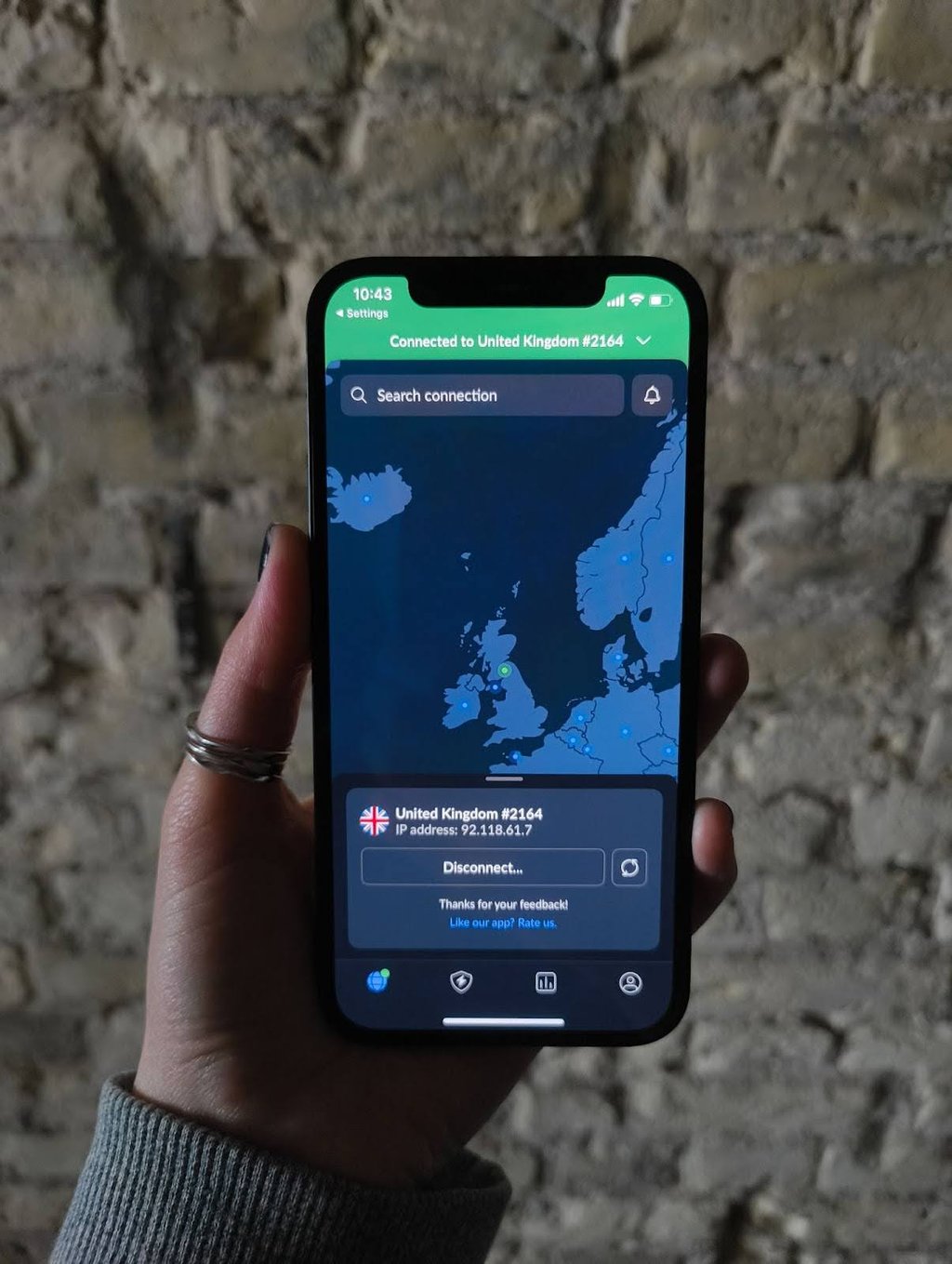
Best VPNs for iPhone 2026: detailed list
Together with the research team, I evaluated tens of VPNs until I found the top 5 for further testing. I tested them specifically on iPhones and considered aspects such as server network, supported iOS versions, ease of use, and overall price-to-value ratio. Below, you’ll find my top picks.
Together with the research team, I evaluated tens of VPNs until I found the top 5 for further testing. I tested them specifically on iPhones and considered aspects such as server network, supported iOS versions, ease of use, and overall price-to-value ratio. Below, you’ll find my top picks.
1. NordVPN – best VPN for iPhone in 2026
| Rating: | 4.9 |
| Servers: | 7,100 servers in 137 countries |
| Supported iOS versions: | iPhone 6, 7, SE, 13, 11, 15, 16, and newer |
| Current deal: | Get 75% OFF NordVPN + 3 months FREE |
Why I chose NordVPN
NordVPN is my favorite VPN for my iPhone. During my testing, it maintained excellent speeds, and I hardly felt a difference when I was connected to a NordVPN server – no matter if I was just browsing or watching videos. All in all, it’s an affordable and reliable VPN service that’s good for both streaming and day-to-day browsing on your iPhone.
My experience with NordVPN
I’ve been using NordVPN for over a year on my own iPhone and can say from personal experience that it’s super fast, secure, and easy to use. I love the app – it’s minimalistic but intuitive and includes all of the core VPN features you could ever need. Plus, you can change it to fit light or dark mode on your system, and there’s a variety of languages to choose from if English isn’t your primary language.
I appreciate that NordVPN has widgets for the iPhone – I use them to ensure my phone is always connected to a VPN server. It also works great with Siri, making connecting to or switching between NordVPN servers even easier.
NordVPN always works seamlessly when it comes to bypassing geo-restrictions, and doing so on the iPhone is no different. I was able to watch my favorite shows on Netflix on the first try without any buffering. I also love the built-in SmartPlay feature, which automatically selects the most optimal server for my needs.
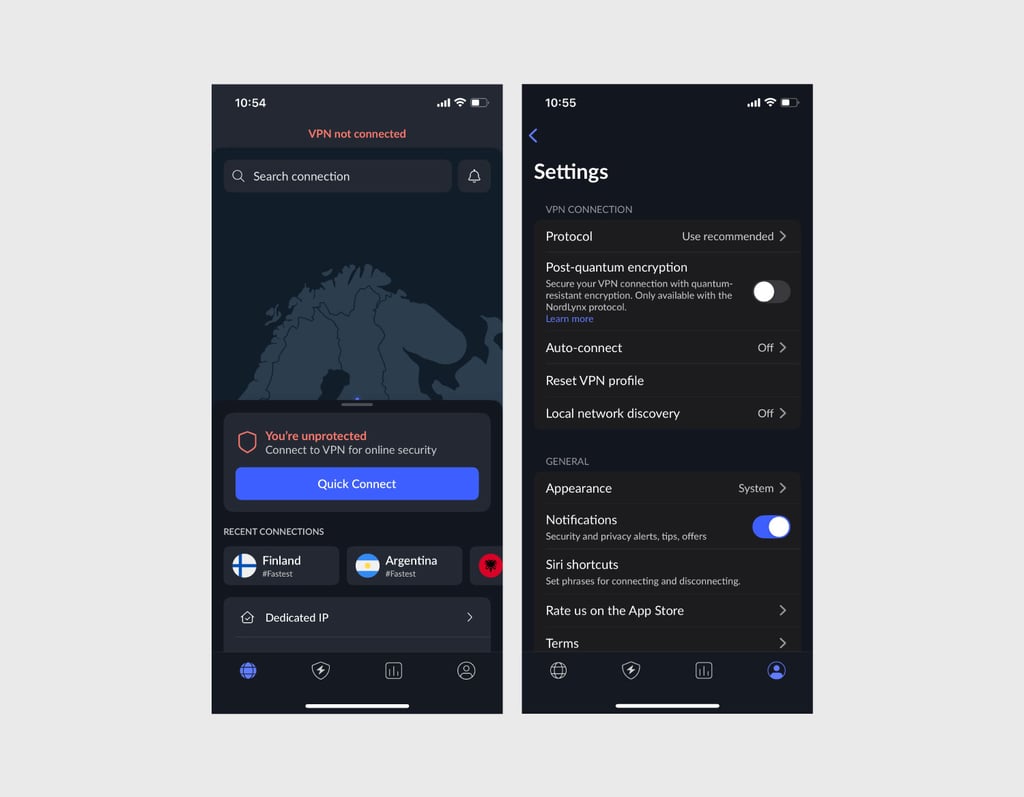
Although I rarely use it, I tested double VPN, which can be particularly useful in certain scenarios when you need another layer of security. It routes your internet traffic through two VPN servers, increasing security and privacy, but significantly slowing down the internet connection. The kill switch also worked as intended, and blocked internet access on my iPhone when the connection to NordVPN’s servers was lost.
Who is NordVPN best for
I recommend NordVPN for those who want top-tier security and iPhone-friendly apps combined into one affordable package. It starts at $3.49 and comes with a 30-day money-back guarantee.
For more information, check out our full NordVPN review.
2. Surfshark – budget-friendly VPN for iPhone
| Rating: | 4.7 |
| Servers: | 4,500 servers in 100 countries |
| Supported iOS versions: | iPhone 6, 7, SE, 13, 11, 15, 16, and newer |
| Current deal: | Get Surfshark, now 88% OFF + 3 months FREE |
Why I chose Surfshark
Surfshark is the cheapest VPN on this list, but that doesn’t mean it’s bad. Quite the opposite – during our testing Surfshark stood out as an all-round package with unlimited simultaneous connections, built-in ad and tracker blocker, and a customizable double VPN.
My experience with Surfshark
Since I don’t use Surfshark on a daily basis like I use NordVPN, I set some time to truly test it out. Setting it up on my iPhone was easy and took less than a minute. I was impressed with the iPhone app – its clean and minimalistic feel really matches the iOS operating system. Just like with NordVPN, you can switch between light or dark mode and set up widgets.
Surfshark worked nearly perfectly for bypassing geo-restrictions, even on my iPhone. I was able to watch Japanese Netflix and catch up on all of my favorite shows. The best part was that there was no lag or buffering – it hardly had an impact on my internet connection. This makes it great for both day-to-day browsing and more resource-intensive activities like streaming.
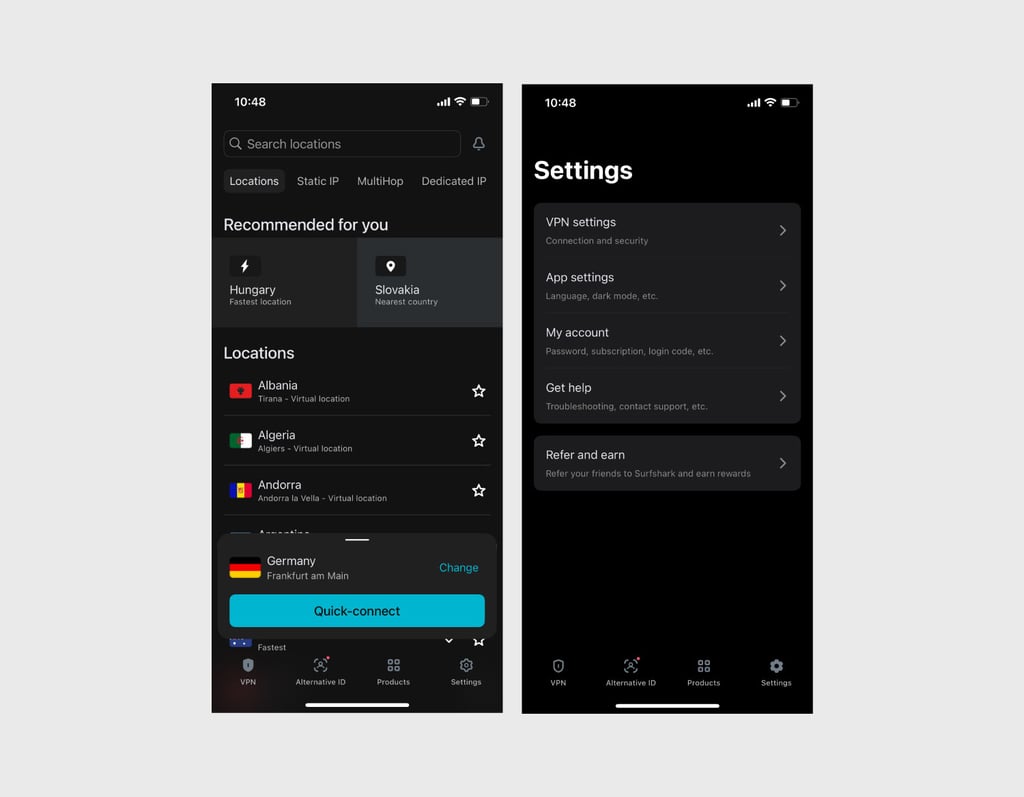
I also tested the MultiHop feature, which is Surfshark’s double VPN. I was pleasantly surprised to be able to choose the exact VPN servers I want to use, as they’re usually selected without any input from the user. I also liked the Bypasser feature, which allowed me to select which apps use unencrypted connections.
Who is Surfshark best for
I recommend Surfshark for iPhone users that want a cheap but reliable VPN with unlimited simultaneous connections. Starting at $2.49, Surfshark is a budget-friendly alternative to my top pick, NordVPN. Use the code OFFCN to save big.
For more information, check out our Surfshark VPN review.
3. Proton VPN – best free VPN for iPhone
| Rating: | 4.2 |
| Servers: | 20 servers in 149 countries |
| Supported iOS versions: | iPhone 8, X, 11, 12, 13, and newer |
| Current deal: | Get up to 70% OFF ProtonVPN |
Why I chose Proton VPN
Proton has a variety of privacy-friendly apps I use on a daily basis and Proton VPN is one of them. It’s actually one of the few free VPNs that I recommend people use if they don’t want to spend money on yet another subscription. All in all, Proton VPN is ideal for iPhone users who value their privacy as it’s based in Switzerland, a country with strong data protection laws.
My experience with Proton VPN
Over the years, I’ve had to test a number of free VPNs, and was left disappointed 9 times out of 10. Proton VPN changed that. Its free version, while limited, is just as secure as the paid one, and you don’t have to worry about your personal data being collected or sold.
Most importantly, Proton VPN’s free tier has no data limits, like so many free VPNs do. Plus, there’s no ads, so you’ll never be interrupted. However, there’s a downside – free users get access to 5 VPN locations, which is quite limiting, especially if you want to use VPN for bypassing geo-restrictions.
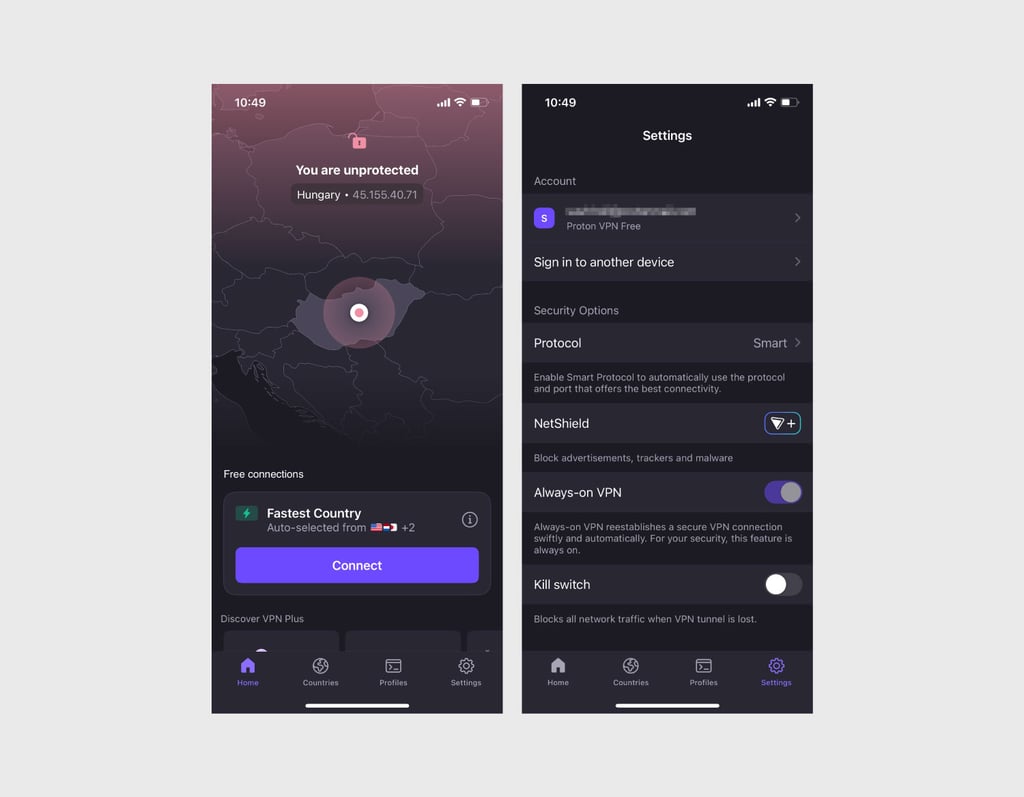
While you can only use the free version on one device, the Proton VPN app on the iPhone is neat and easy to use, even for free users. It supports light and dark mode on the iPhone, can be integrated with Siri, and offers basic widgets.
Who is Proton VPN best for
Proton VPN is best for any iPhone user looking for a free VPN that’s secure and privacy-friendly. It’s not good for bypassing geo-restrictions, but will encrypt your connection for your day-to-day tasks like browsing.
For more information, check out our Proton VPN review.
4. ExpressVPN – reliable VPN with adult-site blocker
| Rating: | 4.3 |
| Servers: | Servers in 105 countries |
| Supported iOS versions: | iPhone 6, 8, 11, 12, 13, and newer |
| Current deal: | Get ExpressVPN, now 80% OFF |
Why I chose ExpressVPN
I like ExpressVPN because it’s a solid VPN that just works. It’s great at unblocking geo-restricted content while maintaining fast speeds, and I didn’t run into any buffering issues on my iPhone when streaming. Besides a reliable VPN, you also get a password manager and even an eSIM for a trip abroad.
My experience with ExpressVPN
I tested ExpressVPN on my iPhone, and right from the get go, it was easy to use. The setup process was straightforward and I liked the iOS app. It’s clean and polished, and you can really see that a lot of work was put into it, which I appreciate. However, I was disappointed that there’s no dark mode.
I particularly liked the Smart Location feature, which automatically selected the most optimal server based on a number of factors such as distance, latency, and download speed. It didn’t disappoint during my testing as I had a smooth and lag-free experience throughout.
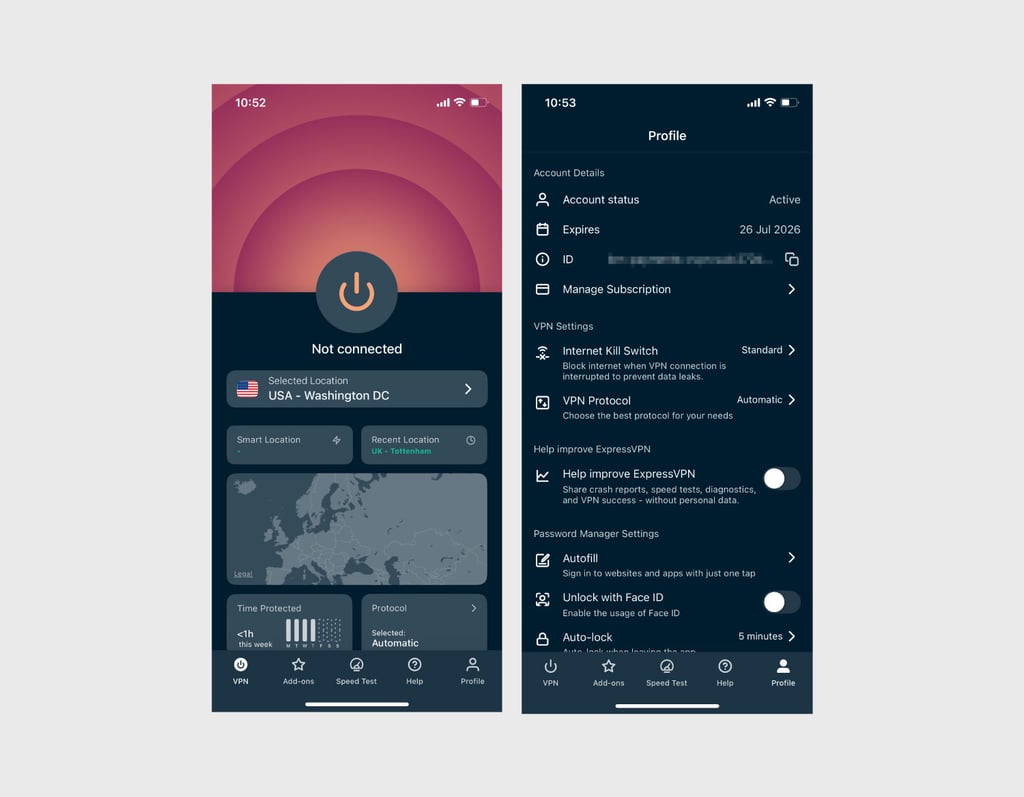
ExpressVPN is also an all-round package – it comes with an ad and tracker blocker, password manager, and even parental controls. During my testing, it worked great for blocking sites with adult content, making it perfect for families.
Who is ExpressVPN best for
I recommend ExpressVPN for parents, as it’s one of the few VPNs that comes with a blocker for adult sites. Starting at $2.99, it’s more expensive than other VPNs on this list, but if you’re looking for an online security package, it’s a great deal.
For more information, check out our ExpressVPN review.
5. IPVanish - iPhone-friendly VPN with unlimited devices
| Rating: | 4.5 |
| Servers: | 3,400 servers in 113 countries |
| Supported iOS versions: | iPhone 8, 11, 12, 13, and newer |
| Current deal: | Get IPVanish 85% OFF |
Why I chose IPVanish
IPVanish stood out to me because of its commitment to user security. It comes with many security features for the iPhone and has been audited multiple times by third-party firms. It doesn’t have a limit on how many simultaneous connections you can have, so you can protect all of your devices at all times. During my testing, it also delivered excellent speeds without any buffering, even on the iPhone.
My experience with IPVanish
I set up IPVanish on my iPhone within a few minutes – it was pretty straightforward. The iOS app is pretty basic, and I wasn’t a fan of the design, but it’s user-friendly and has all of the security features you need for your iPhone. It also supports Siri shortcuts and widgets for easy access. However, I was disappointed to see that the only way to change the app’s language was to change your iPhone’s system language – that’s way too much of a hassle.
I did all of the basic VPN tests, including the kill switch test. IPVanish blocked my access to the internet on my iPhone until the VPN connection was reestablished, ensuring that there were no leaks. I particularly appreciated the link and QR codes checkers, which are becoming an easy way to gain access to your phone. QR codes are in almost every restaurant, and I get peace of mind by scanning the QR code first to ensure my iPhone won’t be compromised.
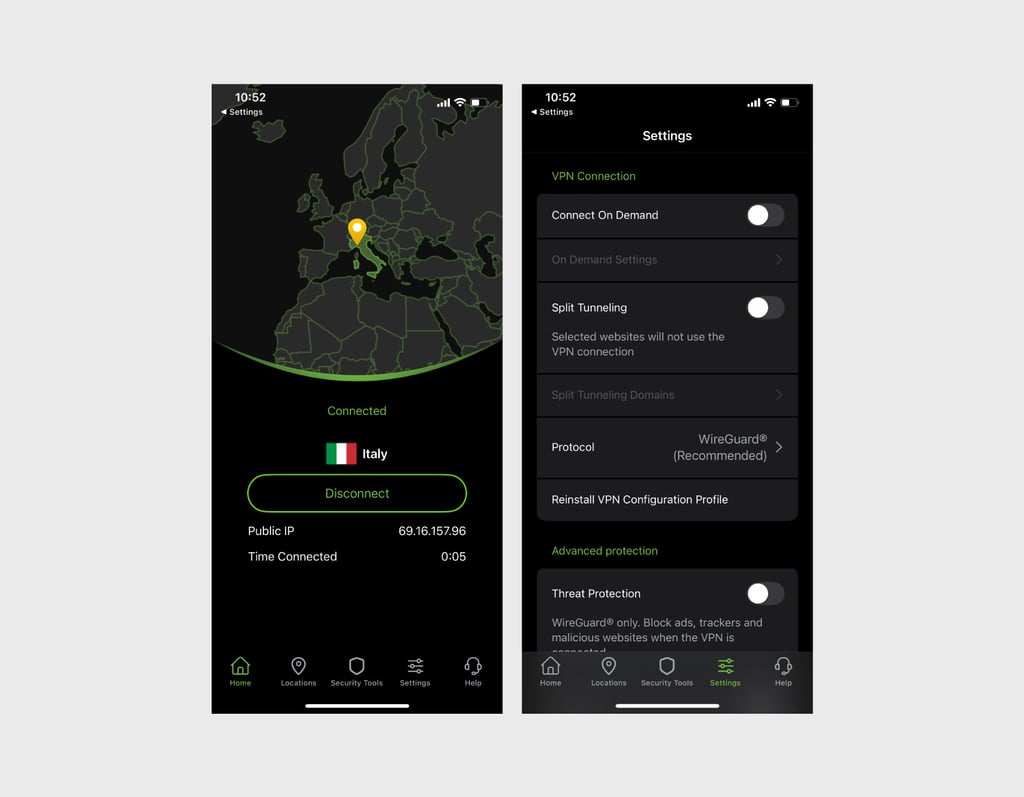
Lastly, I played around with the Connect On Demand feature, which automatically connects you to a VPN server based on your settings. I liked that you can disable the feature when on safe networks, like your home Wi-Fi.
Who is IPVanish best for
IPVanish is a good pick for those who want a simple, beginner-friendly VPN on their iPhone with strong security and unlimited devices. Starting at $2.19, it’s at a decent middle-ground and even has a free trial on the app store.
For more information, check out our IPVanish review.
What are the limits of VPN protection?
VPNs are often marketed as tools to completely protect you from every malicious thing online and make you anonymous, and that’s simply not true. Here’s what a VPN really does:
- Masks your IP address. When you connect to a VPN server, you get assigned a new IP address, making your real IP address invisible.
- Hides your real location. Since your IP address is different, sites will think you’re connecting from a completely different country, allowing you to gain access to geo-restricted content.
- Hides your browsing activity from your ISP. Your internet service provider, or ISP, can see what you’re doing online at all times. Some have even sold this information to advertisers for profit. However, the second you connect to a VPN, your internet traffic is encrypted, and the ISP can no longer see your browsing activities.
Here’s what a VPN doesn’t do:
- Hide your GPS location. A lot of apps use GPS technology to figure out where you’re located, and a VPN can’t do much to counter that.
- Hide your device information. Most tracking is now done via device information, which VPNs can’t hide or mask.
- Block all cookies. Cookies are a big part of online tracking, and while some VPNs come with ad and tracker blockers, they’re usually quite limited.
Summary
In today’s climate of anti-privacy online, a VPN is essential for your iPhone. For me, NordVPN stands out as the best VPN for iPhones because it combines affordability, usability, and top-tier security in one, all-round package. Surfshark and Proton VPN are also strong contenders – Surfshark is great for those on a tight budget and Proton VPN is a solid option if you’re looking for a free VPN.
More CoolTechZone guides
FAQs
Why use a VPN on iPhones?
Using a VPN on your iPhone will mask your IP address, hide your browsing activity from your ISP, and somewhat limit online tracking.
What VPN is the best for iPhones?
NordVPN is the best VPN for iPhones based on my hands-on experience. It’s affordable, fast, and easy to use. Best of all, it unblocks geo-restricted content on the first try.