Best VPN providers for multiple device use (2026)

If you’re like me, you use multiple devices every day – switching between a smartphone, laptop, tablet, and smart TV and trying to keep each one secure online. That’s why I prioritize VPNs that support multiple devices simultaneously. In this guide, I share the top five VPN providers that deliver excellent compatibility, strong security, and speedy connections across multiple devices. Pick one and surf, stream, and work safely on every device you own.


- 10 simultaneous connections
- Great speed and reliability
- 30-day money-back guarantee
The risk of exposing sensitive data grows as you switch between devices and networks, especially on public Wi-Fi. A fast, reliable provider that covers all your devices eliminates those worries by encrypting your connection everywhere. And using a single VPN subscription to protect every gadget in your home ensures consistent privacy and security without juggling separate apps or accounts.
5 best VPNs for multiple devices in 2026
- NordVPN – overall best VPN for multiple devices
- Surfshark – budget-friendly VPN with unlimited connections
- Proton VPN – privacy-focused VPN for multiple devices
- CyberGhost – cheap multi-device VPN with massive server fleet
- ExpressVPN – fast VPN for unblocking content on multiple devices
Best VPN for multiple devices: comparison
| NordVPN | Surfshark | Proton VPN | CyberGhost | ExpressVPN | |
| Ranking for multiple devices | 1 | 2 | 3 | 4 | 5 |
| Servers | 7,100+ servers in 137 countries | 4,500+ servers in 100 countries | 20+ servers in 149 countries | Undisclosed number of servers in 100 countries | Undisclosed number of servers in 105 countries |
| Average speed (Germany) | 840Mbps | 877Mbps | 831Mbps | 835Mbps | 830Mbps |
| Activity logs | Independently audited no-logs policy | Independently audited no-logs policy | Independently audited no-logs policy | Independently audited no-logs policy | Independently audited no-logs policy |
| Simultaneous Connections | 10 | Unlimited | 10 | 7 | 14 |
| Platforms | Windows, iOS, macOS, Android, Linux, smart TVs, routers | Windows, iOS, macOS, Android, Linux, smart TVs, routers | Windows, iOS, macOS, Android, Linux, Chromebooks, smart TVs, routers | Windows, iOS, macOS, Android, Linux, smart TVs, routers, gaming consoles | Windows, iOS, macOS, Android, Linux, smart TVs, routers |
| Price from | $3.49/month | $2.49/month | $2.99 | $2.19 | $2.99/month |
| Review | NordVPN review | Surfshark review | Proton VPN review | CyberGhost review | ExpressVPN review |
| Current deal | Get 78% OFF NordVPN + 3 months FREE | Get Surfshark, now 88% OFF + 3 months FREE | Get up to 70% OFF ProtonVPN | Halloween Offer now with 83% OFF + 2 months FREE! | Get ExpressVPN, now 80% OFF |

How we tested and rated VPNs for multiple devices
Together with the CoolTechZone’s research team, I tested each VPN on multiple devices and platforms to see how well they worked in real-world use. My approach combined security checks, performance measurements, and hands-on usability testing.
First, I reviewed providers’ security aspects, including encryption strength, privacy policies, and available protocols. Then, I also ran speed tests across different servers to measure consistency and performance when streaming, browsing, and gaming.
In addition to that, I explored their features, such as simultaneous connections, split tunneling, and kill switches, to see which ones were practical for multi-device use. I installed and used their apps on different platforms, including Windows, macOS, Android, and iOS, to test compatibility, interface design, and overall ease-of-use. Finally, I checked how seamless it was to switch between devices, ensuring the VPN delivered a smooth and reliable experience no matter the platform.
This hands-on testing gave me a clear picture of which VPNs are truly convenient and dependable for protecting multiple devices at once.
Why you should set up your VPN on all your devices
From my own experience, setting up a VPN on every device brings peace of mind by simultaneously keeping all your online activity private and secure. Here’s why it’s a good practice for both everyday users and families:
- Protects every device by encrypting internet connections, making each gadget secure, whether it's a phone, tablet, laptop, or smart TV
- Shields sensitive activities such as banking, emailing, and online shopping from malicious hackers, snoops, and government surveillance
- Prevents privacy breaches by hiding IP addresses and stopping ISPs or third parties from tracking browsing habits
- Lets everyone in a household share encrypted, secure VPN connections – no gaps in coverage even if multiple people are online at once
- Makes accessing streaming services and geo-restricted content easy from any device, whether traveling or living abroad
- Helps bypass ISP throttling so all devices enjoy consistent, fast internet performance
- Ensures uniform protection and convenience, as you don’t need to monitor which device is covered – everything stays secure by default
As such, setting up a multi-device VPN means every connected gadget benefits from reliable privacy and open access, wherever and however it's used.
Overview of the best VPNs for multiple devices
Keeping the prices, speed, and service availability in mind, I have shortlisted the best VPNs offering multiple simultaneous device connections without compromising streaming speed and security.
1. NordVPN – best all-in-one VPN for multiple devices

| ⭐ Rating: | |
| 🥇 Overall rank: | #1 out of #33 |
| 📖 No logs policy: | No logs |
| 💵 Price: | From $3.49/month |
| 🖥️ Servers: | 7,100+ servers in 137 countries |
| 🍿 Streaming services: | Netflix, Hulu, BBC iPlayer, Disney+, and more |
| 🔥 Coupons: | NordVPN coupon 78% OFF |
In my opinion, the best VPN for multiple devices is NordVPN. The provider boasts industry-leading security features and mind-blowing connection speeds for up to 10 devices simultaneously with one account. If that's not enough, consider installing the VPN on your home router. This way, every device on its network will be secured.

The service's extensive 7,100+ server network and advanced NordLynx protocol guarantee optimal connections in any region. The service offers server coverage in 137 countries, giving you plenty of options regarding access to foreign content.
Privacy features are also up to the mark, and there is an independently audited no-logs policy that ensures there's no risk of your personal data being shared. Customers can even purchase the service anonymously using cryptocurrencies or cash.
In my recent in-house speed tests, NordVPN demonstrated impressive performance: the average download retention was 89.3%, maintaining a robust download speed of 840Mbps. This ensures consistently high speeds and reliable connections even when several devices are running simultaneously. I could stream US Netflix without any buffering, enjoy lag-free video calls, and quickly download large files.
As for the pricing, NordVPN subscriptions start at a mere $3.49. Plus, there's no need to go all-out at first, thanks to the 3-day free trial and 30-day money-back guarantee.
2. Surfshark VPN – best rates for unlimited connections
| ⭐ Rating: | |
| 🥇 Overall rank: | #2 out of #33 |
| 📖 No logs policy: | No logs |
| 💵 Price: | From $2.49/month |
| 🖥️ Servers: | 4,500+ servers in 100 countries |
| 🍿 Streaming services: | Netflix, Disney+, Amazon Prime Video, Hulu, and more |
| 🔥 Coupons: | Surfshark VPN coupon 88% OFF + 3 months FREE |
Surfshark VPN combines affordable prices, unlimited simultaneous device connections, and top-notch performance in one package, making it one of the top VPNs for protecting multiple devices. You can save even more by using the Surfshark discount code "OFFCN". From its highly trusted safety features and IP masking protocols to its unbeatable speed and connection strength, Surfshark amazes me in every department.
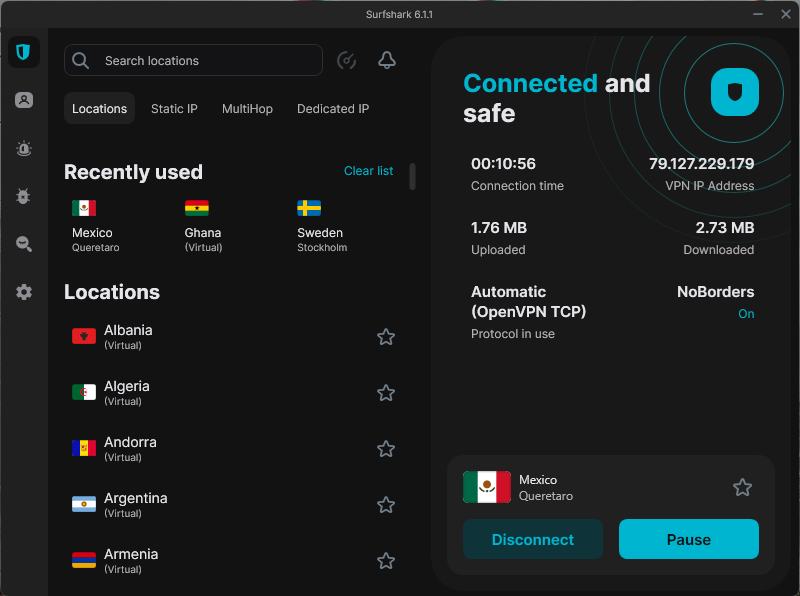
Not only are the subscription rates shockingly cheap, but the service also delivers impressive quality. For example, the service commands an impressive 4,500+ server network across a whopping 100 countries. That means you'll have no trouble streaming countless foreign movies and TV shows without connection issues. Furthermore, lightning-fast speeds are guaranteed since Surfshark utilizes the modern WireGuard tunneling protocol.
All your online activities stay completely secure with Surfshark, as it’s based in the privacy-friendly Netherlands. Plus, its zero-logs policy was audited by independent third parties, reinforcing trust in the service's integrity and reliability.
During speed tests, the average download retention for Surfshark was 93.2%, with an average download speed of 877Mbps – the strongest performance results on my list. As such, I could stream HD videos and enjoy lag-free gaming across several devices simultaneously without any interruption.
You can protect every device in your household by investing a mere $2.49 in a Surfshark subscription. If you’re not fully on board, you can give the 7-day free trial a shot. And even after that, you're still insured with a 30-day money-back guarantee.
3. Proton VPN – privacy-first VPN for multiple device protection

| ⭐ Rating: | |
| 🥇 Overall rank: | #8 out of #33 |
| 📖 No logs policy: | No logs |
| 💵 Price: | From $2.99/month |
| 🖥️ Servers: | 20+ servers in 149 countries |
| 🍿 Streaming services: | Netflix, BBC iPlayer, YouTube, HBO Max, Disney+ |
| 🔥 Coupons: | ProtonVPN with 70% OFF |
Proton VPN is a top choice for users prioritizing security and privacy across multiple devices, allowing up to 10 connections simultaneously. Based in privacy-friendly Switzerland, Proton VPN offers an independently audited no-logs policy and advanced security features, including Secure Core servers that route your traffic through privacy-friendly countries for extra protection.
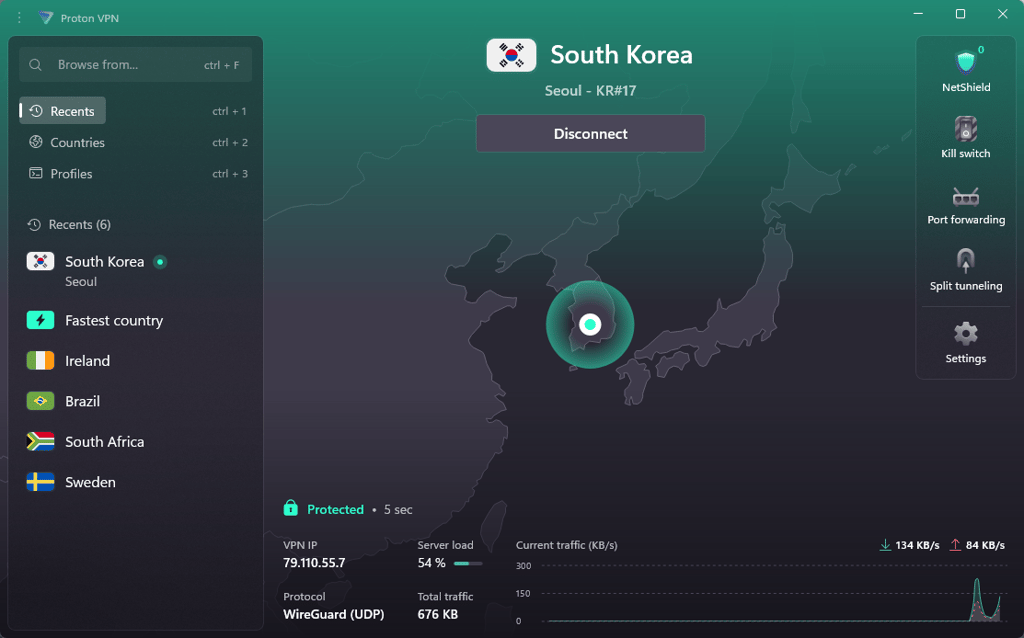
One standout privacy feature is Proton Sentinel, a high-security program that combines AI with human security analysts to monitor suspicious login attempts 24/7. This provides an extra layer of protection against account takeovers for users who prefer enhanced security on all of their devices.
With over 20 servers in 149 countries, Proton VPN offers broad access for streaming, browsing, and secure torrenting. It supports strong encryption protocols like WireGuard, OpenVPN, and the proprietary Stealth protocol that helps bypass censorship in restrictive regions. Proton VPN also features an adaptive kill switch and an ad-blocking tool called NetShield.
In the in-house speed tests, Proton VPN showed solid performance, with an average download speed of 831Mbps and a download retention rate of 88.4%. I could stream HD content and enjoy smooth browsing across multiple devices at the same time.
Proton VPN’s pricing starts at $2.99 with a 30-day money-back guarantee, making it a secure and reliable option for protecting numerous devices without compromising speed or privacy. There is also a free version with no data or speed limits.
4. CyberGhost – best for server availability
| ⭐ Rating: | |
| 🥇 Overall rank: | #6 out of #33 |
| 📖 No logs policy: | Independently-audited |
| 💵 Price: | From $2.19/month |
| 🖥️ Servers: | 11,500+ servers in 100 countries |
| 🍿 Streaming services: | Netflix, Hulu, BBC iPlayer, Disney+ |
| 🔥 Coupons: | Halloween Offer now with 83% OFF |
Consider CyberGhost VPN if you want a balanced provider with affordable prices, reliable security practices, and 7 simultaneous connections under one account. Plus, it's difficult to overlook this provider when it boasts a vast server network across 100 countries.
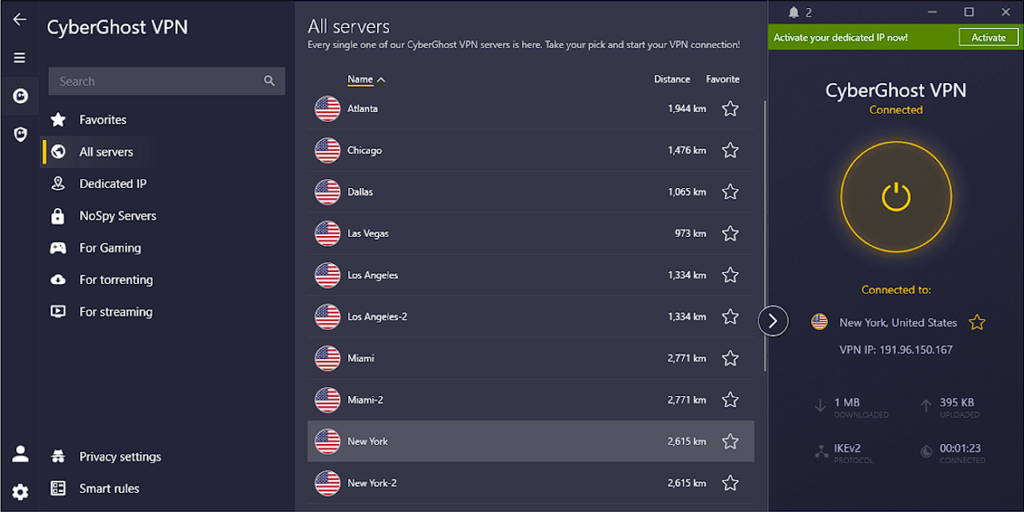
I didn’t encounter any connectivity issues because CyberGhost runs on the well-known open-source WireGuard tunneling protocol. Alternatively, you can enable OpenVPN or IKEv2 if those are more up your alley.
Its servers are easy to navigate by various categories. For example, you can pick specialized streaming servers and narrow them down to specific streaming providers. On the flip side, privacy enthusiasts can connect to NoSpy servers located in the service's homeland of Romania.
In speed testing, it delivered impressive results with a download speed of 835Mbps and an 88.8% retention rate, showcasing reliable and stable performance. This allowed seamless streaming, lag-free browsing, and smooth downloads even during heavy usage, proving it’s a reliable VPN for everyday online activities.
CyberGhost pricing starts at $2.19, and the provider even includes a lengthier-than-average 45-day money-back guarantee.
5. ExpressVPN – best for unblocking and speed

| ⭐ Rating: | |
| 🥇 Overall rank: | #5 out of #33 |
| 📖 No logs policy: | No logs |
| 💵 Price: | From $2.99/month |
| 🖥️ Servers: | 3,000+ servers in 105 countries |
| 🍿 Streaming services: | Netflix, Hulu, BBC iPlayer, Disney+, and more |
| 🔥 Coupons: | ExpressVPN coupon 80% OFF |
Expensive but worth the price, ExpressVPN is for people who want to protect multiple devices with airtight security and absolute privacy. However, I found the 14-device connection limit somewhat lacking, especially considering the price.
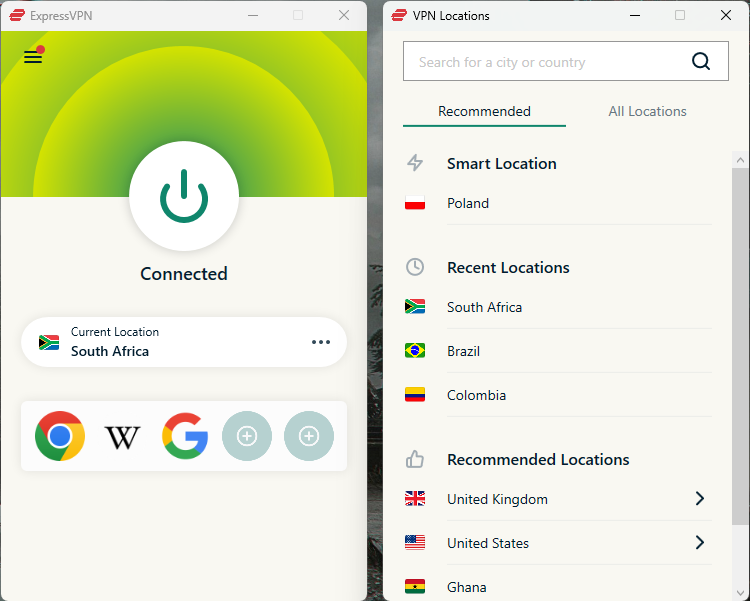
The provider is famous for its cutting-edge technologies that guarantee unrivaled confidentiality without skipping a beat regarding performance. Most notable are the in-house Lightway tunneling protocol, RAM-only servers, and audited zero-logs policy. I also appreciated having no trouble installing ExpressVPN on any possible device, thanks to the abundance of dedicated apps and manual configuration options.
Customer online activities are 100% hidden from prying eyes because ExpressVPN hails from the British Virgin Islands. The region is favored among privacy enthusiasts, thanks to the absence of mandatory data retention laws. You can further enhance your privacy by purchasing a plan anonymously using cryptocurrency.
ExpressVPN showed an average download speed of 830Mbps with a retention rate of 88.2% in speed tests, proving that its Lightway protocol delivers no worse results than the industry-leading WireGuard. However, I could still stream 4K videos and download large files smoothly despite this slight drop.
You can get unrivaled digital protection from $2.99 if you choose ExpressVPN’s Basic subscription plan. It also offers 30-day money-back guarantee, just in case you change your mind.
How to use a VPN on multiple devices
Setting up your VPN is easier than you might think – just follow these simple steps and get all your devices connected and secure in no time:
- Choose a trusted VPN provider and sign up. My top recommendation is NordVPN, now 78% OFF
- Download and install the VPN app on each device you want to protect
- Open the app and log in with your account details
- Select a server to connect to – pick a nearby one for faster speeds or a specific country to access geo-restricted content
- Once connected, your devices are now fully protected with a secure VPN connection
How to choose a VPN for multiple devices
Choosing the right VPN for multiple devices requires considering several key factors. Here are the most important ones to help you make an informed decision:
- Number of devices supported. Ensure the VPN allows enough simultaneous connections to cover all your devices, so everyone in your household can stay protected at once.
- Privacy features. Look for strong encryption, a strict no-logs policy, and additional features like kill switches and leak protection to keep your data secure.
- Speed. Choose a VPN with fast, consistent speeds to avoid buffering during streaming or lag during gaming on multiple devices.
- Unblocking capability. Make sure the VPN can bypass geo-restrictions effectively on popular streaming platforms and websites.
- Price. Consider the cost relative to the features offered, and whether the VPN supports multiple devices without charging extra.
Final thoughts
A good VPN for multiple devices ensures there are no weak points in your overall cybersecurity by protecting every gadget with a secure connection. This way, you get all the benefits of VPN protection without worrying about how many devices you’ve installed it on.
My top choice in this category is NordVPN. The 10 simultaneous connection cap should be more than enough for the everyday user. If not, you can install this VPN on your router and completely forget about connection limits or the need to turn on the VPN for each device separately.
FAQ
Can I share my VPN with my family?
Yes, you can share your VPN with your family if it allows multiple simultaneous connections. I recommend NordVPN, which offers 10 simultaneous connections and top-tier security. You can try it out risk-free using the lengthy 30-day money-back guarantee.
Does NordVPN have a family plan?
No, it doesn’t offer a family plan. However, one account allows you to connect 10 devices at the same time, making it a solid choice for securing computers and smartphones in your household. Plus, you can secure your entire home network by installing the VPN on a router.
Can I use the same VPN on multiple devices?
Yes, you can connect multiple devices using one VPN account. However, some VPNs like Surfshark offer unlimited connections, making them exceptionally worthwhile options for people with many gadgets.