How to watch Made in Chelsea in the US with a VPN in 2026

The BAFTA-winning reality show Made in Chelsea follows the loves and lives of the young social elite of London in the wealthy area of Kensington and Chelsea. Since the show's beginning, viewers from around the world have shown real passion and interest in it. Sadly, it is only available in the UK.
Thankfully, there is a way Made in Chelsea fans can watch their favorite characters from anywhere in the world – using a VPN. This tool allows you to spoof your real location to any other. So, for those living in America, you can select a server in the UK and stream the show until your heart's content.
How to watch Made in Chelsea in the USA with VPN

- Signup with a top VPN provider. We recommended NordVPN, currently available for 75% off.
- Load up your VPN and connect to any UK-based server
- Go to the All 4 website and search for Made in Chelsea
- Sit back, relax, and enjoy the drama unfold!
Why do you need a VPN to watch Made in Chelsea?
Because Made in Chelsea is a British show, all the rights and licenses to broadcast it is limited within the UK only. This means that if you want to watch it from outside the UK, you need to use a reliable VPN.
A VPN allows you to change your virtual location by connecting to a server in your desired country. In this case, somewhere in the UK. And by having a British IP address, you can access geo-locked websites like All 4, where Made in Chelsea is available.
You also get a ton of other useful features with a VPN. They keep you and your data unreadable online from hackers or your Internet Service Provider (ISP). VPNs can even save you money with their location spoofing. Certain subscriptions or prices tend to be inflated in certain areas, but you can bypass these with a VPN.
Where to watch Made in Chelsea online
Due to Made in Chelsea’s growing popularity, many streaming platforms in different countries have purchased the rights to broadcast the show. They usually only have the rights for a year, whereas the show is always available to watch on All 4 in the UK.
Below is a table explaining where in the world you can watch Made in Chelsea, as well as the streaming service that has it:
| Streaming platform | Country |
| All 4 | UK |
| Peacock | USA |
| Hayu | Canada, Australia |
In order to access any of the above streaming services, you need to reside in the right country. Or you could just use a VPN to bypass pesky geographical restrictions.
Watch Made in Chelsea from anywhere on different devices
VPNs are available on all major devices, including iOS, macOS, Android, Windows, Linux, and even as browser extensions. So it's really up to you where you decide to download and install it.
As Made in Chelsea is only available in the UK, US, Canada, and Australia, you will need a VPN that has a good number of servers in these countries. Ideally in the UK, as they carry all the seasons all year round.
How to watch Made in Chelsea on Windows and Mac
-
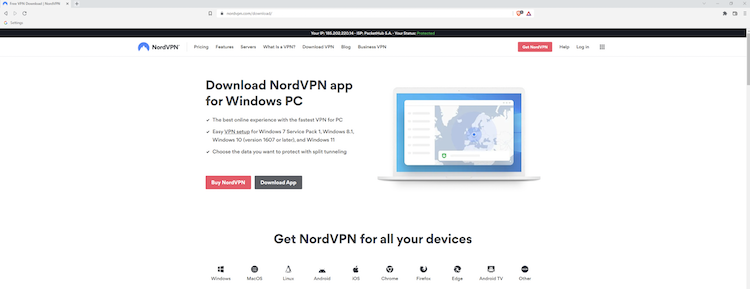
Download a reliable VPN onto your PC. We recommend NordVPN.

-
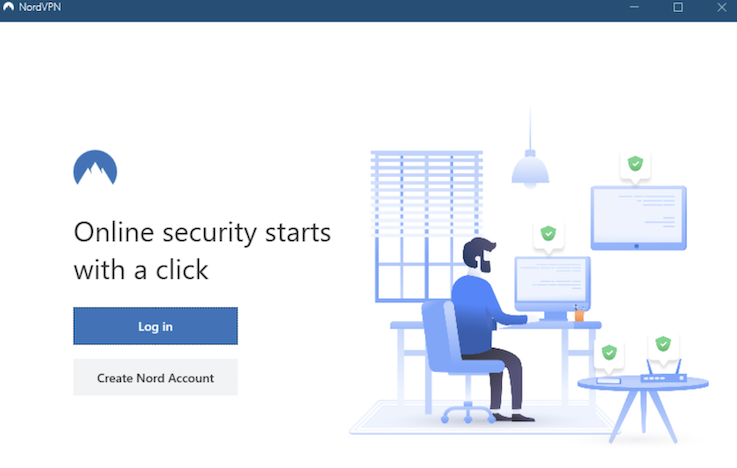
Locate the installer file, click to proceed to install the VPN & set up an account.

-
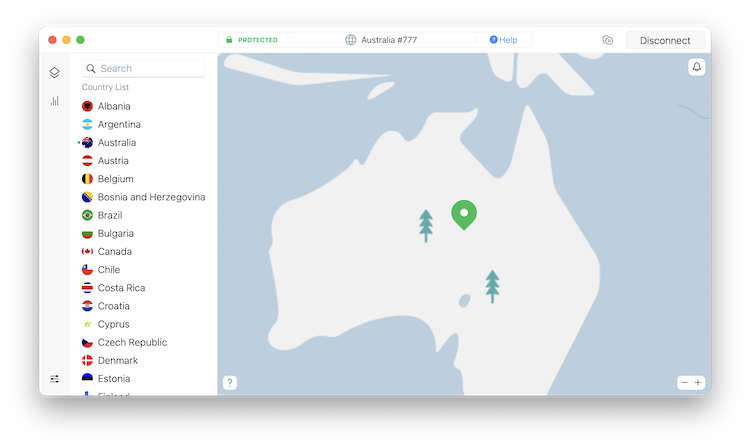
Connect to a server in the UK using the drop-down list of servers on the left-hand side.

-
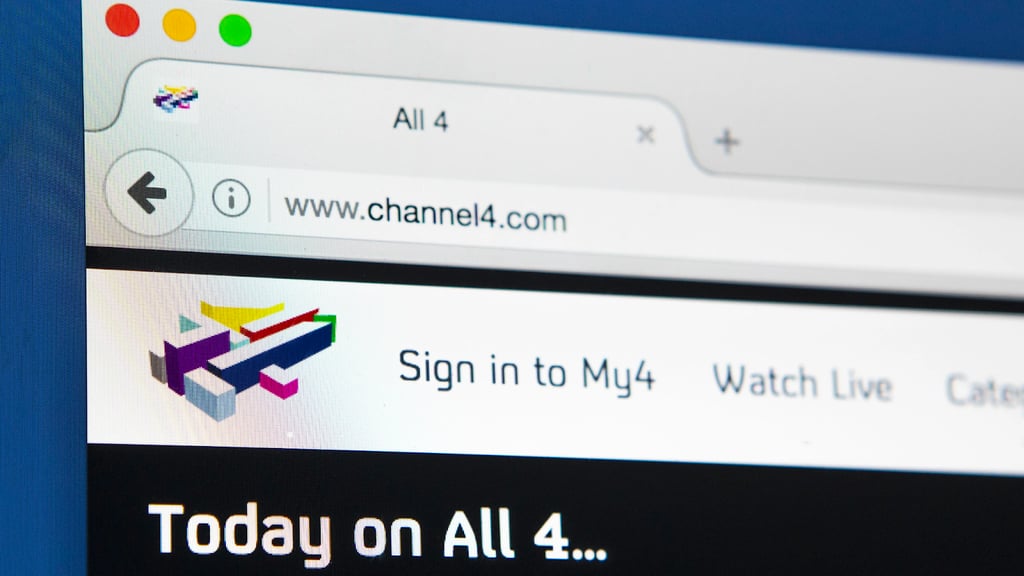
Head over to the All 4 website and create an account using your current email address, then set a password.

- Search for Made in Chelsea and start digging into all 24 series!
Watch Made in Chelsea on Android and iOS
- Download an excellent VPN onto your device. We recommend NordVPN.
- Set up a VPN on your device. Go to the Apple App Store or the Google Play Store, and download the VPN app together with the All 4 app.
- Once the VPN is up and running, connect to a server in the UK.
- Head over to All 4 website or app.
- Sign in or set up an account.
- Start watching Made in Chelsea wherever you are!
Watch Made in Chelsea from anywhere on streaming devices
With the increased popularity of streaming devices like the Amazon FireStick, Roku, Apple TV, and Kodi, many of you might be wondering – is it possible to use a VPN and watch Made in Chelsea on these?
You can but in a different way. As none of these devices support a VPN, you need to connect your VPN directly to your router. Don’t worry, it isn’t as complex as it sounds. Just must make sure that your router and VPN are compatible before proceeding, or these steps will not work for you.
Follow these simple steps to watch Made in Chelsea on your streaming device:
- Get yourself a good VPN that works with routers. We’d suggest trying NordVPN.
- Log in to your router settings using the IP address and password located on the back of your router. If they aren’t there, try searching for 10.0.0.1 or 192.168.0.1, as these are quite common.
- Locate the VPN option in the settings tab. This can sometimes be listed under advanced features.
- Now, you need to select the option that says ‘VPN Client’. Your router will be connecting to an external VPN service, not hosting its own.
- Enter the settings suggested by your VPN provider. If your provider offers an OpenVPN config file you can upload that instead of entering it manually.
- Complete any final setup steps like updating your router's firewall configuration.
To test if everything is working, try loading some web pages as usual, to ensure the speed is okay. You can also Google “what's my IP address” to make sure it's different from usual.
Now you can connect your streaming device to your home internet and watch Made in Chelsea whenever you want!
How to fix VPN issues
Although the VPNs we recommend are top providers, there is always the possibility of technical issues popping up along the way. It may mean that occasionally you are unable to watch Made in Chelsea.
Here are some potential issues you may face:
- Your chosen server has been identified and blocked by the streaming service
- Your actual IP address has been exposed
- You’re using outdated VPN software
- You have selected the wrong server
Try these simple steps to fix the problem:
- Try connecting to a new server
- Try using a different web browser
- Clear all your cookies and cache from your browser
- Update all your apps and devices
- Contact your VPN providers support team
If you use a top provider like NordVPN, it should be pretty straightforward to bypass these issues. They also have a fantastic support team should anything go wrong!
How to watch Made in Chelsea in the US for free
As most people know, you can find most shows using a quick Google search online and heading to some questionable websites. But we don’t recommend this. These websites are often filled with malware, annoying ads, and even viruses that can compromise your security.
There are free VPNs out there to use, should you not want to spend a single penny. Sadly, that is the only perk you’ll find.
Many free VPNs are littered with annoying pop-up ads, or they have tiny data caps meaning you can barely watch anything, let alone a full series. There have also been reports that certain providers have sold user data to third parties and advertising agencies.
Instead, we recommend trying a premium provider like NordVPN, which has prices starting from as little as $3.49/month. They also offer a 7-day free trial, so you can try the service before commiting.
Better still, you can take advantage of its 30-day money-back guarantee should you signup for a paid monthly plan. If it's not for you, simply request a refund!
Conclusion
You can watch Made in Chelsea from anywhere in the world with the help of a VPN. It's as simple as signing up and connecting to a server.
The best thing is that if you finish watching Made in Chelsea, you can also use your VPN to unlock a whole new range of content. We’re talking about streaming platforms like Hulu, BBC iPlayer, Amazon, and more.
Better yet, the premium VPNs, like NordVPN, have top-notch security features. It means you can browse safely and securely online without fear of your data being stolen.
FAQ
Is Made in Chelsea available in the USA?
Yes, Made in Chelsea is available in the US, albeit in a limited capacity. Peacock TV recently acquired the rights to show some seasons of Made in Chelsea. So if you are based in the US, you can watch seasons 18-22. To watch the rest from outside the UK, you’ll need a top VPN like NordVPN to stream the rest.
Where can I watch Made in Chelsea season 24?
You can watch season 24 of Made in Chelsea on All 4. This is the only place you can watch the latest episodes of Made in Chelsea. If you live outside the UK, you will need a VPN to stream it.
Where can I watch Made in Chelsea in 2026?
Currently, you can watch some seasons of Made in Chelsea on Peacock TV in the US, and Hayu in Canada and Australia. The only place with all seasons is All 5 in the UK.