Keezel Review – Handheld Wi-Fi VPN Router

When using the best VPN services 2026, in most cases it’s necessary to set up special software on every used device or configure settings on a Wi-Fi router.
Does it seem to be tough?
There’s an out-of-the-box solution that will create a protected Wi-Fi network for all your devices. Along with this, it’s without reference to the wired internet.
It’s possible with a Keezel device that connects to the current Wi-Fi network and creates a protected network. You can connect to it any number of gadgets previously connected to an unprotected network.
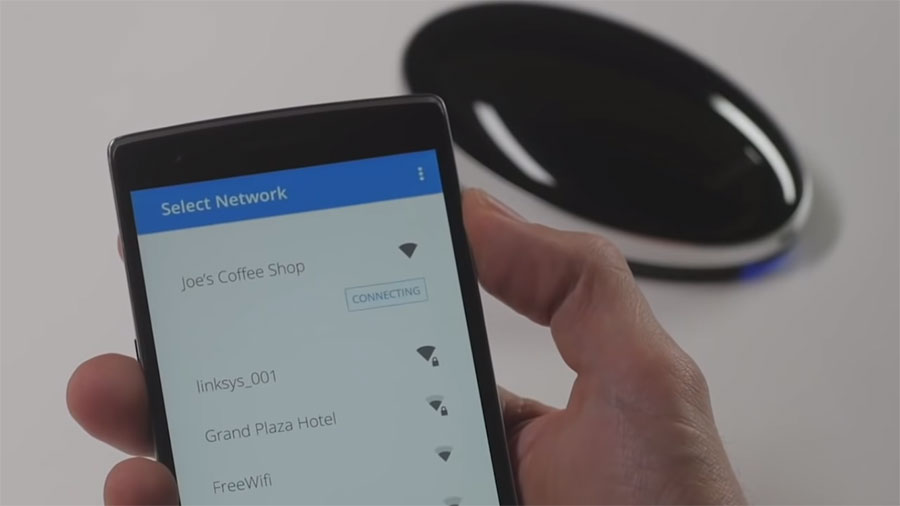
Without setting up additional software on the connected devices, Keezel serves to create a secure encrypted connection between a utilized device and a special server on the Internet due to the Virtual Private Network technology.
In this article, I’ll tell you about my experience of using Keezel, and you’ll decide whether to use it or take hold of a well-tried traditional VPN.
What can Keezel do?
An American-Dutch Keezel Inc company offers an electronic device to protect internet connection that is essentially a mobile Wi-Fi router with a built-in VPN. The device can be sent by post after buying it on the keezel.com site.
Keezel device operates on a built-in battery. It connects to a Wi-Fi network and creates its network. You can connect to it and gadget with wireless internet support. Besides, you can do it not only at home but in any public place as well. The battery of the device can operate up to 22 hours. However, my tests have shown that this time is shortened when connecting several gadgets.
It’s required to make use of a web browser of a computer connected to Keezel through Wi-Fi for initial device configuration.
The detailed instructional video is presented on the website. It’s quite easy to do it.
Through a web browser, one can manage the connection in addition to the initial connection.
- Enable and disable VPN
- Choose the country to connect to (IP address of this country will be determined instead of yours)
- Change some connection settings (as a rule, it’s unnecessary)
Keezel offers:
- IP address masking
- Access to locations in 160 countries
- Protection while using public hotspots
- Streaming unblocking
- Connection of an unlimited number of gadgets
Having configured Keezel once, you can get online through an encrypted channel using computer or smartphone, TV, or game console.
It sounds good, but my tests have exposed important features one should know before buying Keezel.
Brief results of the testing conducted
First and foremost, I’ve tested:
- Possible connection of different devices
- Connection speed and stability
- Netflix support
- Work with BitTorrent client uTorrent
- Usability and software security
What results gave I obtained?
The device really creates a VPN network and allows connecting a computer or smartphone to it easily. But I have failed to connect wireless TV Samsung to it. To be more exact, the connection was established but the TV-set hasn’t determined the Internet.
I supposed that Keezel could be more user-friendly, as I won’t have to set up it on every gadget. But I’ve faced serious unobvious troubles:
- Internet speed drops significantly when connecting several gadgets. For example, it’s barely possible to watch Netflix when at least one more active user is connected to the device.
- It’s inconvenient to choose or change the country of a VPN server. One is to open the Keezel control panel of a separate local address and change settings.
- If Keezel is connected to the US, all the gadgets will have an American IP address. It can be changed on a centralized basis.
- The battery is run down faster when streaming video or connect several gadgets simultaneously.
- It’s necessary to carry around one more device.
- Small operating range (in the area of 1-2 rooms)
I haven’t found the significant advantages of the Keezel router. It can be convenient only for a family web surfing in public Wi-Fi networks when traveling. And even it is rather questionable as it’s almost impossible to connect it to the networks access to which should be activated through a web interface (most networks in airports, hotels, and other public places are of this kind).
Streaming support
I’ve managed to unblock content for a different Netflix region only when connecting to 1 location out of 10 tested.
It’s not enough to recommend to you Keezel for streaming.
Besides, the device is not powerful enough to watch movies in high quality on one gadget and surf the Internet on the other one.
I’ve measured the send rate on popular for Netflix streaming locations:
| Country | US | UK | JP |
| Speed, Mbps | 2-18 | 5-18 | 2-18 |
The speed I’ve experienced is enough for streaming but it causes buffering. The standard speed is more than 20 Mbps.
Read also:
Torrenting support
It’s possible to use Keezel for torrenting, but there’s no point in it. Having taken into account the price of the device and plan, it’s too expensive.
Besides, I haven’t found many users’ reviews about Keezel to be sure that real users use it for P2P and don’t it doesn’t cause problems.
I think it’s easier and faster to use a cheap VPN service for torrenting that works without additional devices.
Pricing
There are three ways to use Keezel:
- Buy a device and use it with a free plan.
- Buy a device and subscribe to premium.
- Buy a device and subscribe to Lifelong Premium Service.
The device (WiFi router) costs $159 + delivery.
Also, you can buy a subscription to a VPN service with minimal restrictions. If you don’t do it, you’ll get access to only 16 servers and 1-5 Mbps speed.
Keezel tariffs (in addition to the device cost):
| Free | Premium | Lifelong | |
| Price | $0 | $60 per year | $399 |
| Restrictions |
|
|
|
$60 per year – is $5 monthly. It’s too much for a restricted speed. For example, Surfshark is available at $2.49 per month and doesn’t have any restrictions, including the number of simultaneous connections.
Conclusion
Keezel – is a traditional VPN device in the market that creates a protected Wi-Fi network.
It’s potable and user-friendly in combination with a computer or smartphone. It can be used in a family circle or with friends. However, I cannot say that Keezel is a professional VPN router. It’s unlikely it’ll suit for the office work.
Is it worth preferring it to traditional VPN services that offer software instead of a device?
Only if you like new things and get pleasure out of unusual gadgets use. There are no significant advantages.